Users
To use Redmine, you must register users—individual accounts that identify each person who can access the system.
Registering a User
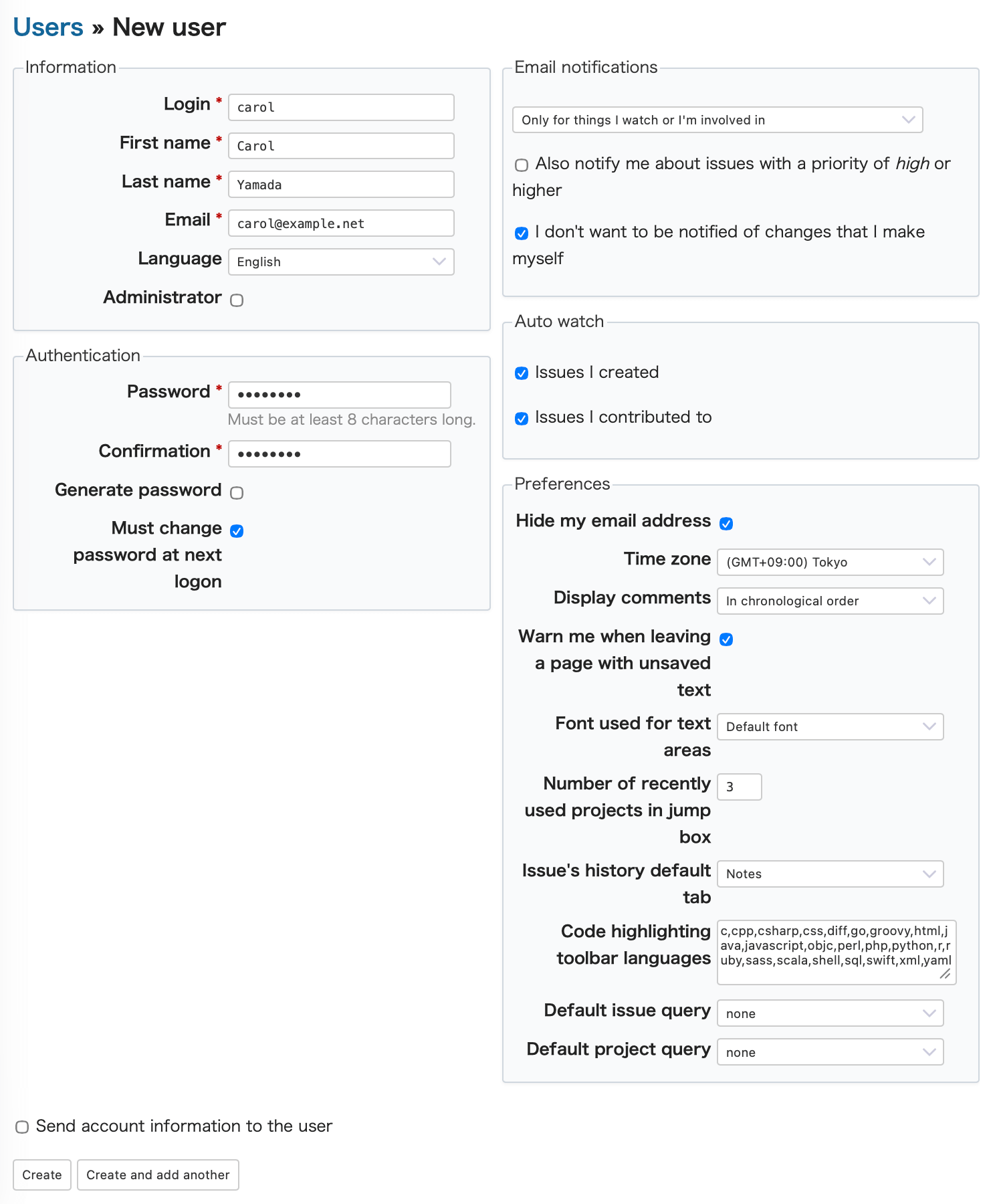
To register a new user, log in as an administrator, then open Administration → Users, and click New user in the upper-right corner.
The New user screen will appear.
Fill in the required fields as described below:
| Field | Description |
|---|---|
| Login | The username used to sign in to Redmine. You may use alphanumeric characters and certain symbols ( _ - @ .). |
| First name | The user's given name. |
| Last name | The user's family name. |
| The email address used for notifications, such as password setup and issue updates. | |
| Language | The language used to display Redmine’s user interface. By default, this is set according to Administration → Settings → Display → Default language. |
| Administrator | If checked, grants the user administrator privileges.Administrators can configure Redmine, and manage projects and users. |
| Send account information to the user | If checked, Redmine will automatically send an email to the user containing the login URL, username, and password upon registration. |
Related FAQs
- Registering Redmine users in bulk with CSV import
- Exporting the list of Redmine users to CSV
- Customizing the Administration → Users screen of Redmine (filters, column changes, custom queries)
- Setting default values for new Redmine users
- "Email has already been taken" is shown when you create a new Redmine user
- Locking and unlocking a Redmine user
- Deleting a Redmine user
- Are issues deleted when you delete a user in Redmine? (impact and what to do)
- The family name and the given name are displayed in reverse order in Redmine











