Deleting a Redmine user
Updated on 2023-04-11
•
Created on 2007-10-17
•

If you delete a user, the author or updater of the information that the user created or updated becomes "Anonymous". You can no longer see who created or updated it. In addition, the Assignee of the issues that were assigned to the user becomes blank.
Unless you have a special reason, we recommend that you lock the user instead of deleting the user.
Details: Locking and unlocking a Redmine user
How to delete a user
- Open the "Administration" → "Users" screen
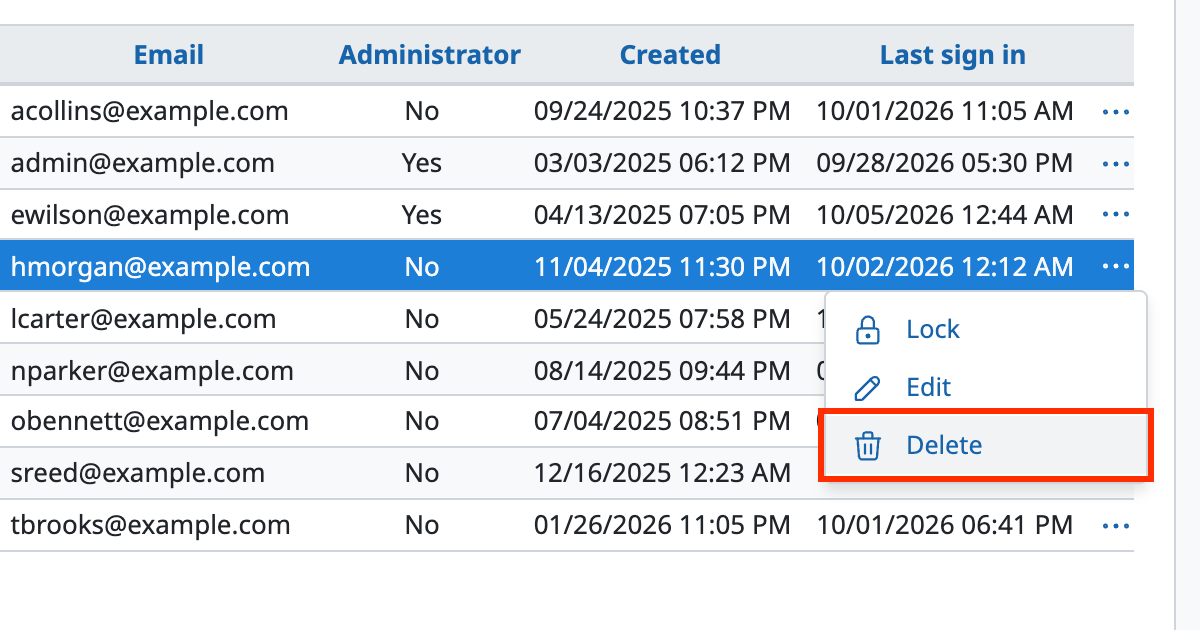
- Click "..." (Actions) of the user that you want to delete
- Click "Delete" in the drop-down menu
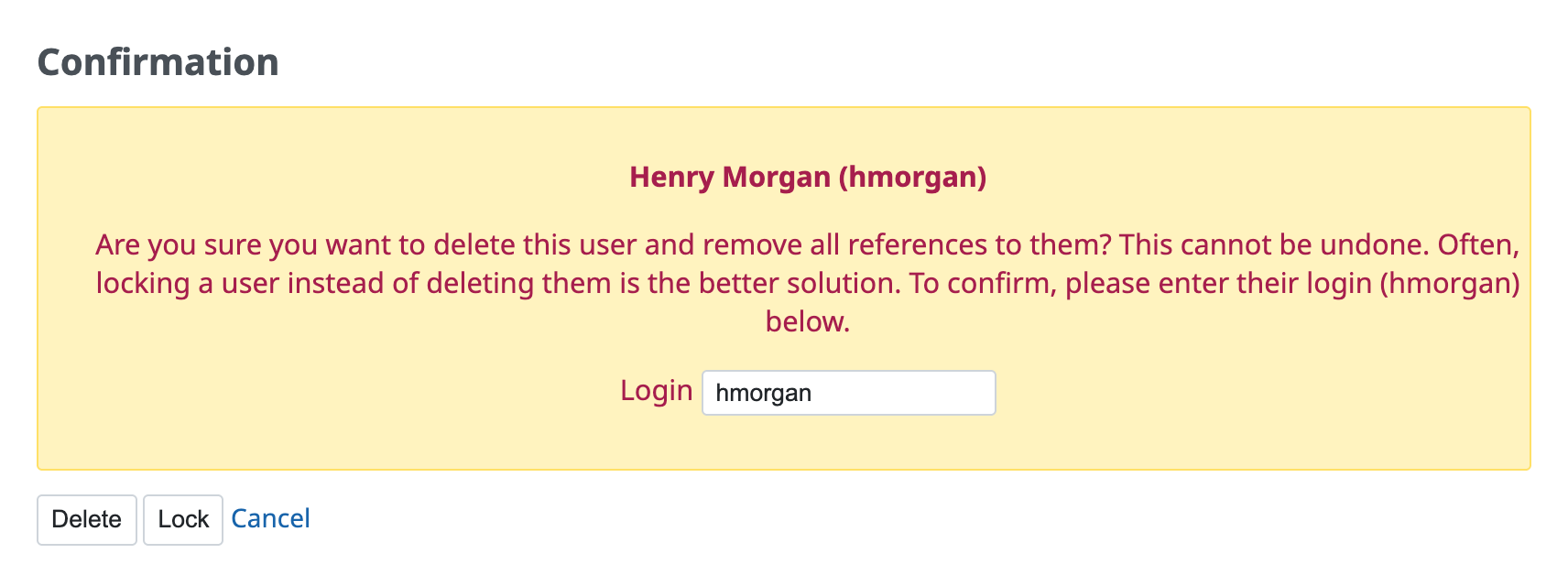
- On the confirmation screen, enter the login of the user that you want to delete
- Click "Delete"
How to delete multiple users at once
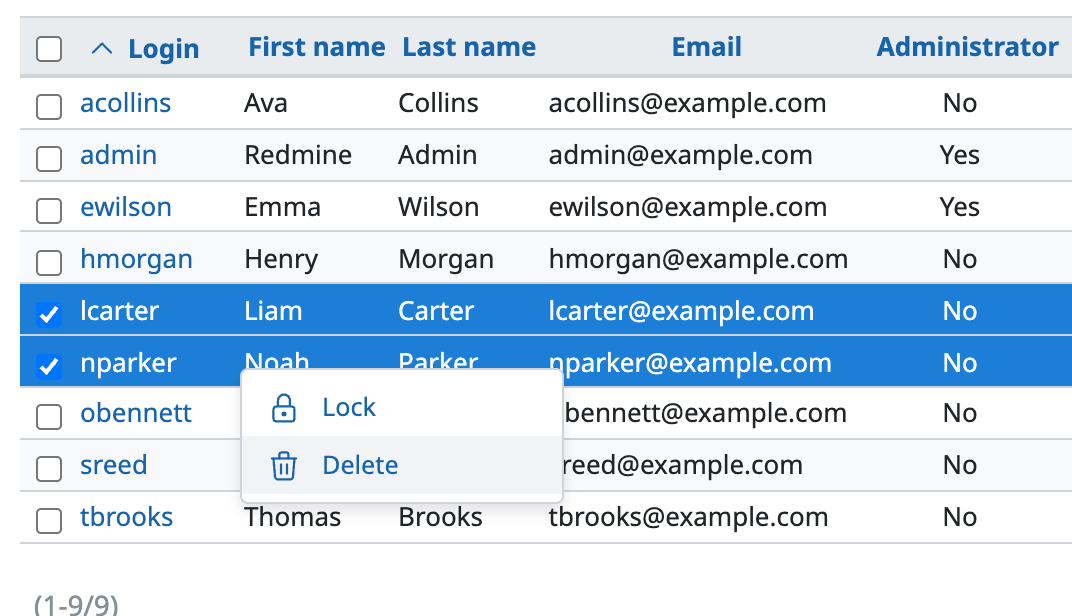
In Redmine 5.1 / RedMica 2.2 or later, you can select multiple users and delete them at once.
- Select the users that you want to delete. Click the checkboxes on the left side of the screen, or click the rows of the users while you hold down the Ctrl key (the ⌘ key on macOS)
- Select "Delete" in the menu that is shown when you right-click
Related information
- Administrative operations on users (Redmine Guide, redmine.org)
- Are issues deleted when you delete a user in Redmine? (impact and what to do)











