Setting default values for new Redmine users
Updated on 2025-12-16
•
Created on 2023-01-23
•

You can set default values for some of the input items that are used when you register a new Redmine user. If you set the options that you choose most often as the defaults, you reduce the input work. For example, if most of your users work in the same time zone, it is useful to set that time zone as the default.
Items for which you can set a default value
| Item | Description | Where to set | CSV import |
|---|---|---|---|
| ① Language | Sets the display language. | "Administration" → "Settings" → "Display" → "Default language" | Yes |
| ② Email notifications | Selects the kinds of updates in Redmine for which email notifications are sent. What each option of "Email notifications" in "My account" notifies you about in Redmine |
"Administration" → "Settings" → "Users" → "Default values for new users" | No |
| ③ I don't want to be notified of changes that I make myself | When this is on, notification emails are not sent for operations that the user performs. | ||
| ④ Auto watch (Redmine 6.1 or later) | When this is on, the user automatically watches the issues that the user creates or updates. | ||
| ⑤ Hide my email address | When this is on, the email address is not shown to other users on the user details screen that opens when someone clicks the user name. | ||
| ⑥ Time zone | Selects the time zone that is used to show times such as the update time of an issue. |
Settings screens
"Administration" → "Settings" → "Display" → "Default language"

"Administration" → "Settings" → "Users" → "Default values for new users"

Screen where the settings are applied
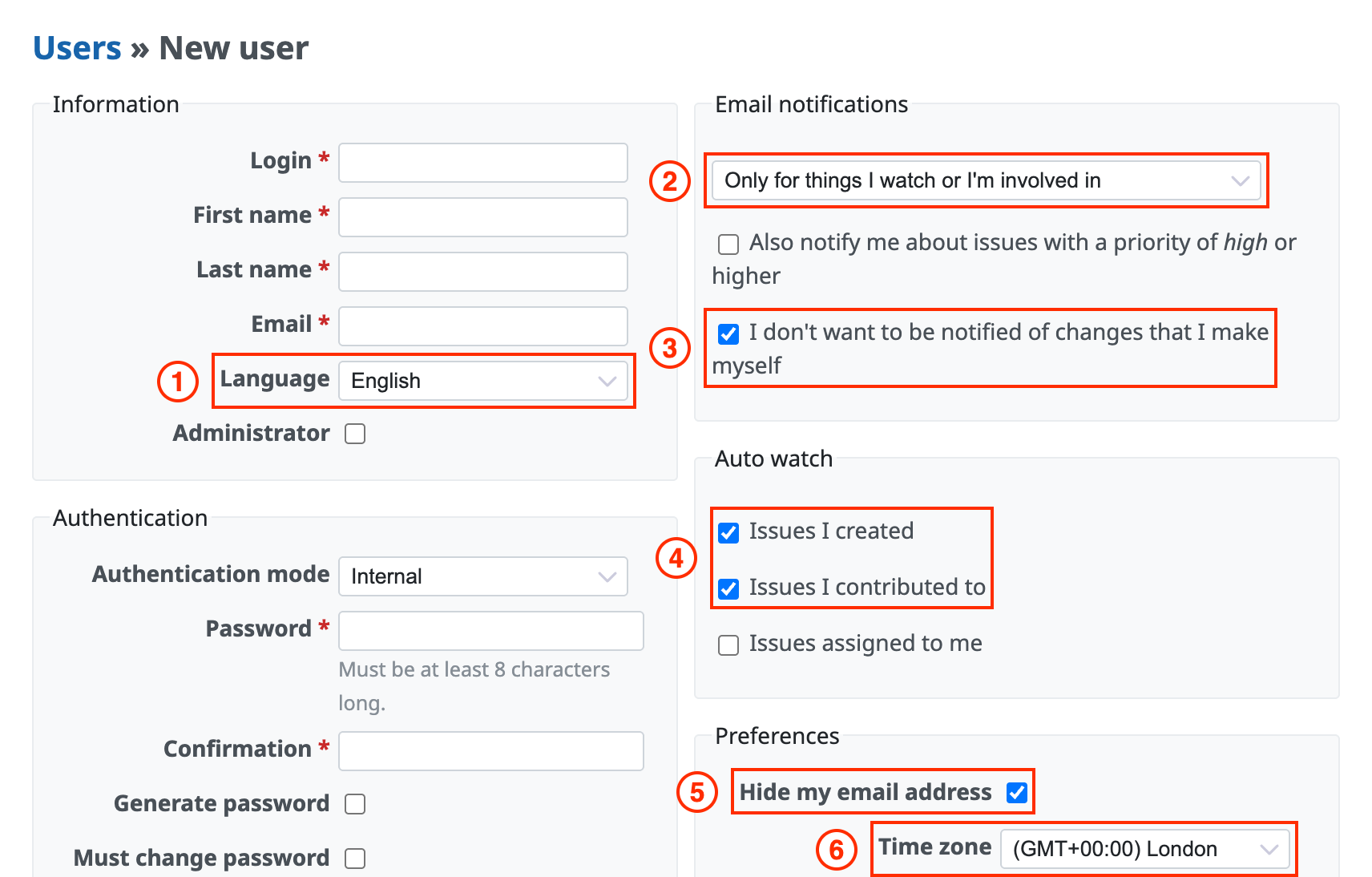
"New user" screen
Related information











