What each option of "Email notifications" in "My account" notifies you about in Redmine
Updated on 2024-11-20
•
Created on 2018-07-04
•

(Supported versions: Redmine 6.0 or later / RedMica 3.1 or later)
You can configure, for each user, which updates in Redmine cause an email notification. The user and administrators can change the "My account" settings of a user.
You can select what to be notified about in the "Email notifications" section of "My account".
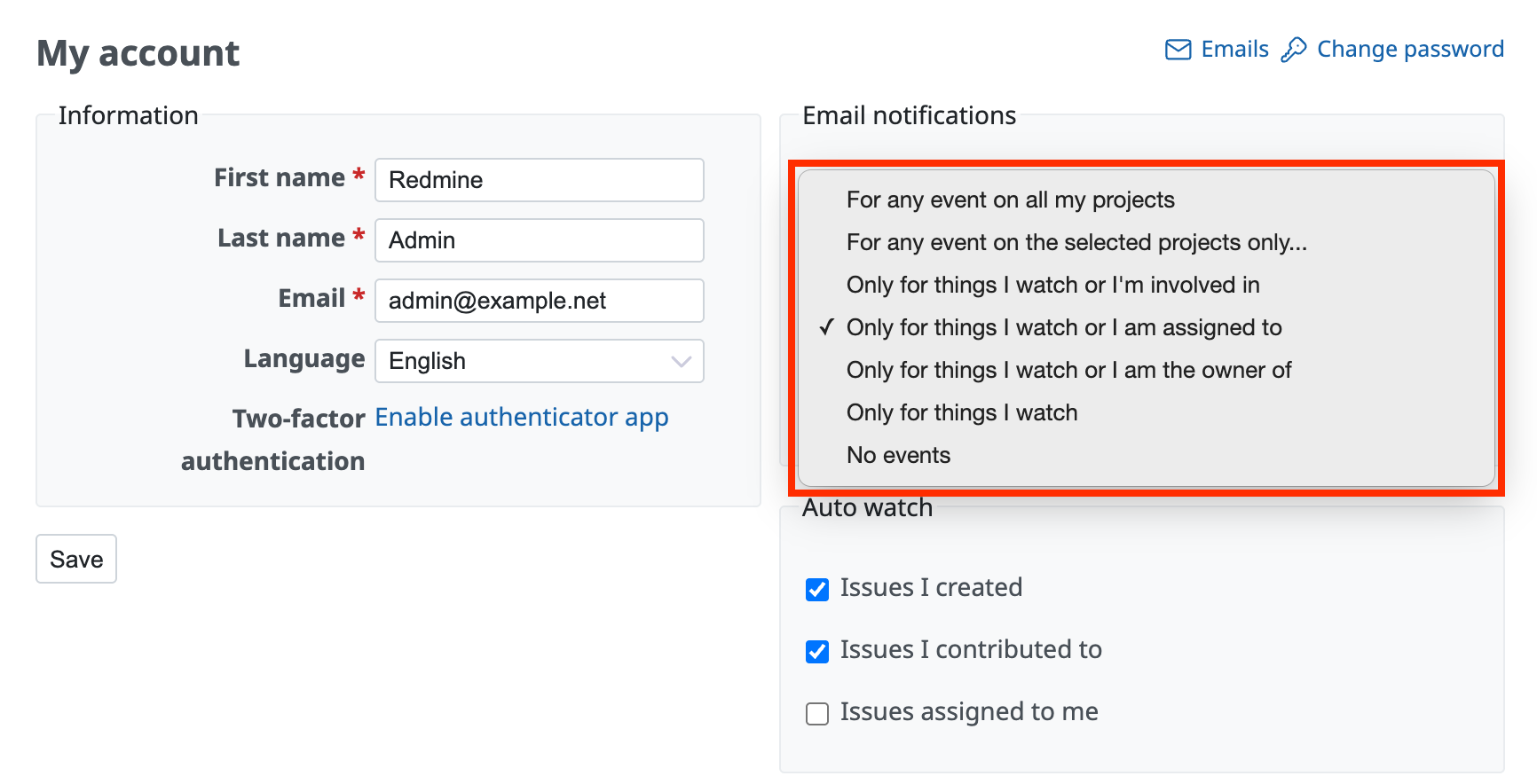
Options and what they notify
The following table shows what each option notifies you about.
| Option | Notifications |
|---|---|
| For any event on all my projects | Notifications such as the addition and update of issues are sent for all projects of which you are a member. |
| For any event on the selected projects only... | Notifications such as the addition and update of issues are sent only for the selected projects. However, notifications that match "Only for things I watch or I'm involved in" are also sent for projects that are not selected. |
| Only for things I watch or I'm involved in | Notifications are sent in the following cases. - An issue that you watch is updated - An issue that you created is updated - An issue assigned to you is updated - You are set as the assignee by an issue update |
| Only for things I watch or I am assigned to | This is the default setting. Notifications are sent in the following cases. - An issue that you watch is updated - An issue assigned to you is updated - You are set as the assignee by an issue update |
| Only for things I watch or I am the owner of | Notifications are sent in the following cases. - An issue that you watch is updated - An issue that you created is updated |
| No events | No email notifications are sent. |
The following table shows whether a notification is sent for each kind of issue.
Yes: notified / No: not notified / Selected only: notified only for the selected projects
| Issues that you created | Issues assigned to you | Issues that you watch | Other issues | |
|---|---|---|---|---|
| For any event on all my projects | Yes | Yes | Yes | Yes |
| For any event on the selected projects only... | Yes | Yes | Yes | Selected only |
| Only for things I watch or I'm involved in | Yes | Yes | Yes | No |
| Only for things I watch or I am assigned to | No | Yes | Yes | No |
| Only for things I watch or I am the owner of | Yes | No | Yes | No |
| No events | No | No | No | No |
However, please note the following. If you turn on "Also notify me about issues with a priority of ... or higher" in "My account", you are notified about all issues whose priority is higher than the default, regardless of the email notification setting. For details, see "How to receive notifications for high priority issues in Redmine".
Notifications about news are always sent to all members of the project, regardless of the email notification setting, unless the setting is "No events".
Reference: How to send an email to all registered users of Redmine
Points to note
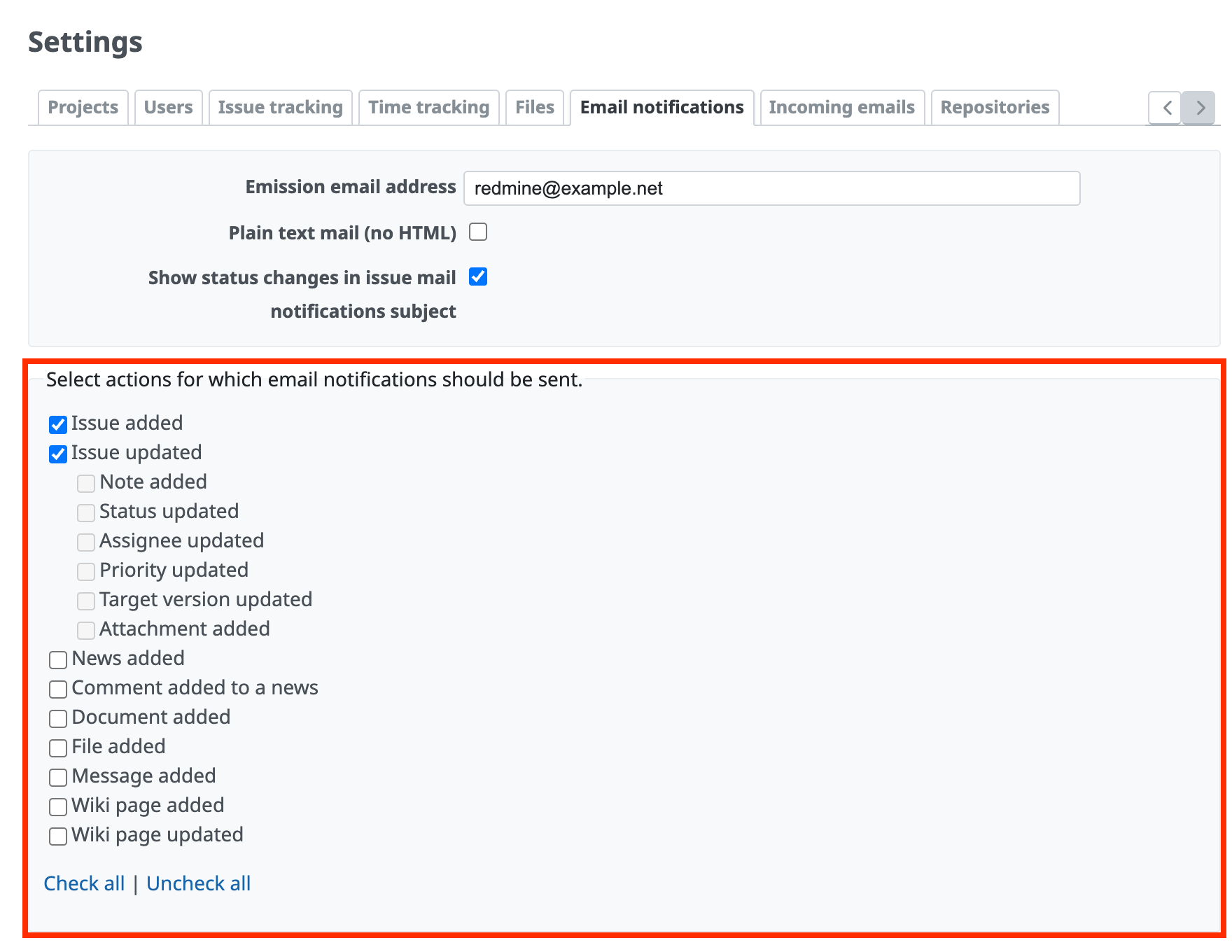
Even if you select "For any event on all my projects", you are not notified about events that are not selected as notification targets in the administration settings, such as news or wiki updates. Even if you configure email notifications in "My account", only the actions selected as targets of email notifications in the "Administration" → "Settings" → "Email notifications" tab are notified.
Related information
- How to receive notifications for high priority issues in Redmine
- How to receive email notifications for updates of Redmine issues that are not assigned to you
- How to send an email to all registered users of Redmine
- Email notifications for wiki updates are not sent in Redmine
- How to automatically watch the issues that you updated in Redmine (auto watch for issues)
- How to automatically watch the issues that you created in Redmine (auto watch for issues)











