How to automatically watch the issues that you updated in Redmine (auto watch for issues)
Updated on 2025-12-15
•
Created on 2022-12-14
•

(Supported versions: Redmine 5.0 or later / RedMica 2.1 or later)
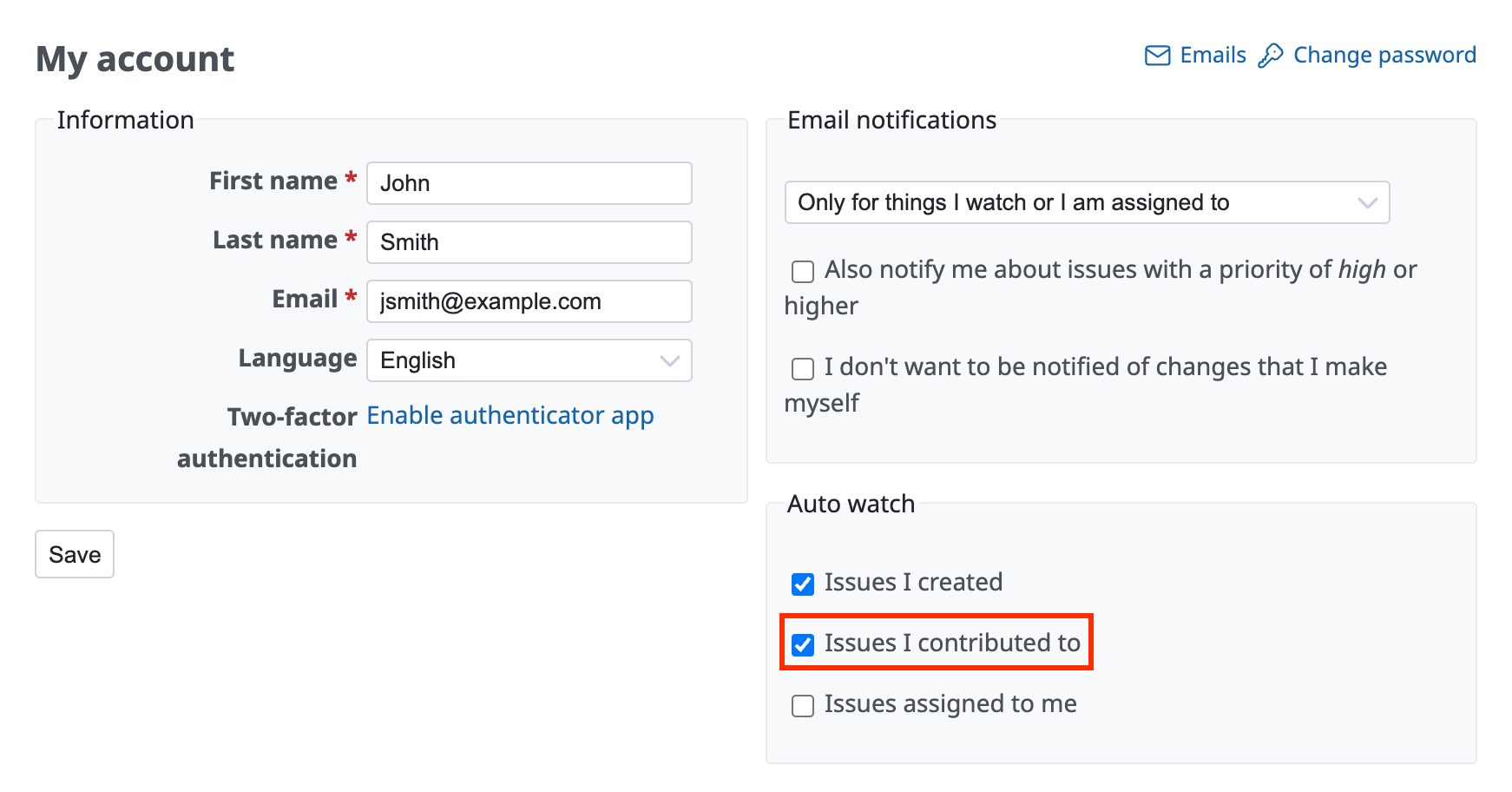
Redmine has an "Auto watch" feature that automatically watches issues. If you turn on "Issues I contributed to" in "My account", Redmine automatically watches the issues that you updated. This feature is useful when you want to receive notification emails for later changes to the issues that you updated. For example, you may add yourself as a watcher to receive notifications for every issue that you updated at least once, whether or not you are the assignee. This feature saves you that work.
Settings
- Click "My account" in the account menu at the top right of the page
- Turn on "Issues I contributed to" and click "Save"
Default auto watch settings for new users (Redmine 6.1 or later)
When you create a new user, the auto watch option "Issues I contributed to" is turned on by default. When a new user updates an issue, the user is automatically added to the watchers of the issue and receives the notification emails after that.
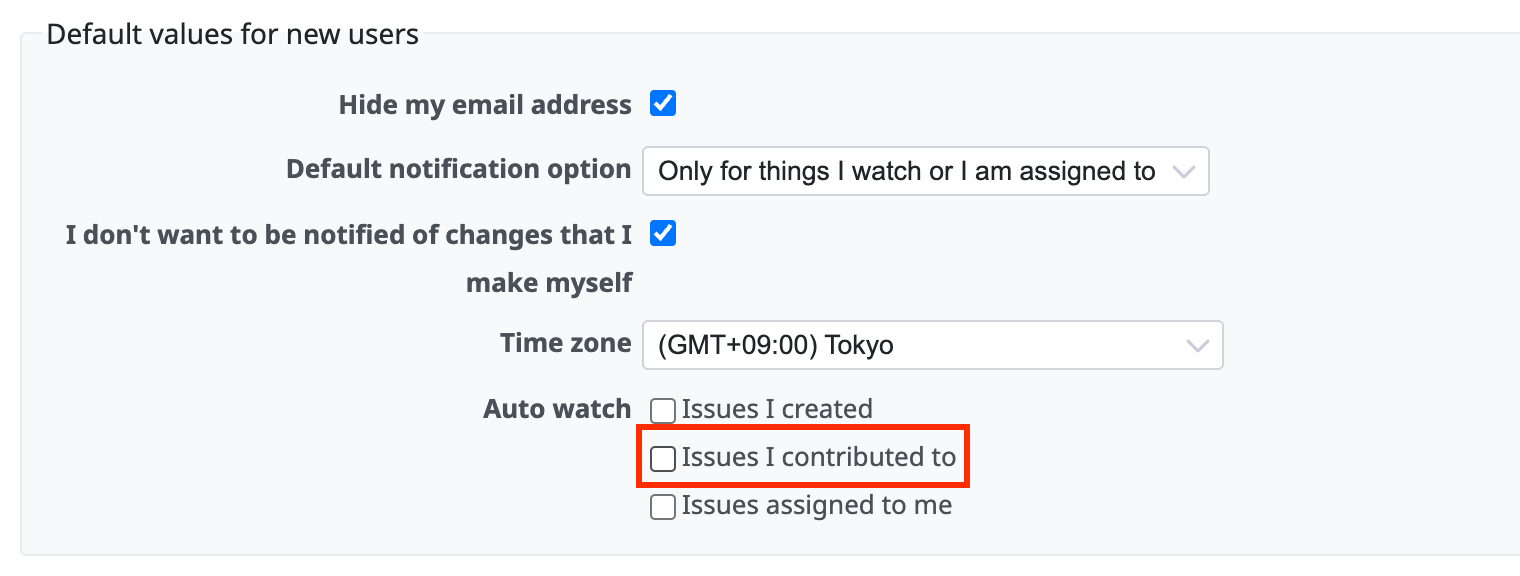
In Redmine 6.1 or later, you can change the default to off in "Auto watch" under "Default values for new users" on the "Administration" → "Settings" → "Users" tab. You can control whether new users become watchers from the start, according to how you operate Redmine.
Related information











