How to receive notifications for high priority issues in Redmine
Updated on 2023-04-20
•
Created on 2021-04-22
•

(Supported versions: Redmine 4.2 or later / RedMica 1.1 or later)
In Redmine 4.2 or later / RedMica 1.1 or later, if you turn on "Also notify me about issues with a priority of ... or higher" in "My account", you are notified about issues whose priority is higher than the default, regardless of the email notification setting.
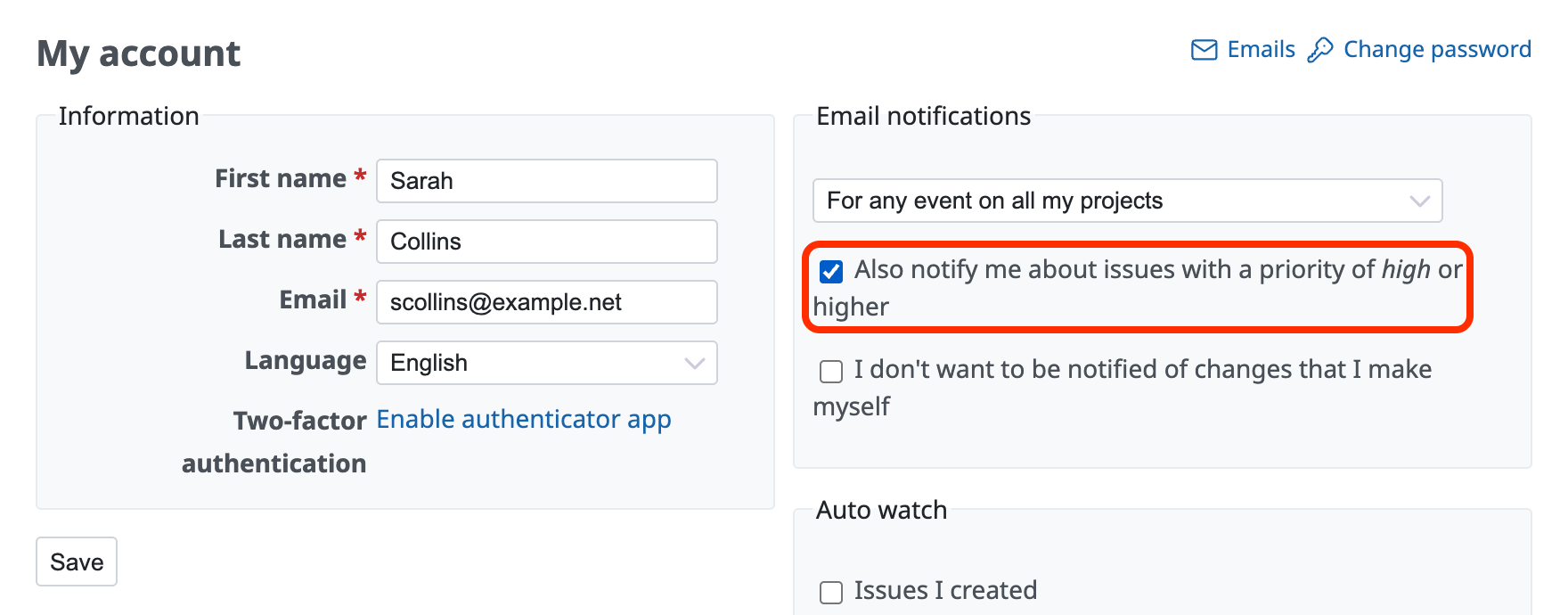
You can receive notifications even for issue updates that are normally not notified to you, if the priority of the issue is high.
For example, if you select "Only for things I watch or I am assigned to" in "My account", you are normally notified only about updates of issues that you watch or that are assigned to you. If you enable this feature, you also receive notifications for issues that are not related to you, if their priority is high.
How to configure
- Click "My account" in the account menu at the top right of the page.
- Turn on "Also notify me about issues with a priority of ... or higher" and click "Save".
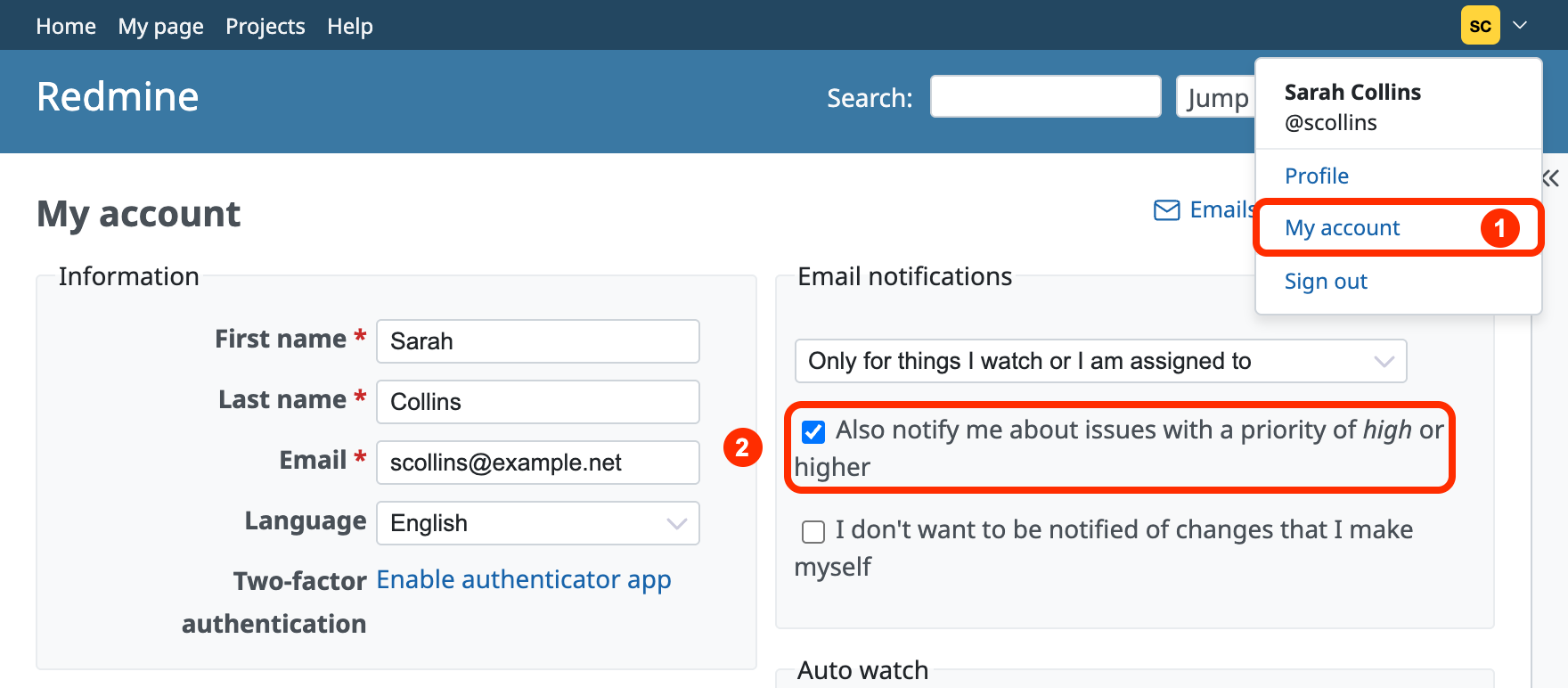
Priority settings
If the default value of the issue priority is "Normal", updates of issues with a priority higher than "Normal" ("High", "Urgent", or "Immediate") are notified regardless of the email notification setting.
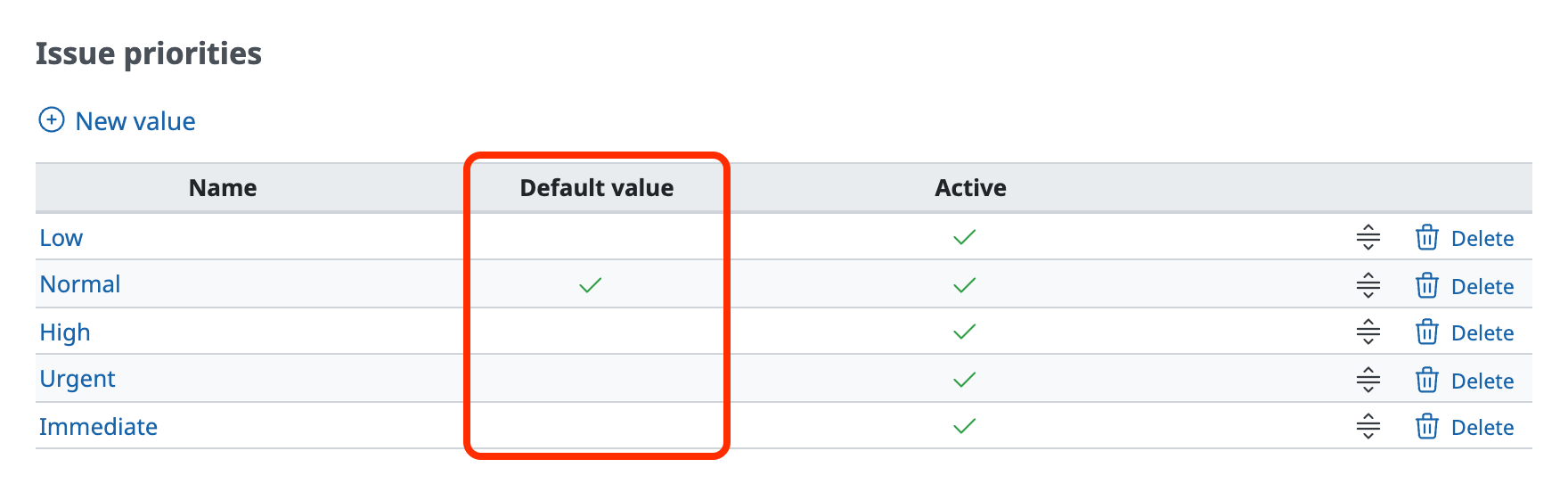
You can check the default priority in "Administration" → "Enumerations".
The priority that is checked in the "Default value" column is the default priority.











