Exporting the list of Redmine users to CSV
Created on 2023-02-02
•

This page explains how to export the list of Redmine users to a CSV file. This is useful, for example, when you manage which accounts have been issued.
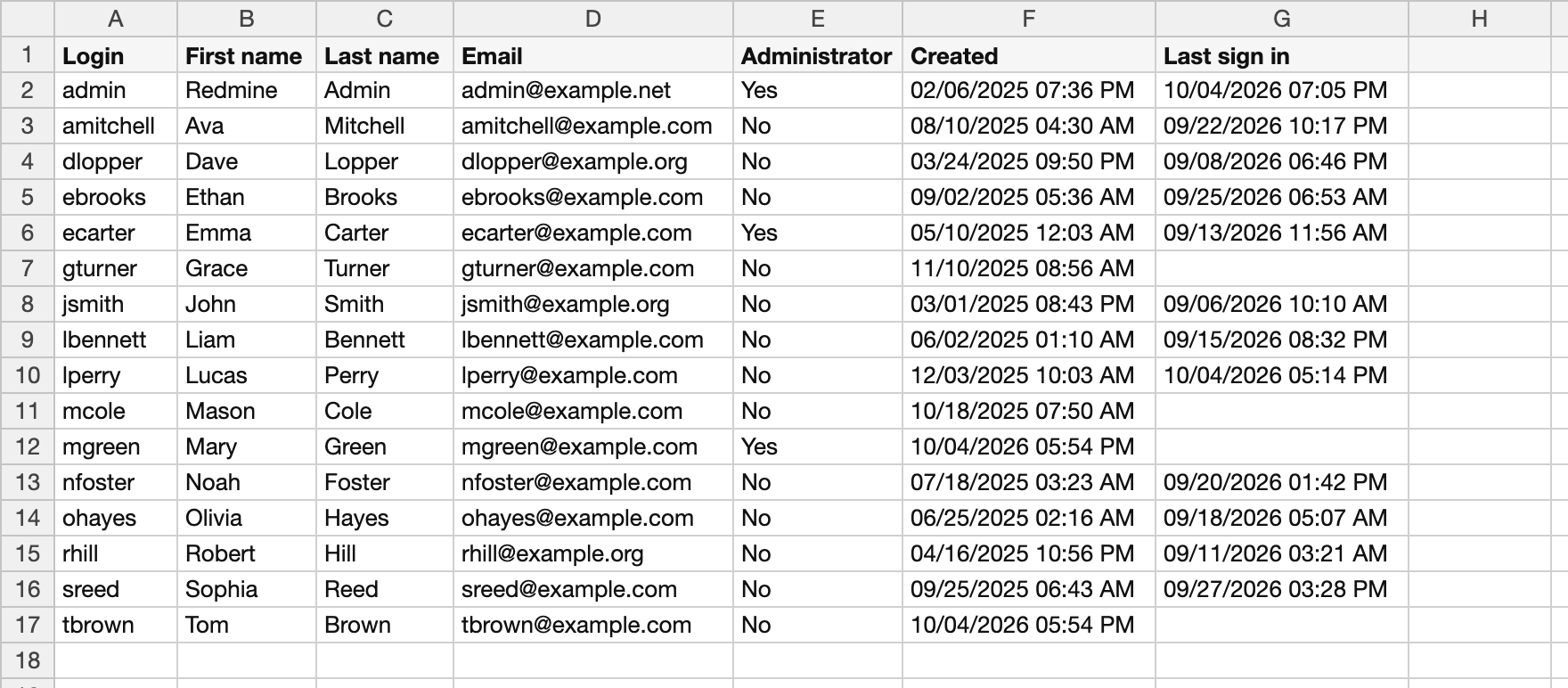
CSV file of the exported user list
How to export
- Click "Administration" → "Users" in the menu at the top left of the screen
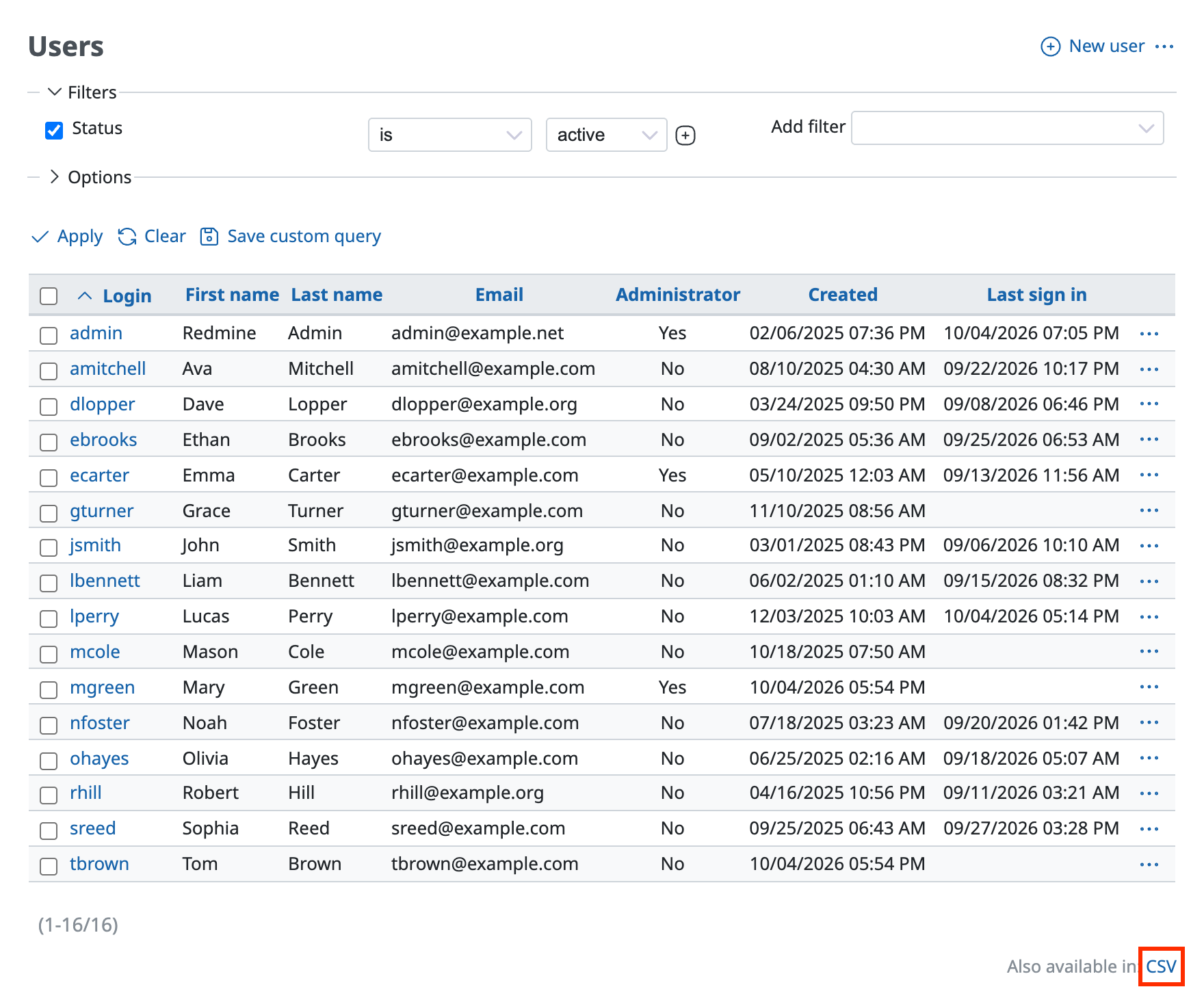
- Click "CSV" at the bottom right of the user list
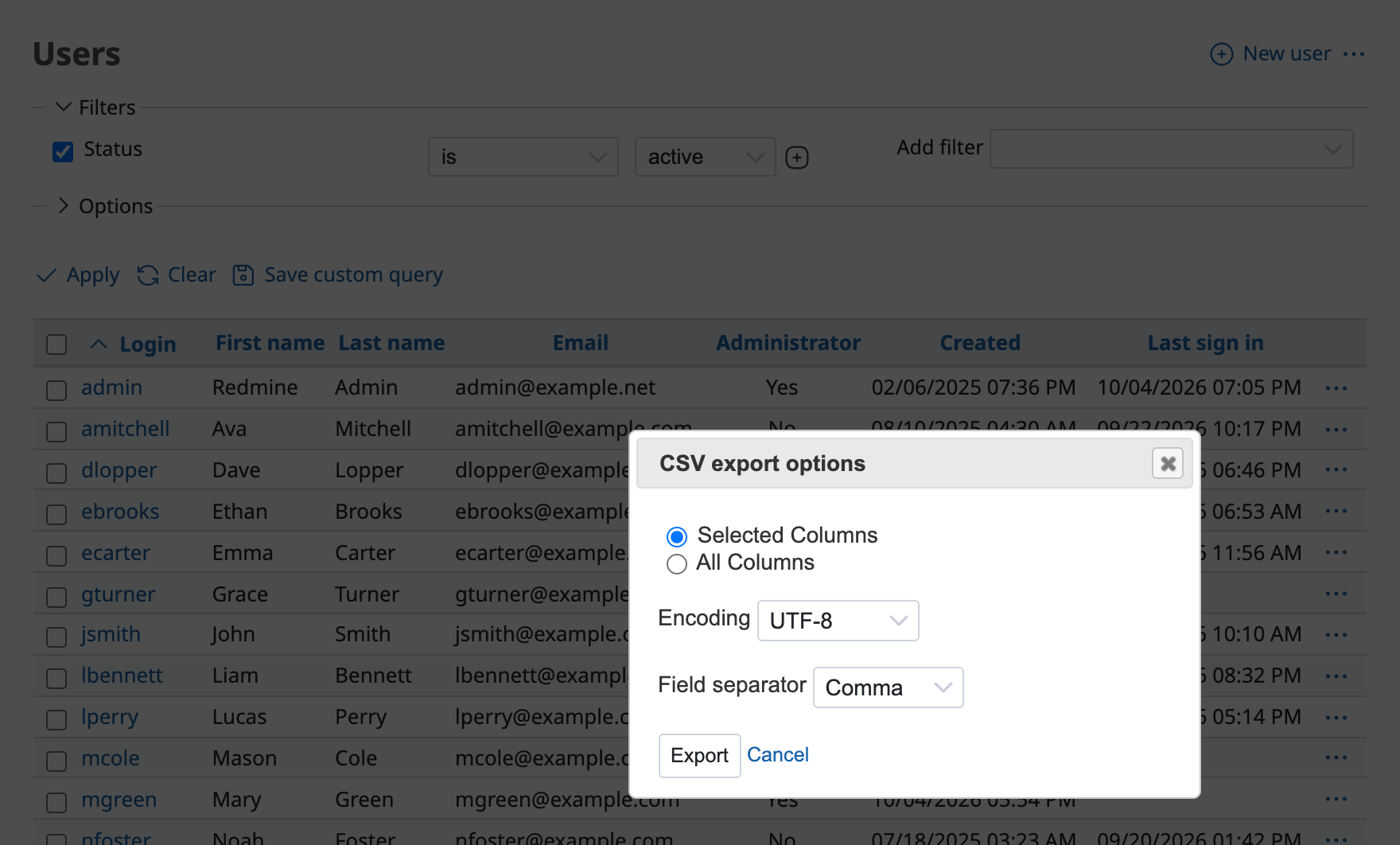
- Select the columns to export (Selected Columns / All Columns)
- Selected Columns: Use this when you want to export only the columns that you need. Redmine exports only the columns that are in "Selected Columns" in the options
- All Columns: Redmine exports all columns
- Selected Columns: Use this when you want to export only the columns that you need. Redmine exports only the columns that are in "Selected Columns" in the options
- Select the encoding. The options depend on the language of the user (for example, ISO-8859-1 or UTF-8 when the language is English)
- Click "Export"
Related information











