Repository
The Repository feature allows you to browse files and revision history stored in a version control system directly from Redmine.
A version control system manages files together with their change history—recording who changed what, when, and how.
Files and revision information are stored in a repository.
Redmine can integrate with version control systems such as Git, Subversion, and Mercurial.
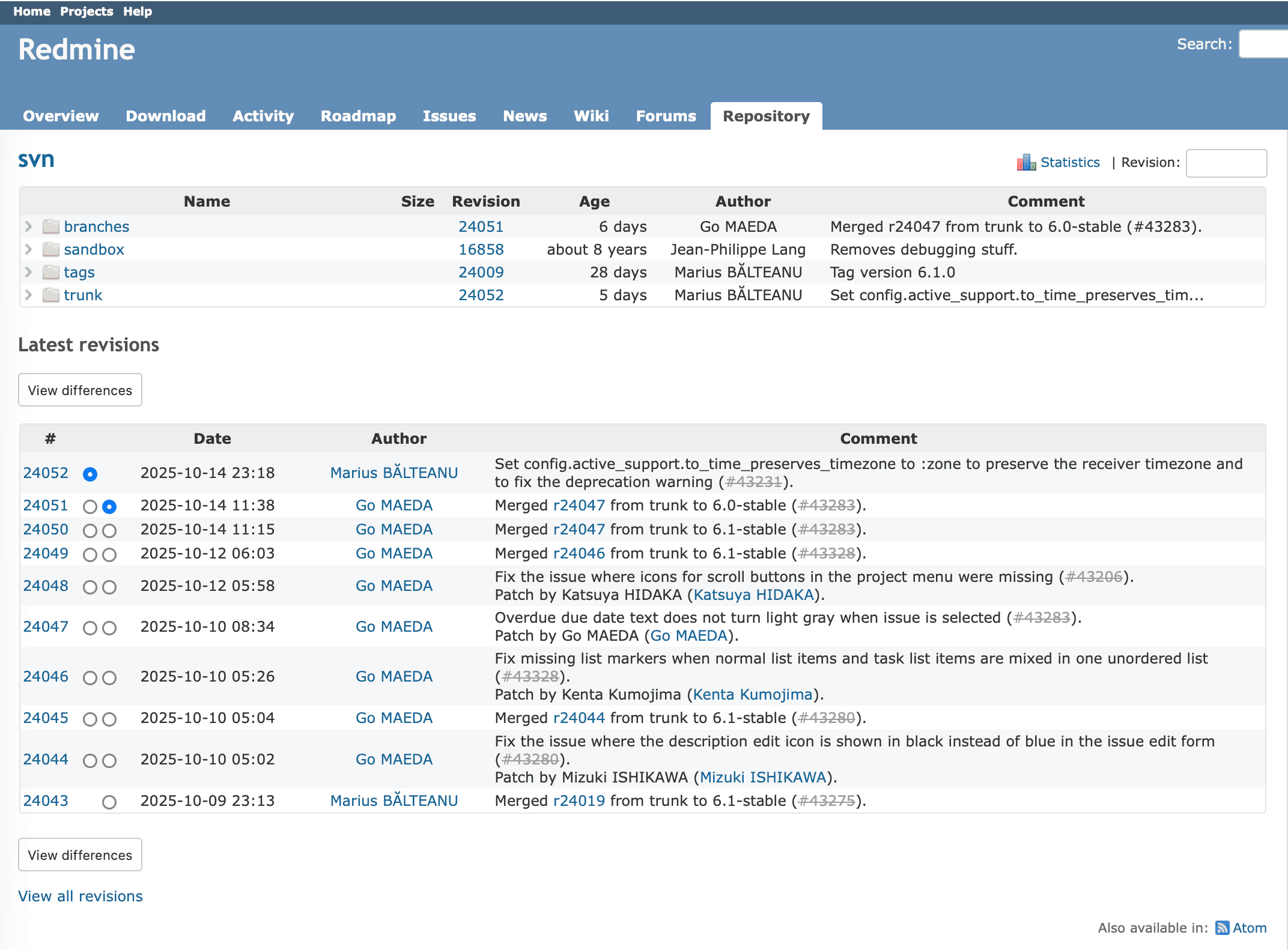
Click Repository in the project menu to open the repository screen.
- The upper half of the screen displays a list of folders and files in the repository.
- The lower half shows the most recently recorded revisions (latest revisions).
Redmine allows you to link issues with revisions from the version control system.
When issues and revisions are linked:
- The issue displays links to the related revision pages, allowing you to see what changes were made for that issue.
- The revision page displays links to the related issues, making it clear which issue each change was based on.
This bidirectional linking helps you track changes and understand how code modifications relate to specific issues.
Integration with a version control system is available only when the Repository module is enabled.
You can enable it under:
Project settings → Modules
You can enable it under:
Project settings → Modules
Related FAQs
- How to change the repository settings in Redmine
- Associating revisions with Redmine issues without referencing keywords (such as refs)
- Commits to a repository such as Subversion do not appear in "Activity" in Redmine until you open "Repository"
- The "Repository" page in Redmine is slow to open
- Redmine shows the error "The entry or revision was not found in the repository."
- With Passenger, the Redmine repository browser returns an error (404) for files with the .cgi or .PHP extension
- Fixing garbled text in Redmine attachments and repository files with the "Attachments and repositories encodings" setting











