How to change the sender address (From) of Redmine emails
Updated on 2023-01-27
•
Created on 2012-05-06
•

The sender (From) of the notification email that Redmine sends when an issue is created or updated has the form Name of the user who created or updated the issue <fixed email address>. You can freely change the fixed email address part.
How to configure
- Open the "Email notifications" tab of the "Administration" → "Settings" page.
- Change "Emission email address".
- Click "Save".
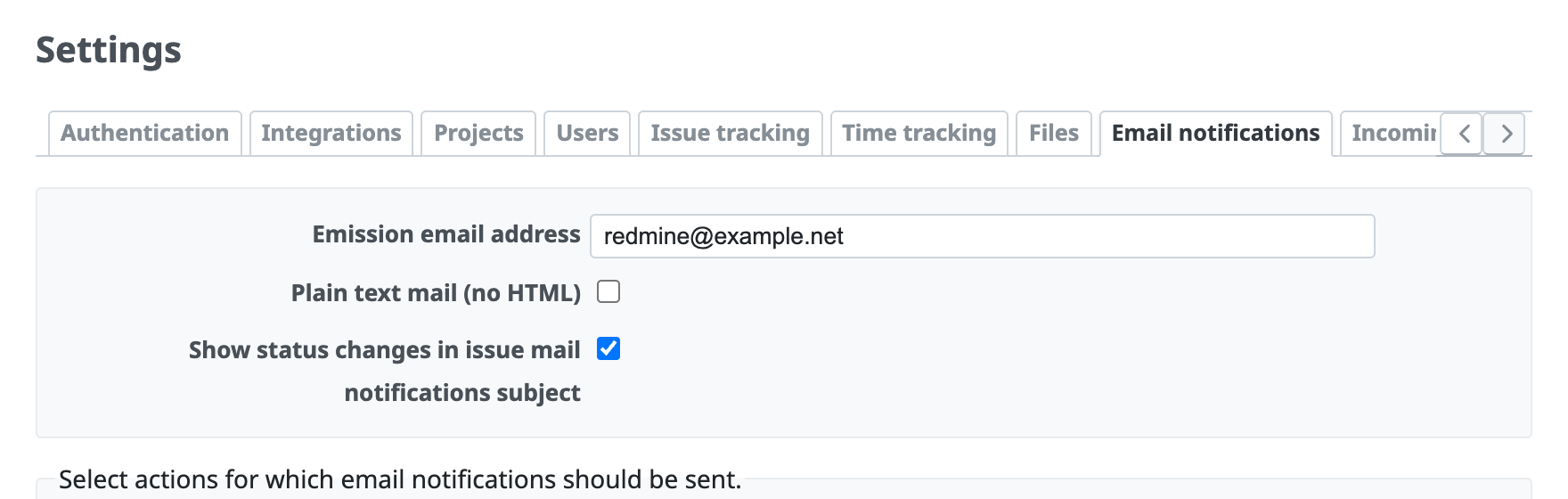
Forms that you can enter in Emission email address
You can enter a value in one of the following forms in "Emission email address". The value of the sender (From) of the emails that are actually sent depends on the form.
Email address: The sender in the email isUser name <fixed email address>. TheUser namepart shows the name of the user who performed the create or update operation that caused the email notification.Fixed display name <email address>: The sender in the email isFixed display name <fixed email address>. The name of the user who performed the create or update operation is not shown, and the fixed value is always shown.
Emission email address and issue creation by email
If you enable issue creation by email and set the emission email address to the address for issue creation, you can add a note to an issue by replying to the notification email that Redmine sent for the creation or update of the issue.
- Receiving emails (Redmine Guide, redmine.org)
- Keywords that you can use when creating Redmine issues by email
Related information











