Correcting the issue link URL in Redmine notification emails
Updated on 2023-02-17
•
Created on 2009-09-18
•

The notification email that is sent when an issue is created or updated contains the URL of the issue. Immediately after installation, this URL begins with http://localhost:3000/, which is not the correct URL in most environments.
To correct this URL, log in as a Redmine administrator and change "Host name and path" and "Protocol" in the "Administration" → "Settings" → "General" tab to match your environment.
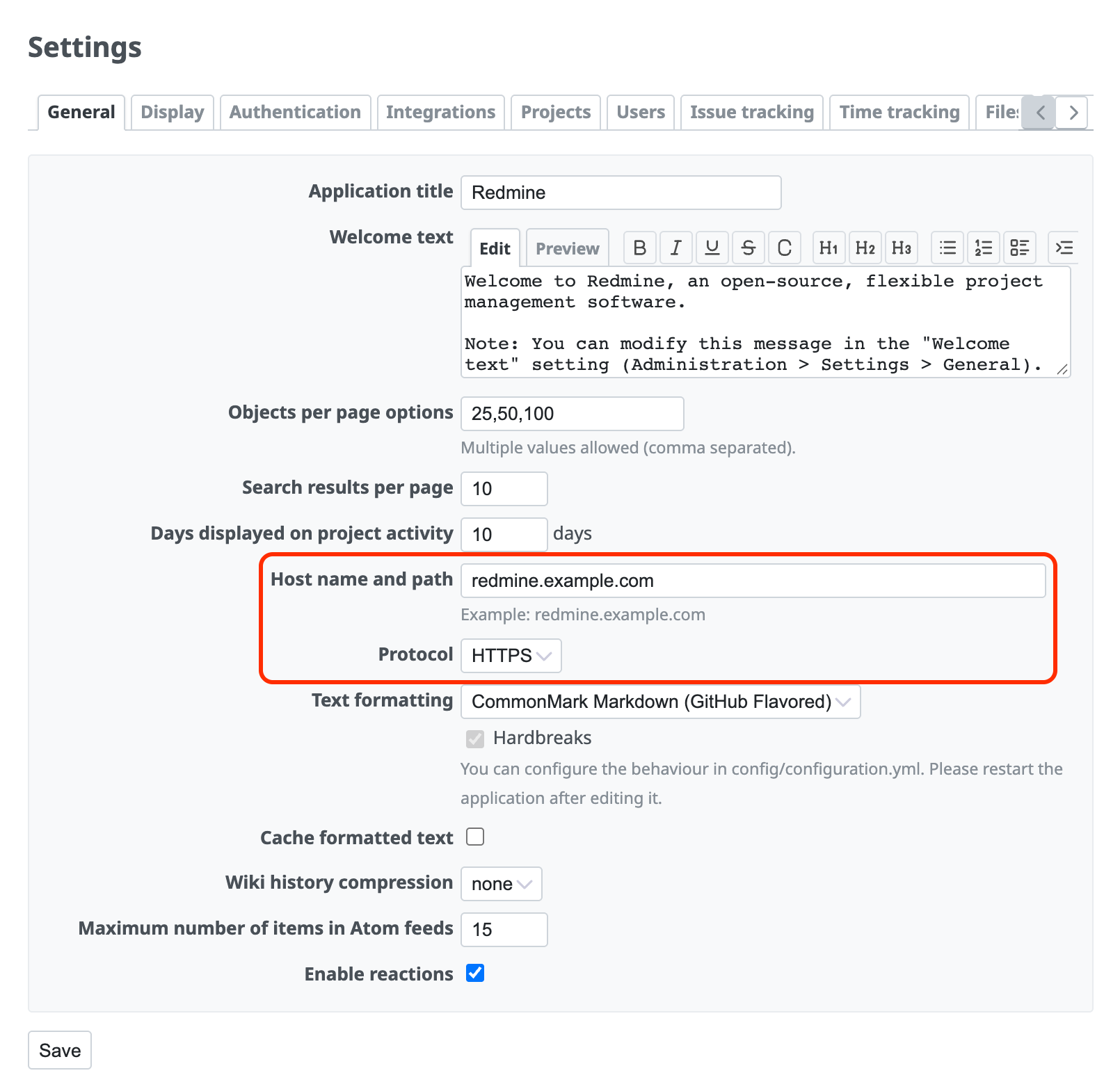
Description of the settings
Host name and path
This is the URL of Redmine without the URL scheme part (http://, https://).
A suggested value is displayed as an example under the input field. Normally, enter that value as it is.
Protocol
Select the value that matches the URL of Redmine. Select HTTPS if the URL begins with https://, and select HTTP if it begins with http:// (without SSL).
The "Host name and path" and "Protocol" settings affect only the URLs in notification emails. If you change these settings, the URL for access to Redmine does not change. To change the URL for access, change the configuration of the Redmine server appropriately.











