How to hide the user name in the sender address (From) of Redmine emails
Updated on 2026-05-01
•
Created on 2021-03-16
•

The sender address (From) of the notification email that Redmine sends when an issue is created or updated shows the name of the user who created or updated the issue.

The name of the user who created or updated the issue is shown as the display name of From (default)
If you do not want the user name to appear in the From of notification emails, set a fixed display name. The emails then always appear to come from the same From (the fixed display name), whichever user made the update.

The display name is fixed to "Redmine"
How to configure
- Open the "Email notifications" tab of the "Administration" → "Settings" page.
- Enter a value in the form
Fixed display name <email address>in "Emission email address".
Note: Put a space between the fixed display name and < (the less-than sign). - Click "Save".
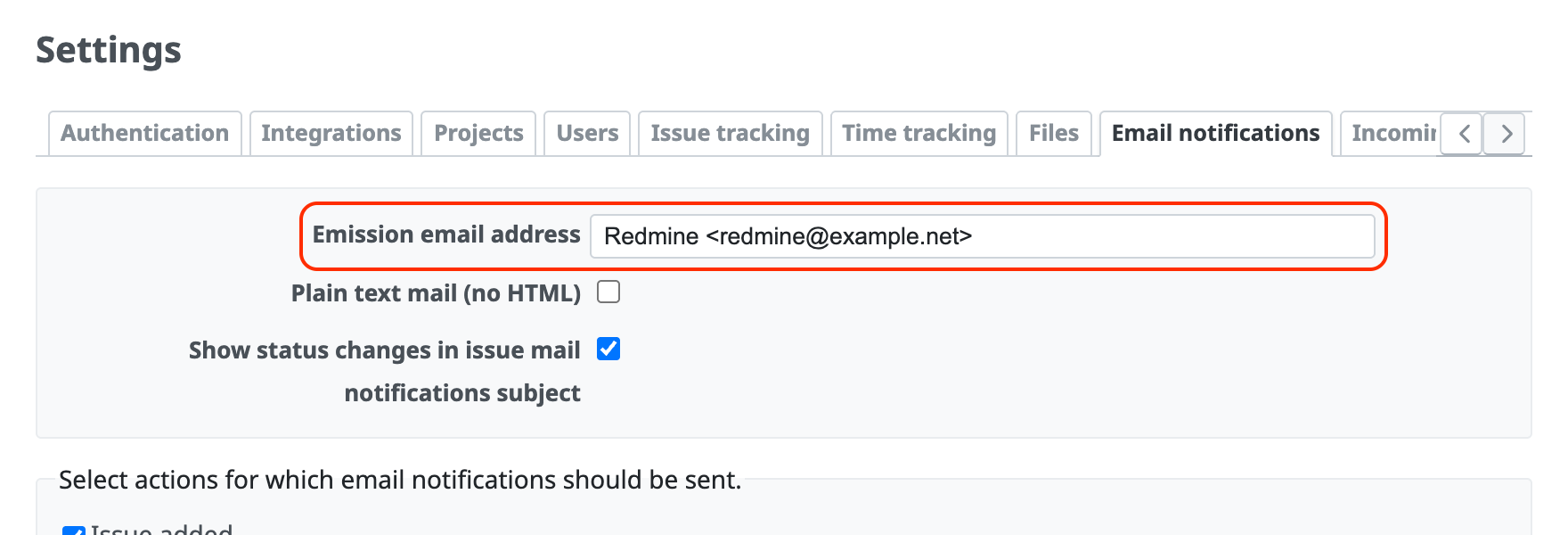
(Example) With the setting in the image, Redmine is the fixed display name.
Related information











