How to narrow down Redmine issues with a filter that searches several text fields
Created on 2024-02-02
•

(Supported versions: Redmine 5.1 or later / RedMica 2.3 or later)
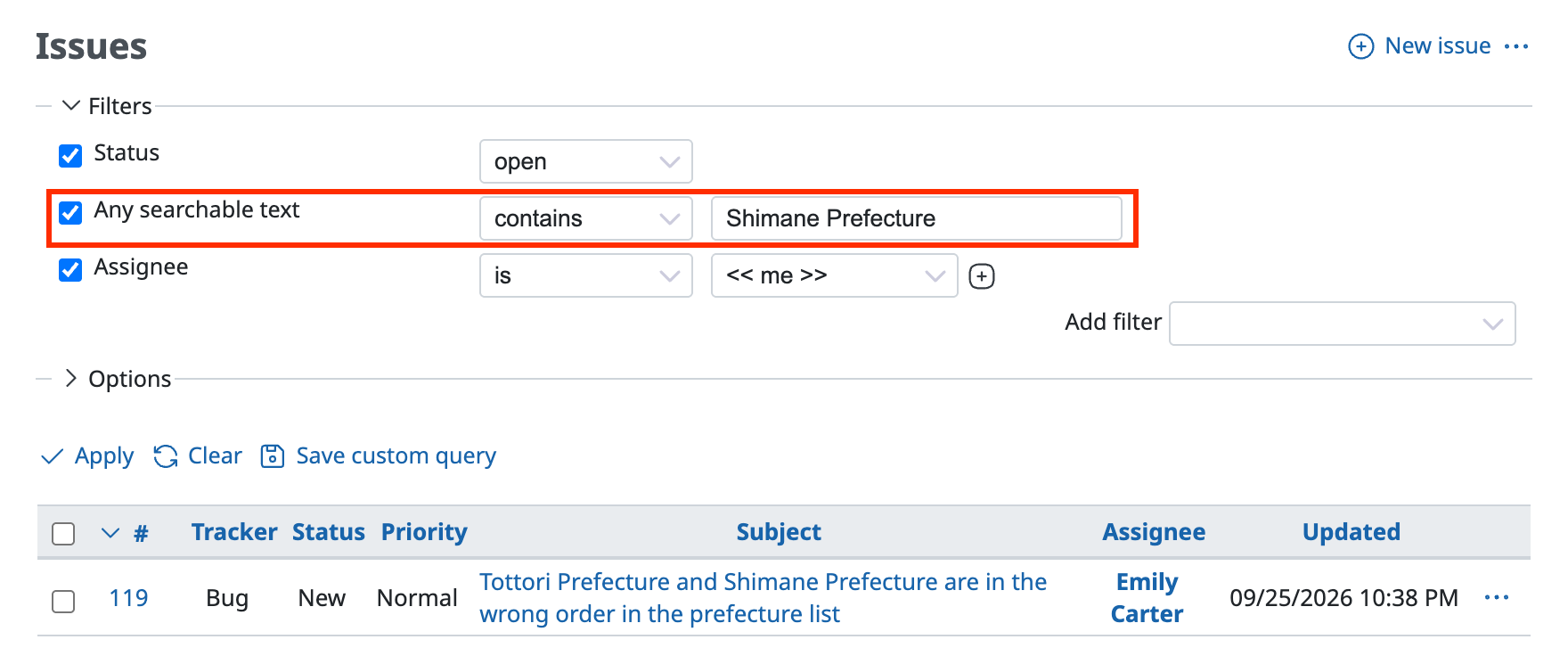
You can narrow down Redmine issues by keyword search. Use the "Any searchable text" filter. This filter searches the following four kinds of fields and extracts the issues that match.
- Fields that are searched
- Subject
- Description
- Notes
- Text-type custom fields with "Searchable" turned on
This filter is especially useful when you do not know which text field of an issue contains a specific keyword. You can search across several text fields with one filter, so the search becomes much more efficient.
For example, you can narrow down and display the issues that contain "Shimane Prefecture" in the subject, the description, the notes, or a text-type custom field.
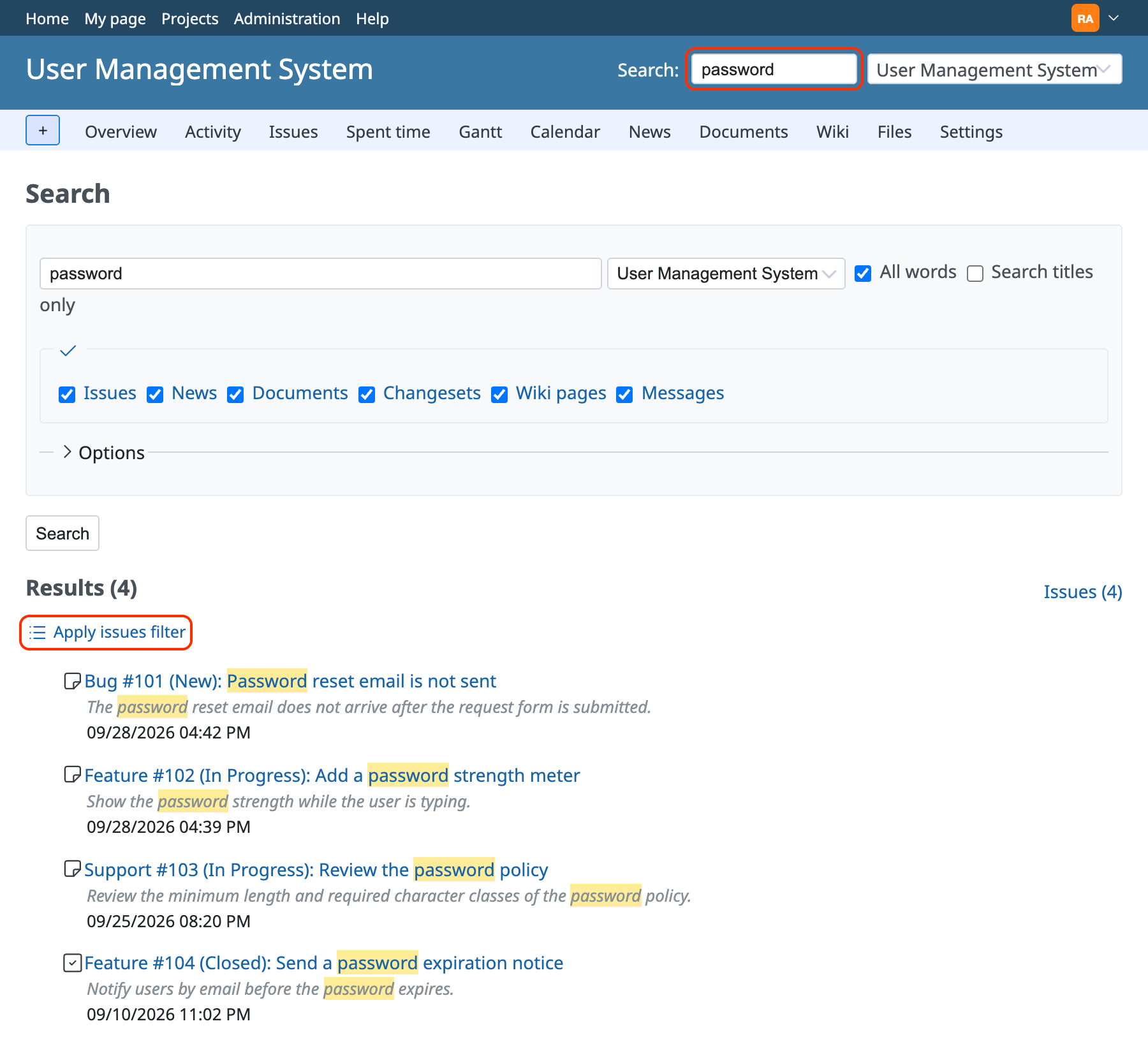
You can also run this filter by clicking "Apply issues filter" on the results page after you run a keyword search in the search box at the top right of the page.
Enter a keyword in the search box at the top right of the page and run the search. Then click "Apply issues filter" on the results page.
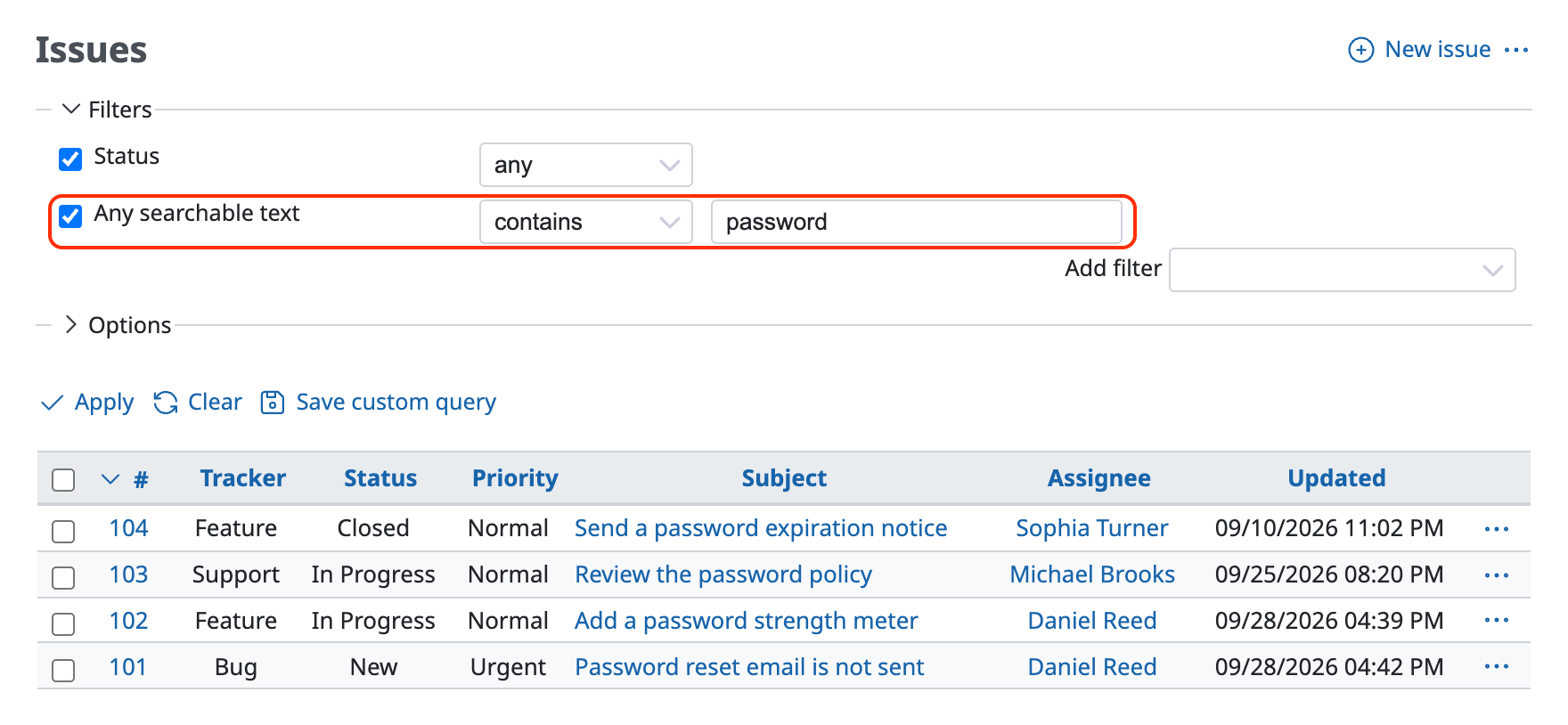
The issue list with the "Any searchable text" filter applied is displayed.
Related information
- Run an OR search with several keywords in the Redmine issue filter
- Run an AND search with several keywords in a Redmine text filter
- An issue that contains the keyword does not appear in the Redmine search results
- How to use the notes of Redmine issues in a filter
- Make the values of a Redmine custom field searchable











