Make the values of a Redmine custom field searchable
Created on 2015-05-18
•

To search the information in issues, enter a keyword in the search box at the top right of the issues page. By default, the values of custom fields are not included in the search, so you cannot search them. However, you can search them if you change the settings.
Settings to make a custom field searchable
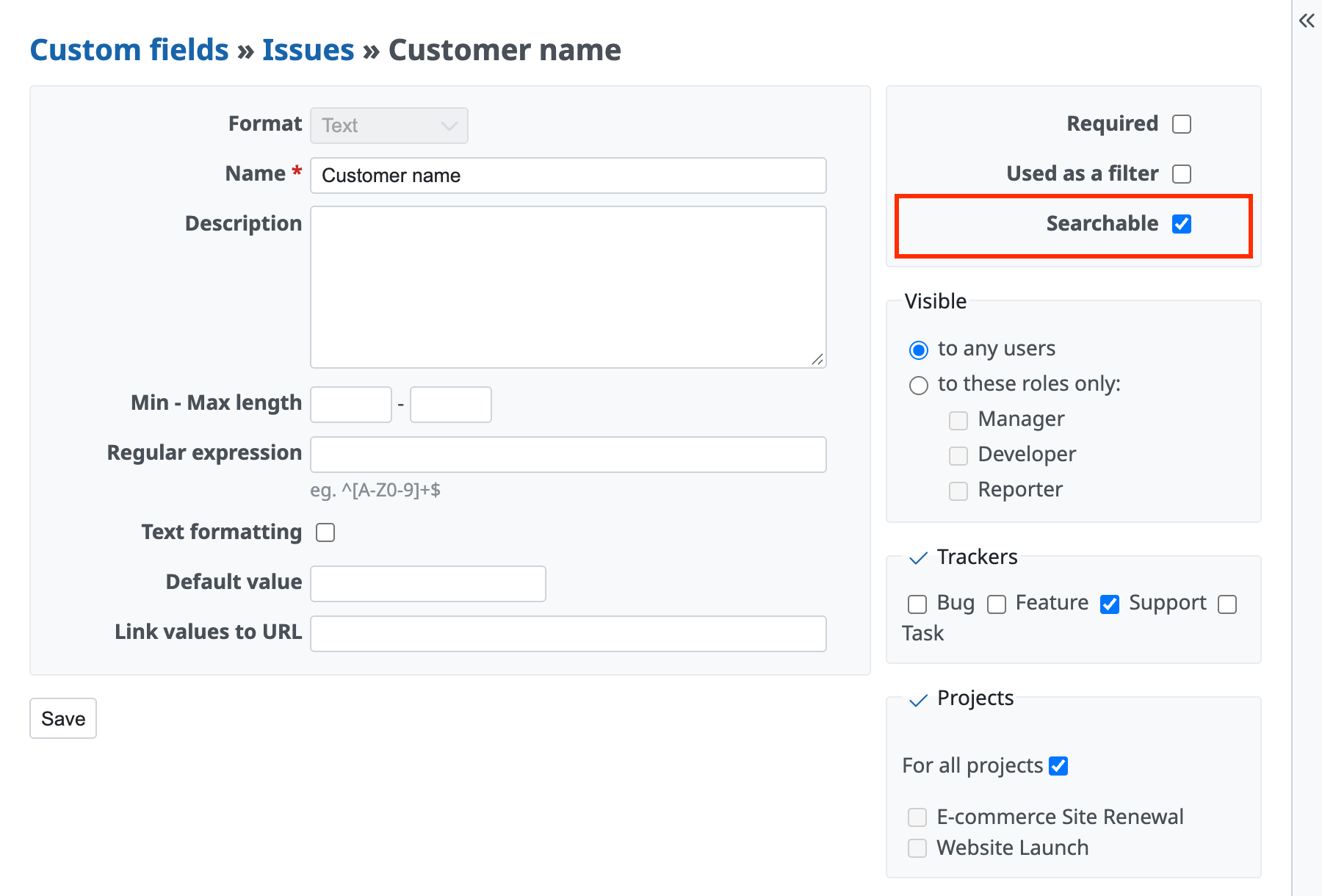
- On the "Administration" → "Custom fields" page, click the custom field that you want to make searchable
- On the custom field edit page, select "Searchable"
- Click the "Save" button
Note
A search from the search box is a heavy process. If you make custom fields searchable, the search may take a long time. We recommend that you make only the necessary custom fields searchable.
Related information
- Make a custom field available as a filter condition on the Redmine issue list
- Searching custom fields (Redmine Guide, redmine.org)











