Make a custom field available as a filter condition on the Redmine issue list
Created on 2015-04-23
•

If you set filters on the issues page, you can narrow down the issues that are displayed. By default, custom fields do not appear in the filter options. However, you can use them as filters if you change the settings.
What is a filter?
By default, the issue list shows the issues whose "Status" is "open".
If you set a filter, you can display only the issues that meet the condition. The example in the figure below shows only the issues whose "Tracker" is "Bug".
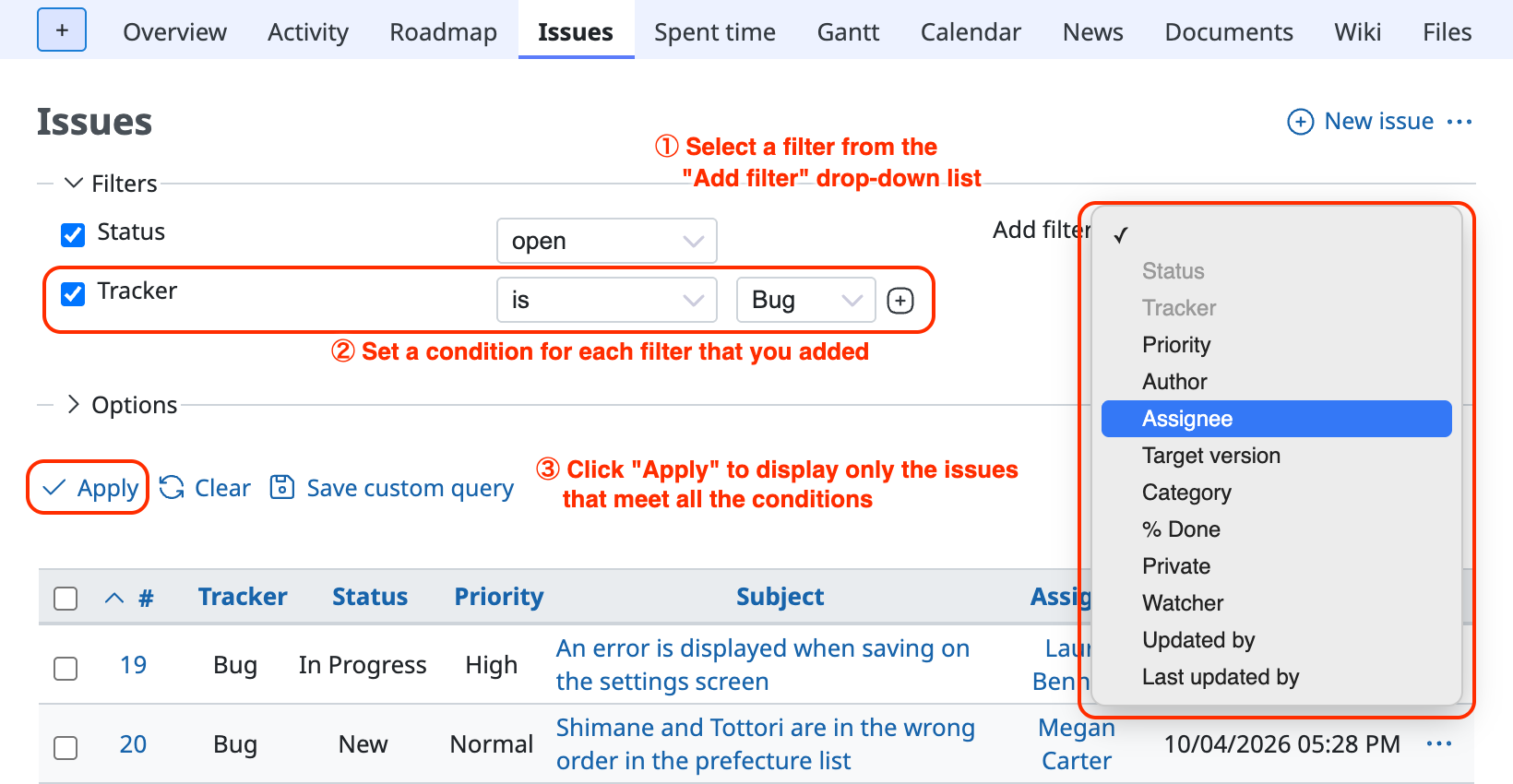
Filters and custom fields
By default, custom fields do not appear in the Add filter drop-down list. To use a custom field as a filter, configure the setting for each custom field.
Settings to use a custom field as a filter
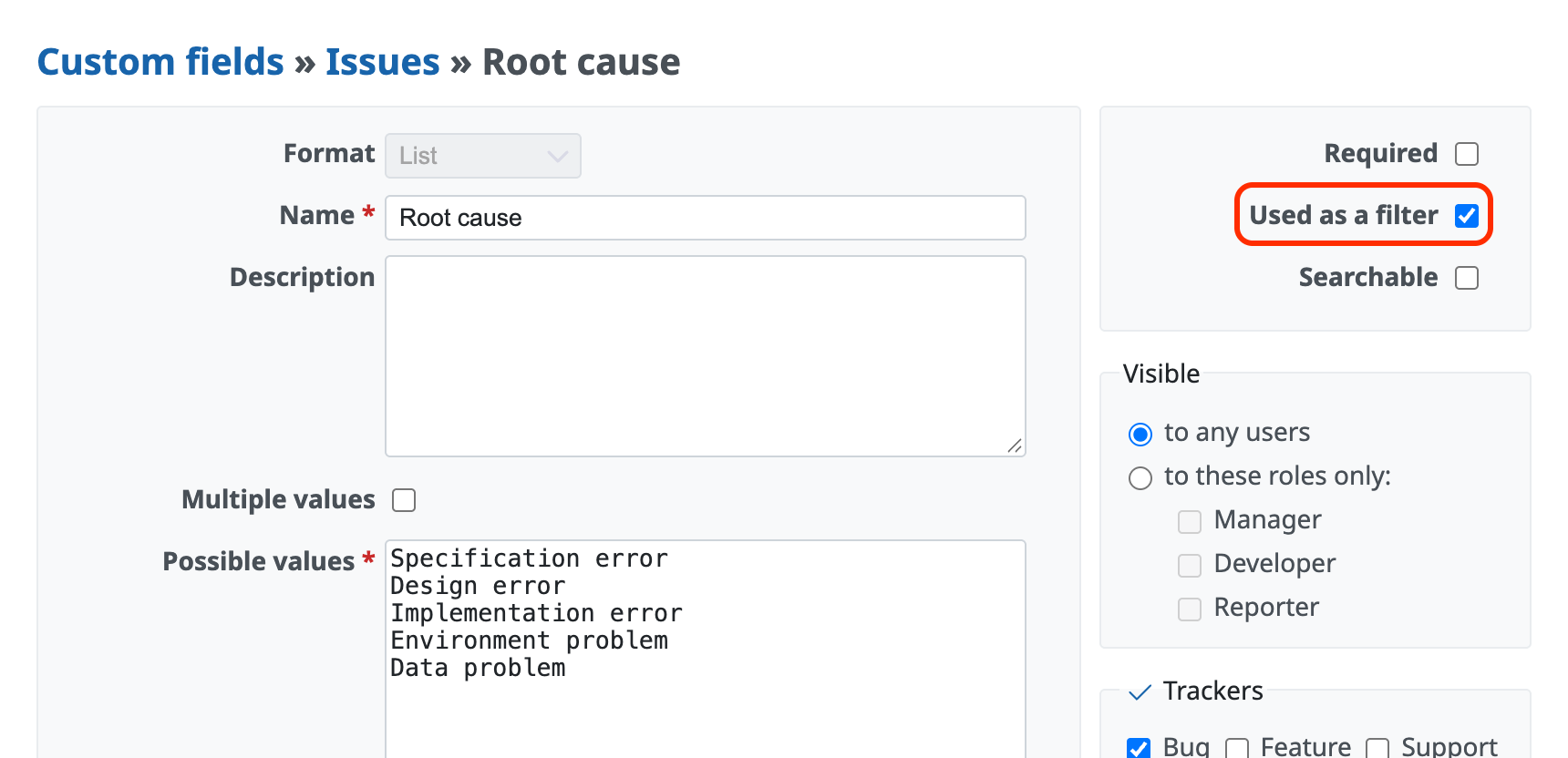
- On the "Administration" → "Custom fields" page, click the custom field that you want to show in the filters
- On the custom field edit page, select "Used as a filter"
- Click the "Save" button
Related information











