Set the "Parent task" when importing issues from CSV in Redmine
Updated on 2023-01-23
•
Created on 2021-02-15
•

(Supported versions: Redmine 4.1 or later / RedMica 1.0 or later)
In Redmine, you can register a "parent task" and its "subtasks" together when you import issues from CSV. Assign temporary issue numbers in the CSV file, and specify the temporary number of the "parent task" in each "subtask".
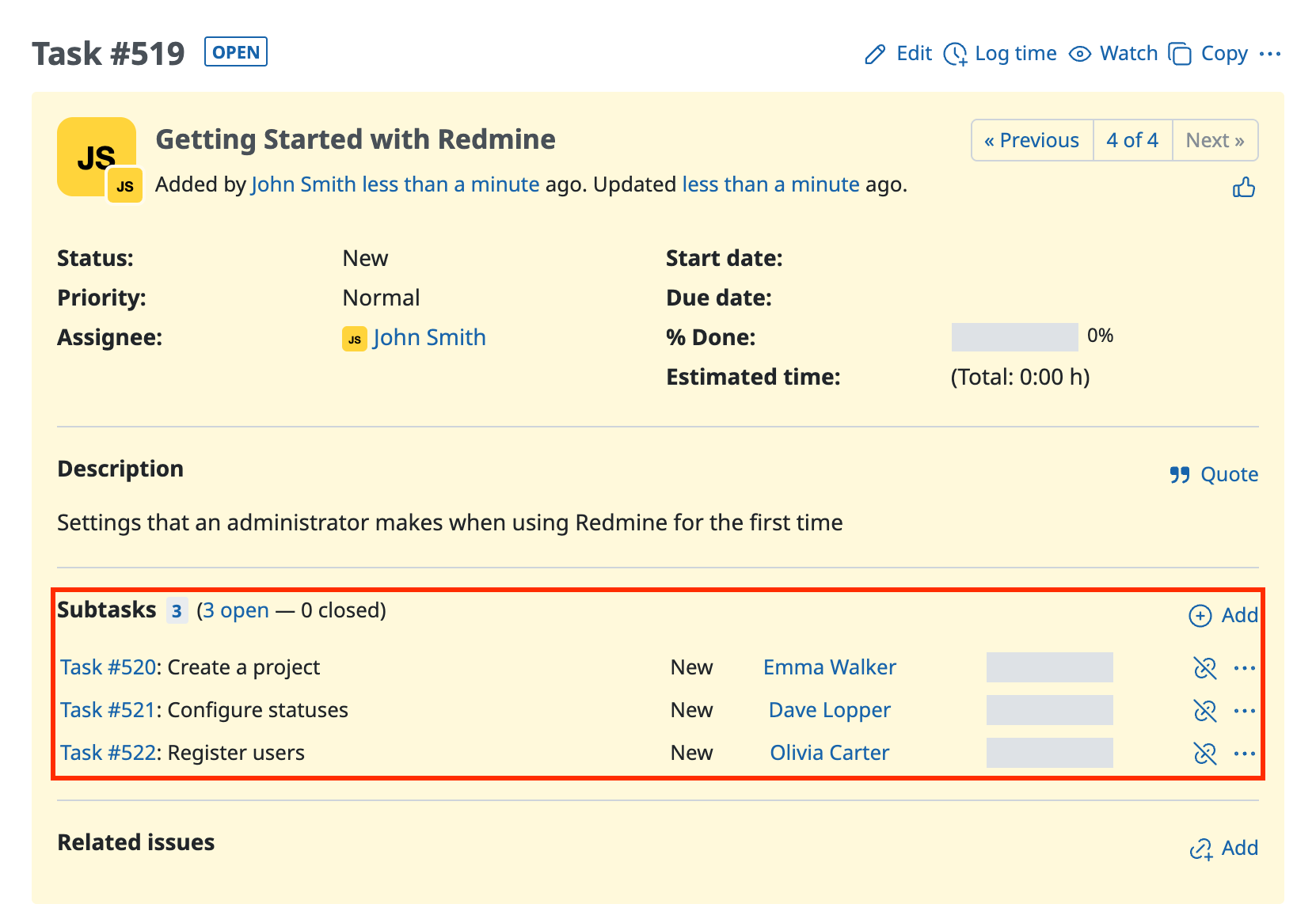
Cannot link parent tasks and subtasks when importing issues from CSV in Redmine
① Create a CSV file
Create a CSV file that contains the information of the issues to register and the number of the issue that you want to set as the parent task.
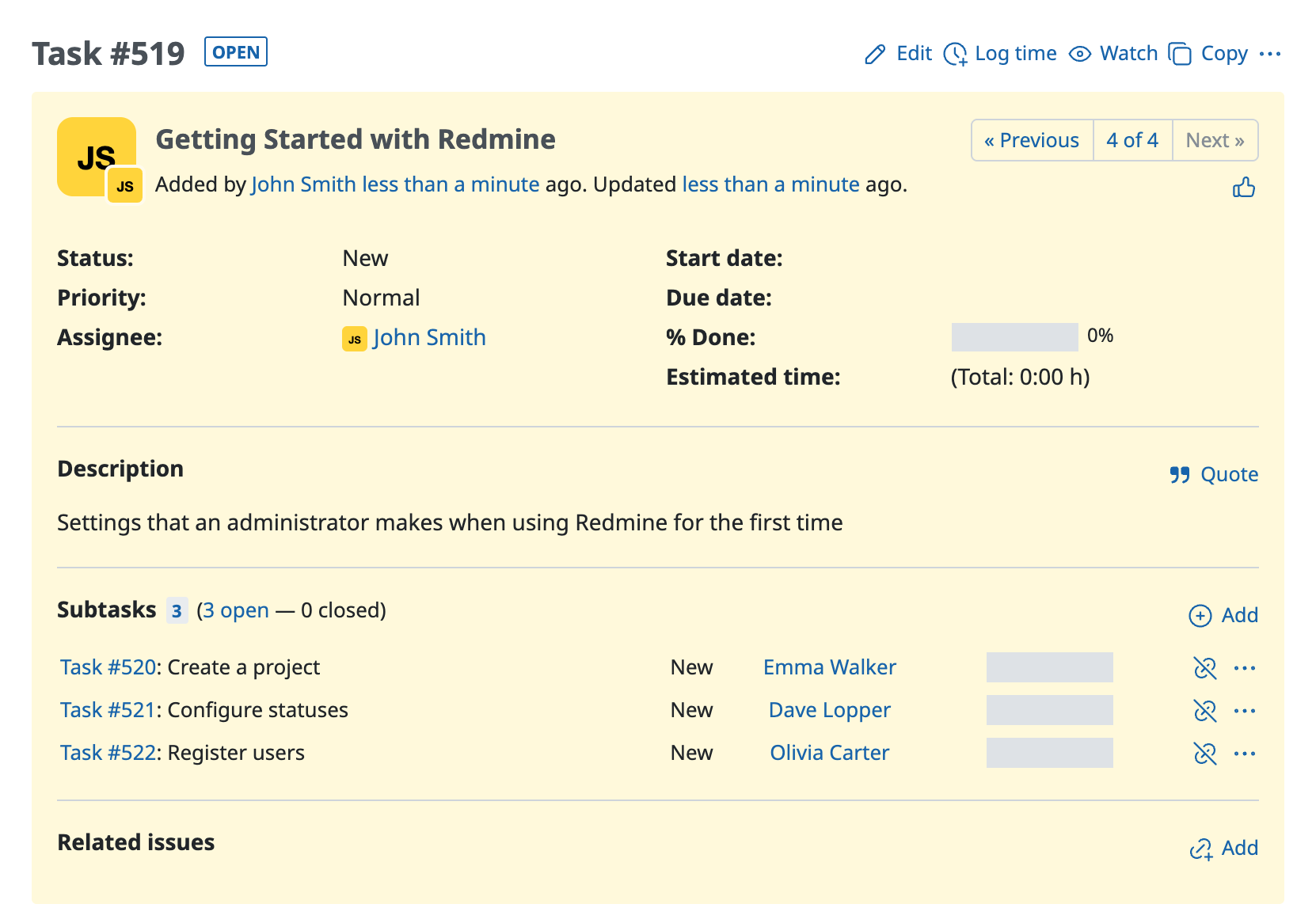
In the following CSV file, "Getting Started with Redmine" is specified as the parent task of "Create a project", "Configure statuses" and "Register users".

② Upload the CSV file and register the issues
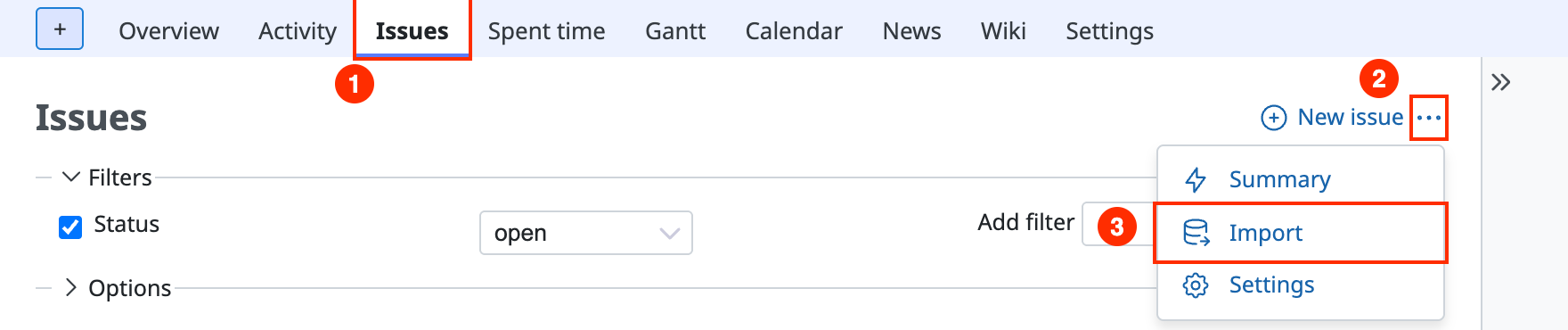
Step 1. Click "Import" from "•••" on the issues page
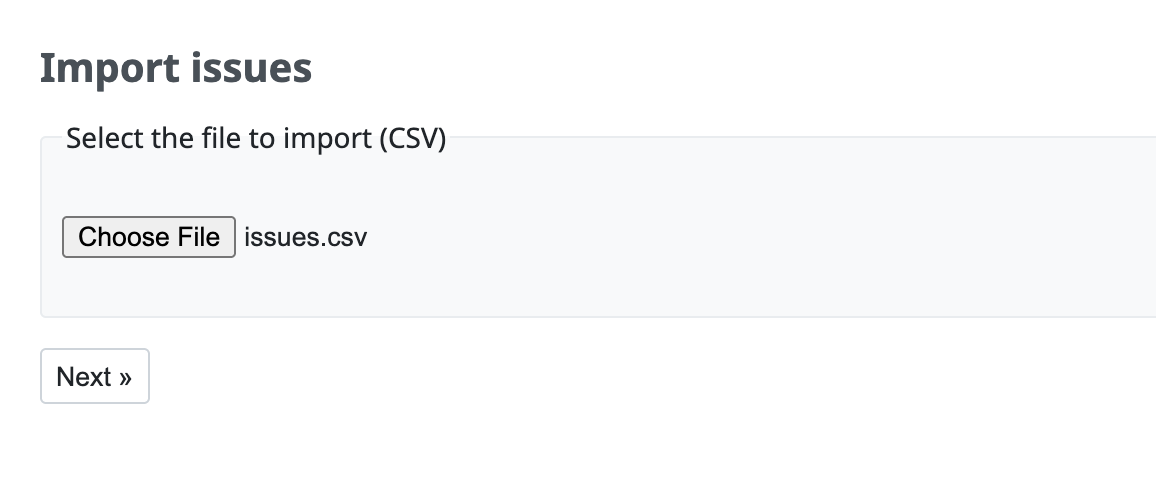
Step 2. Click the button to choose a file, select the CSV file that you created, and click "Next"
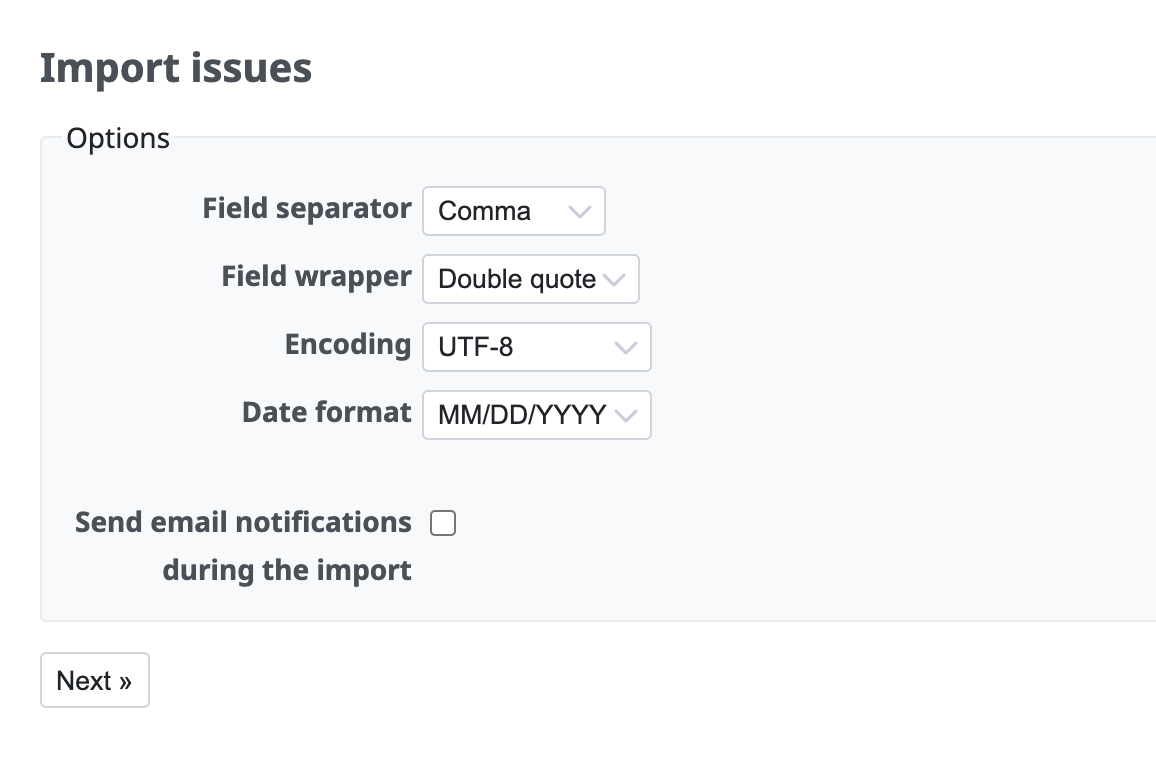
Step 3. Change the "Options" to match the format of the CSV file and click "Next"
Step 4. Redmine automatically sets which field each column of the CSV file corresponds to. Check that the mapping is correct (the automatic mapping is a feature of Redmine 4.2 or later / RedMica 1.1 or later)
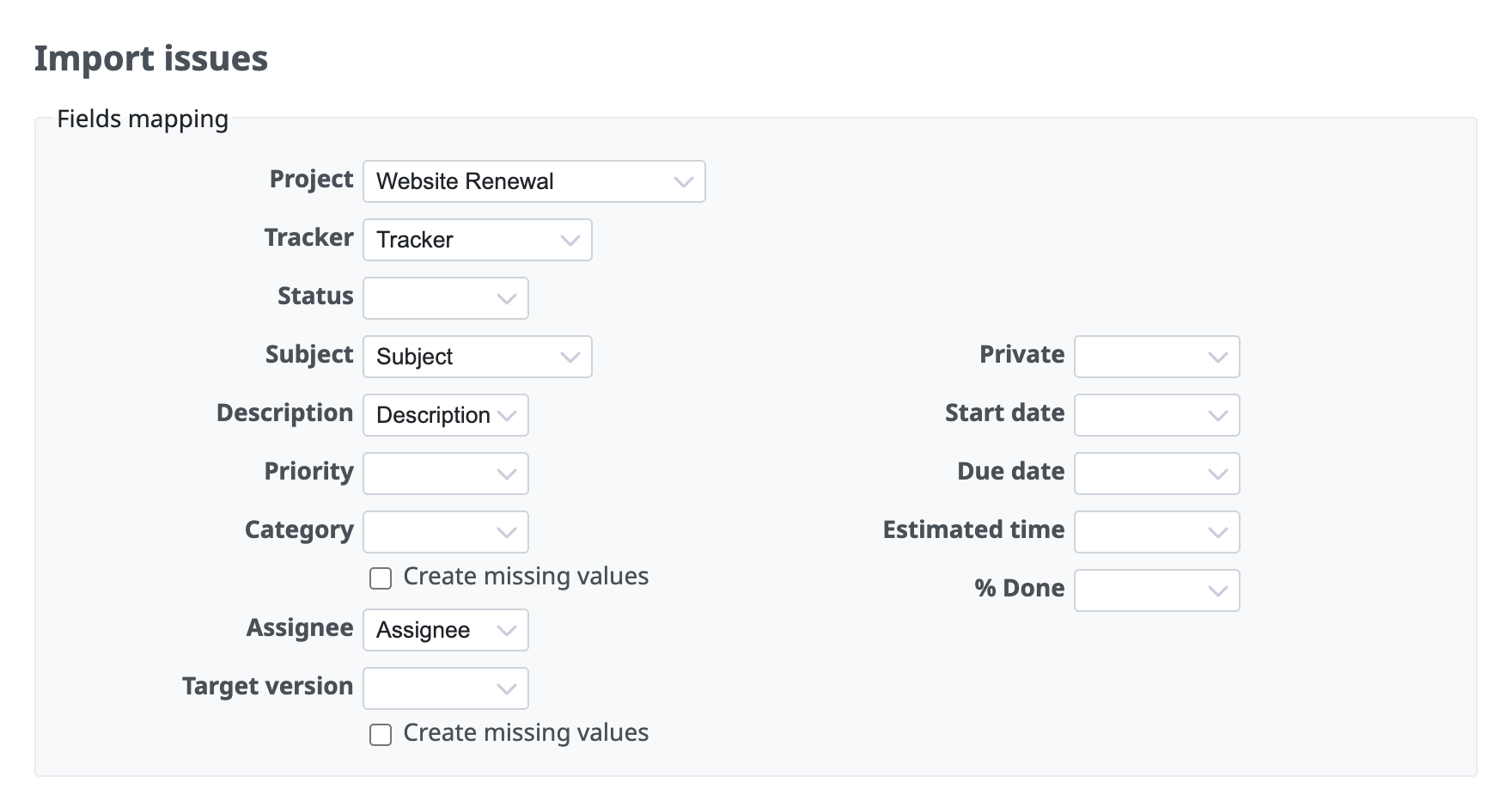
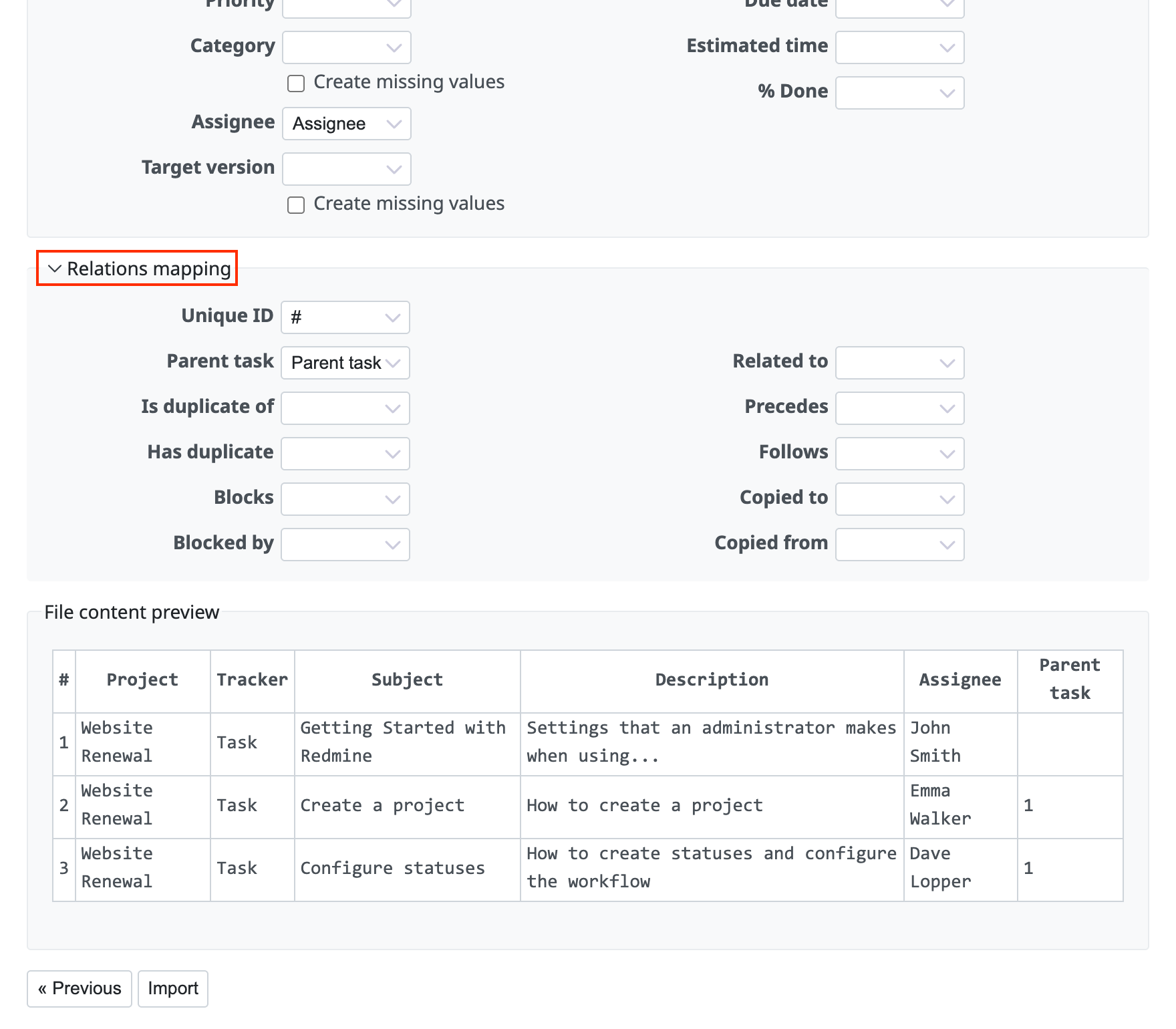
Step 5. Click "Relations mapping". For Unique ID, set the column that holds the temporary issue numbers. For Parent task, set the column of the CSV file that corresponds to the parent task. Then click "Import"
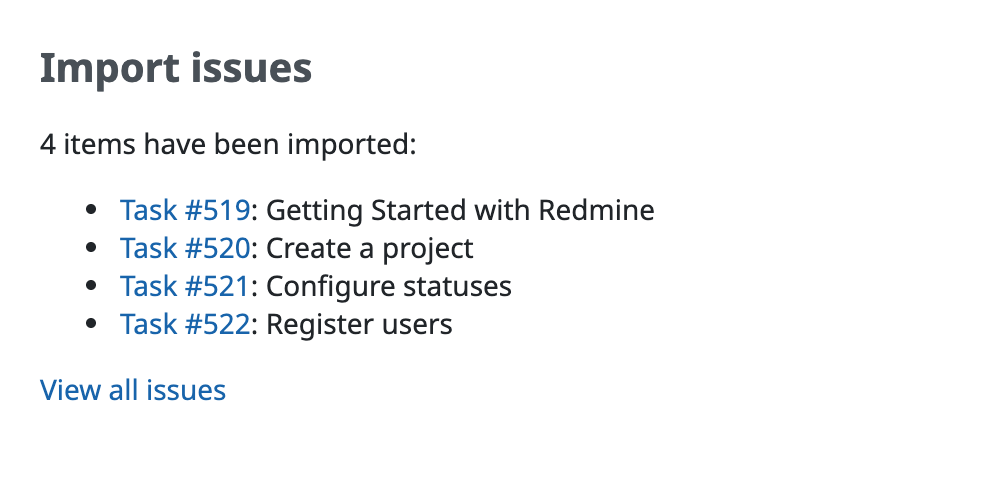
Step 6. After the import is complete, the list of the registered issues is displayed
Please check that the issues are registered as you expected.
Related information











