Checking your Redmine API key
Updated on 2026-09-04
•
Created on 2026-04-13
•

When you use the REST API, Redmine authenticates you with an API access key or with Basic authentication that uses your login and password. An API access key is the information that identifies the user when an external tool accesses Redmine data through the REST API or when a script performs automatic operations. When the REST API is enabled, a key is created for each user.
How to check your API key
- Log in to Redmine
- Click "My account" in the account menu at the top right of the screen
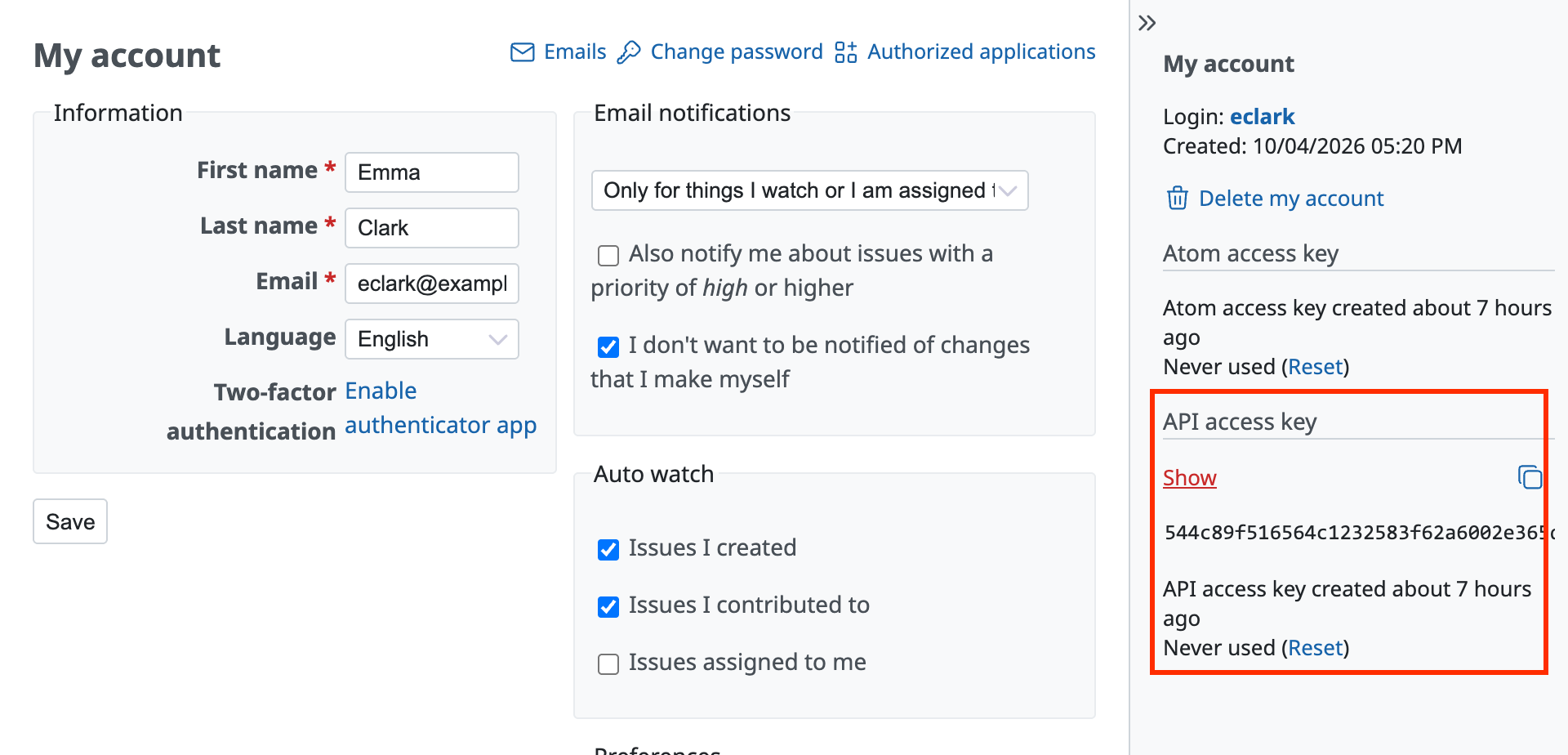
- Click "Show" under "API access key" in the sidebar on the right side of the screen
- The API key is shown
Notes
- Do not tell your API key to other people or make it public. If the key is leaked, click "Reset" to issue a new key.
- A user who has enabled two-factor authentication cannot access the API with Basic authentication that uses the login and password. Use authentication with an API access key.
Related information
- How to enable the REST API in Redmine
- REST API (Glossary)











