Exporting the project list to CSV in Redmine
Created on 2022-03-01
•

(Supported versions: Redmine 4.1 or later / RedMica 1.0 or later)
In Redmine, you can export the project list to CSV.
To export, change the display type of projects from "Board" to "List".
- Click "Projects" in the top menu.
- Select "List" under "Options" and click "Apply".
- Click "CSV" next to "Also available in:" at the bottom right of the page.
- In the "CSV export options" dialog that appears, select the items that you need and click "Export".
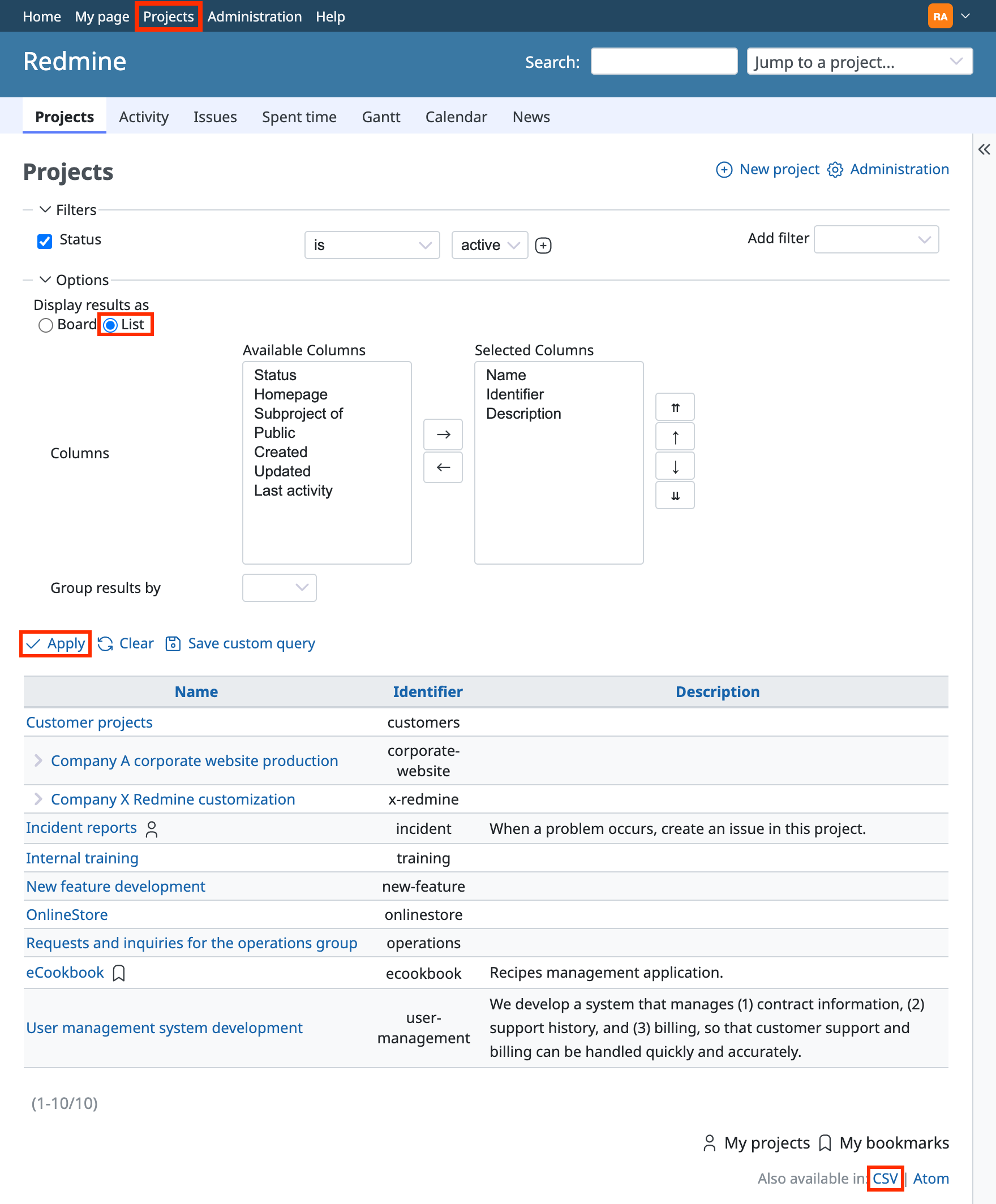
You can control the items to export by changing "Selected Columns" under "Options" (select "Selected Columns" in the CSV export options).
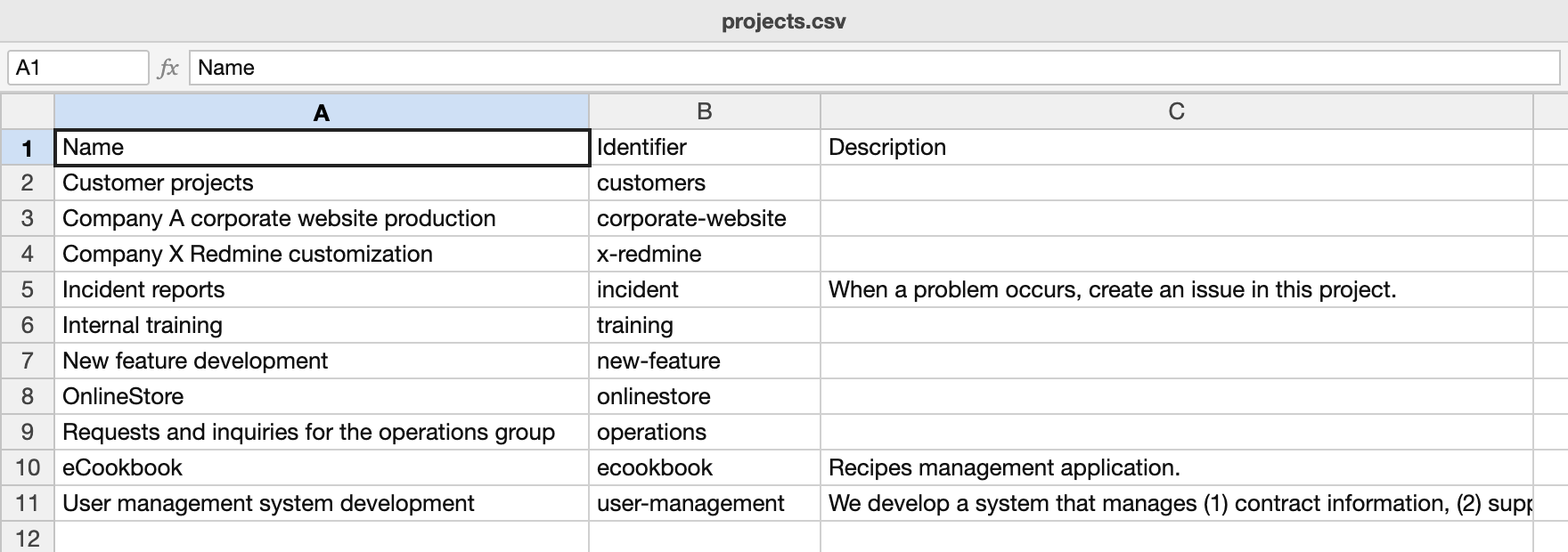
CSV of the exported project list
Changing the default display type of projects to List
- Open the "Projects" tab of "Administration" → "Settings" in the top menu.
- Select "List" as the display type in "Projects list defaults".
- Click "Save".
Related information











