Preventing project managers from making a Redmine project public ("Set project public or private" permission)
Created on 2023-02-09
•

(Supported versions: Redmine 5.1 or later / RedMica 2.3 or later)
You can prevent project managers from changing the public/private setting of a project. This prevents a manager from changing a private project to public by mistake, and so it is a measure against information leaks.
- Public: All users of Redmine can view the information in the project.
- Private: Only members of the project can view the information in the project.
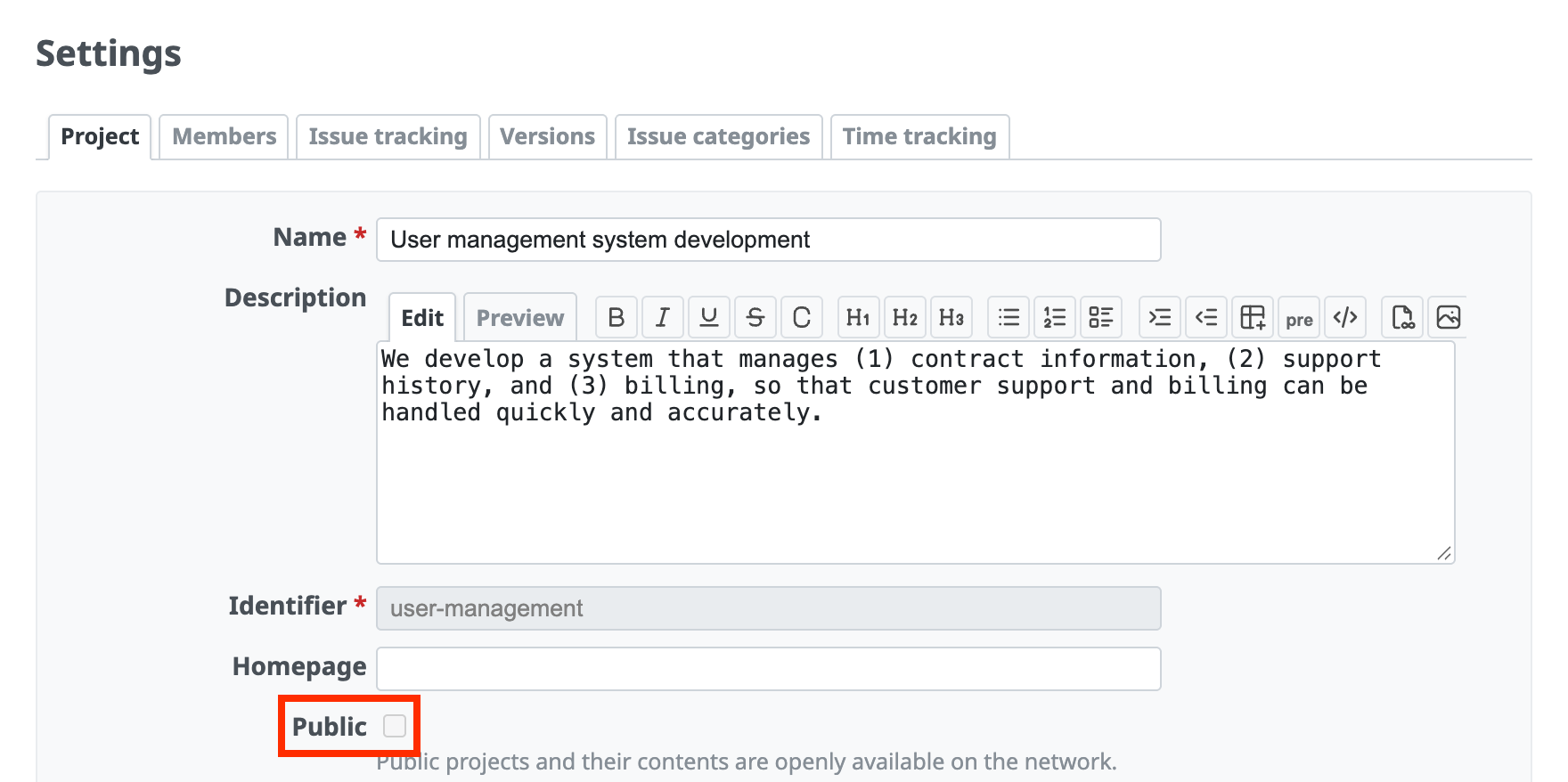
Without the "Set project public or private" permission, the "Public" checkbox is grayed out
How to configure
- Click "Administration" → "Roles and permissions" → the name of each role, or "Permissions report".
- Turn off "Set project public or private".
- Click "Save".
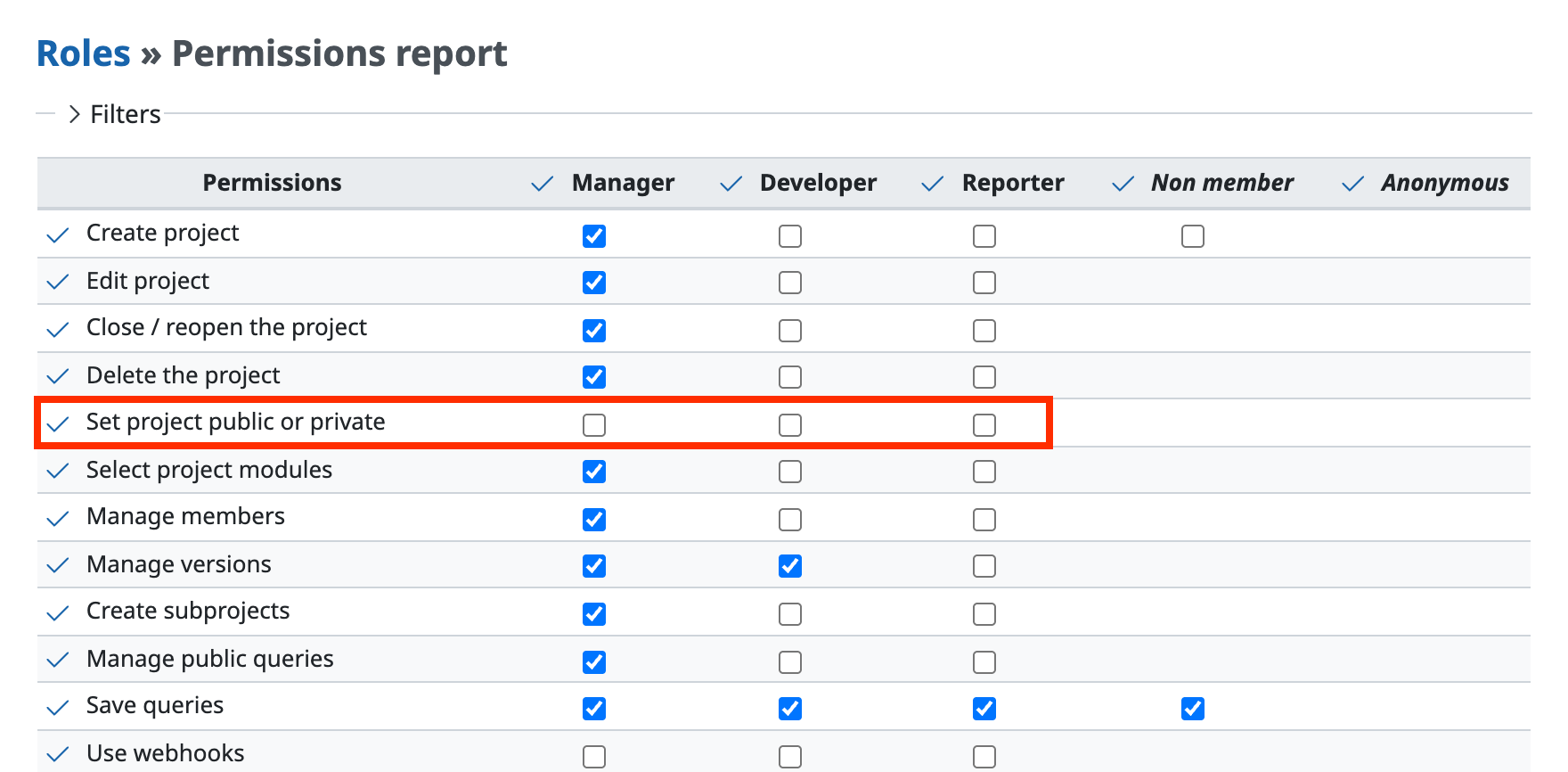
- The "Public" checkbox is grayed out when a role has "Edit project" but does not have "Set project public or private". Without "Edit project", a user cannot access the "Settings" → "Project" tab of the project. For this reason, a user who has only "Set project public or private" cannot change the public/private setting.
- An administrator has all permissions and can change the public/private setting (the roles and permissions settings do not matter).
- In Redmine 5.0 and earlier / RedMica 2.2 and earlier, a user who has the "Edit project" permission can change the public/private setting.
Related information











