Cannot delete a member from a project in Redmine
Created on 2022-07-07
•

You cannot delete a user in the project settings page if the user was added as a project member through a group. You can remove the user in the group edit page. (If the user is a member both through a group and individually, first remove the user from the group. You can then delete the user in the "Settings" → "Members" tab of the project.)
When you remove a user from a group with this operation, the user is not deleted from Redmine.
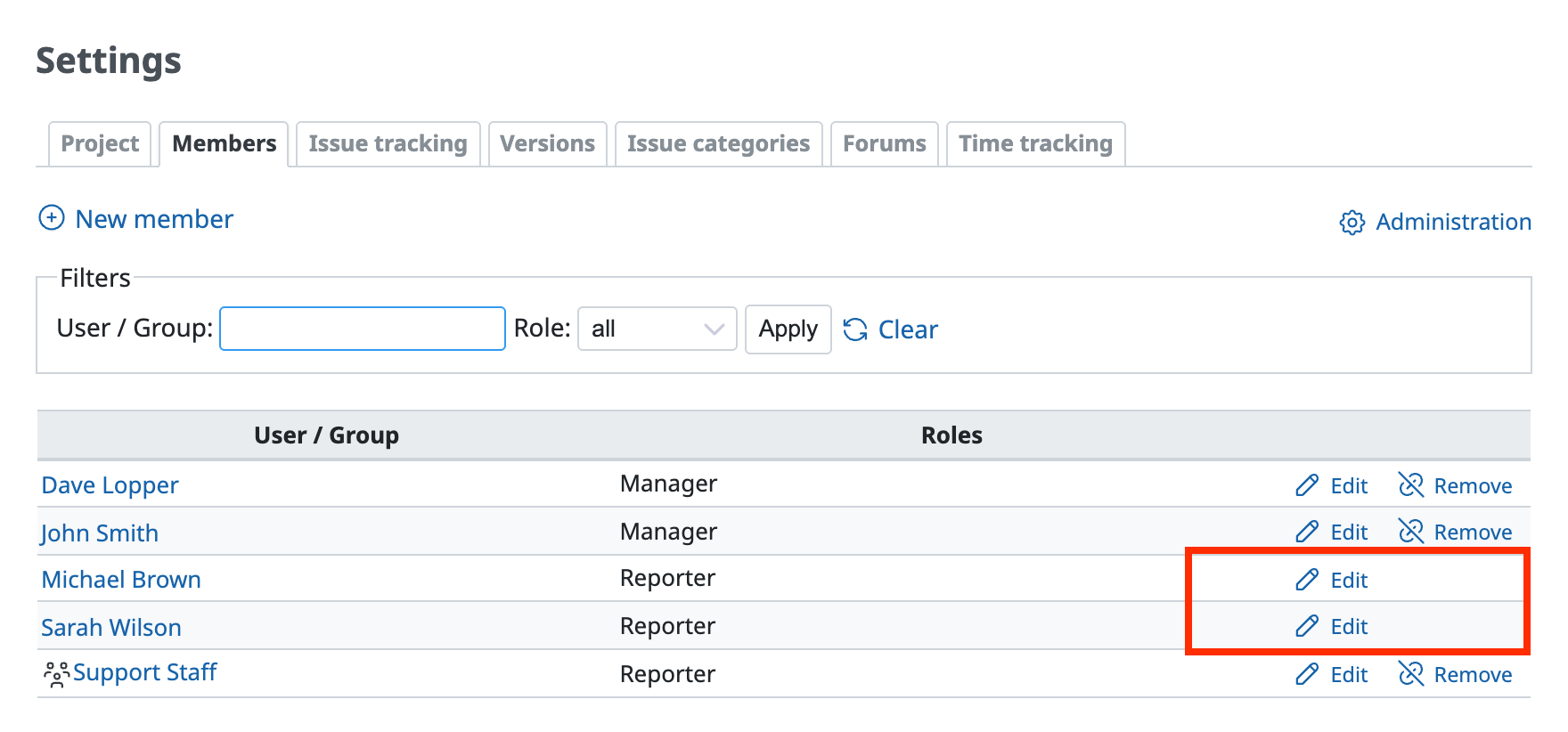
"Remove" does not appear for a user who was added as a member through a group
Steps
- Click "Administration" → "Groups" → the group that is added as a member of the project.
- Click the "Users" tab.
- Click "Remove" in the row of the user that you want to remove from the members.
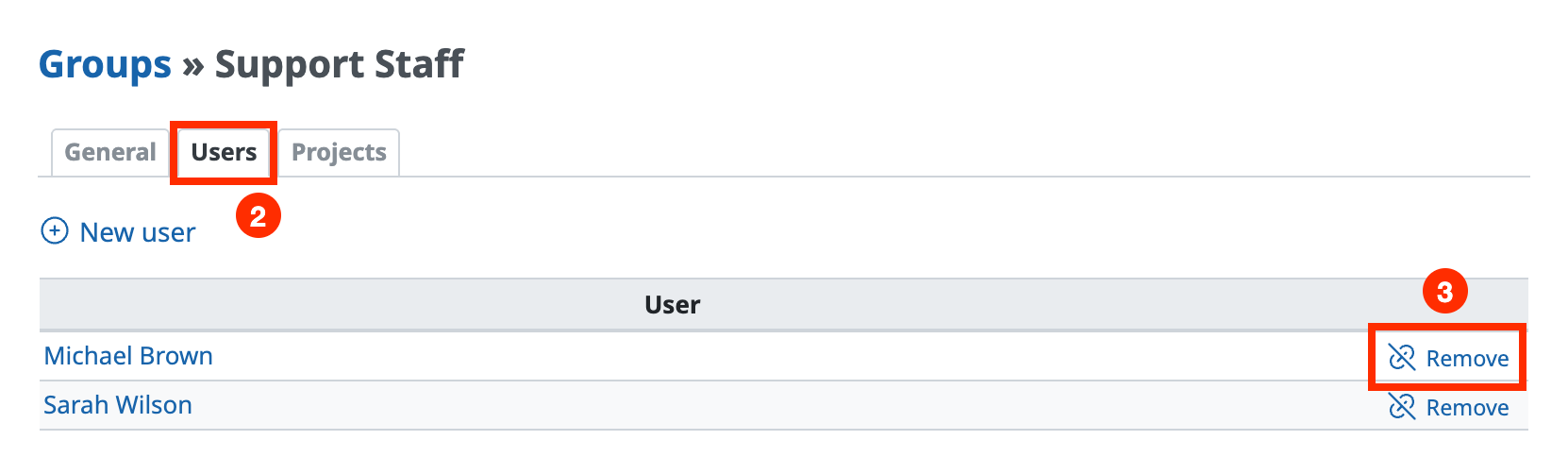
Group edit page
You can also do the same thing as follows: click "Administration" → "Users" → the login of the user → the "Groups" tab, clear the checkbox of the group, and click "Save".
Related information











