Update the % Done together with the status of an issue in Redmine
Created on 2022-09-02
•

You can configure Redmine so that the % Done is updated at the same time as you update the status of an issue. For example, when you change the status to "Closed", the % Done can be updated to 100% automatically.
With this setting, users do not forget to update the % Done, and the criteria do not differ between users.
However, you can no longer enter the % Done manually.
Settings
① Change how the % Done is calculated
- Go to "Administration" → "Settings" → "Issue tracking"
- Change "Calculate the issue done ratio with" to "Use the issue status"
- Click "Save"
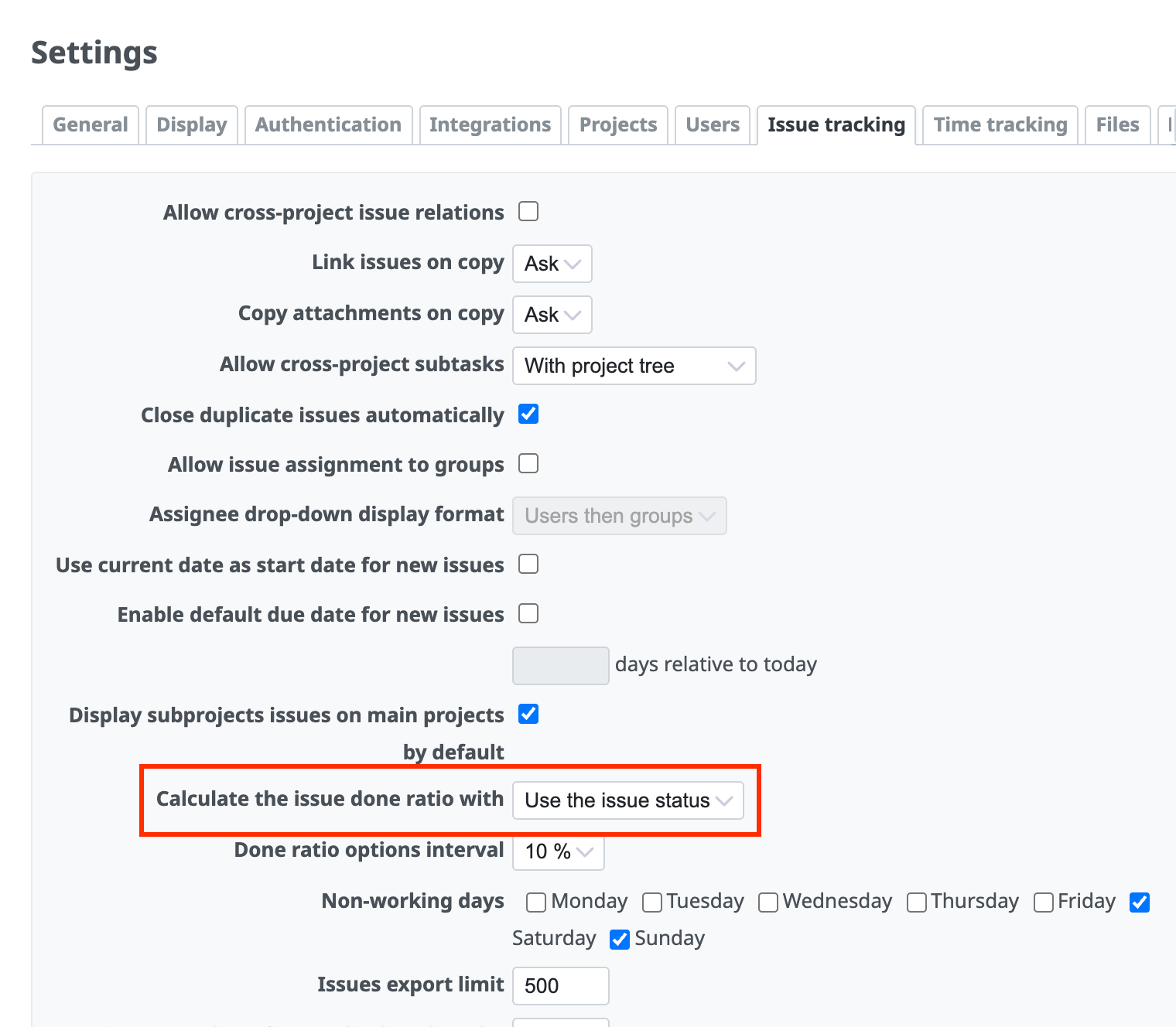
② Set the % Done for each status
- Click "Administration" → "Issue statuses" → the name of each status
- Select the % Done from 0% to 100%
- Click "Save"
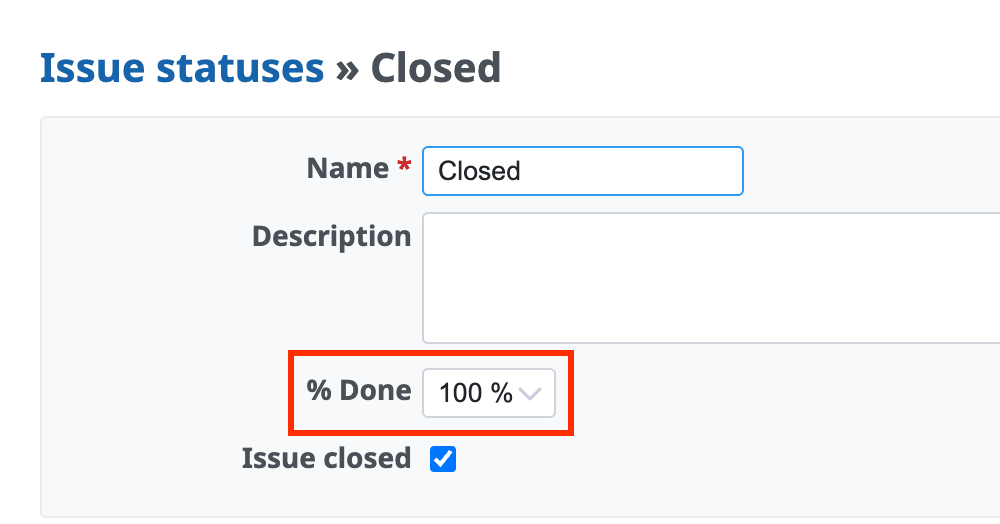
Parent issues
For a parent issue, the % Done is either "the weighted average of the % Done of all subtasks" or "the % Done of the status of the parent issue", depending on the following settings.
- Whether "Parent tasks attributes" in "Administration" → "Settings" → "Issue tracking" is set to "Calculated from subtasks" or "Independent of subtasks"
- Whether the "% Done" of each status is set in "Administration" → "Issue statuses"
For details, please see the following page.
Cannot change the Priority, Start date, Due date or % Done of a parent issue in Redmine











