Export Redmine issues to CSV
Created on 2023-07-19
•

You can export the issue list of Redmine in CSV format.
How to export
- Click "CSV" in "Also available in:" at the bottom right of the issue list page
- Set the CSV export options
- Select the columns to export (Selected Columns or All Columns)
Selected Columns: Exports only the columns displayed on the issue list page.
All Columns: Exports all columns of the issues. - Description: If you turn this on, the "Description" of the issues is also exported.
- Last notes: If you turn this on, the last note is also exported.
- Encoding: Select the character encoding of the CSV file. The options depend on the language of the user (for example, ISO-8859-1 or UTF-8 when the language is English)
- Select the columns to export (Selected Columns or All Columns)
- Click "Export"
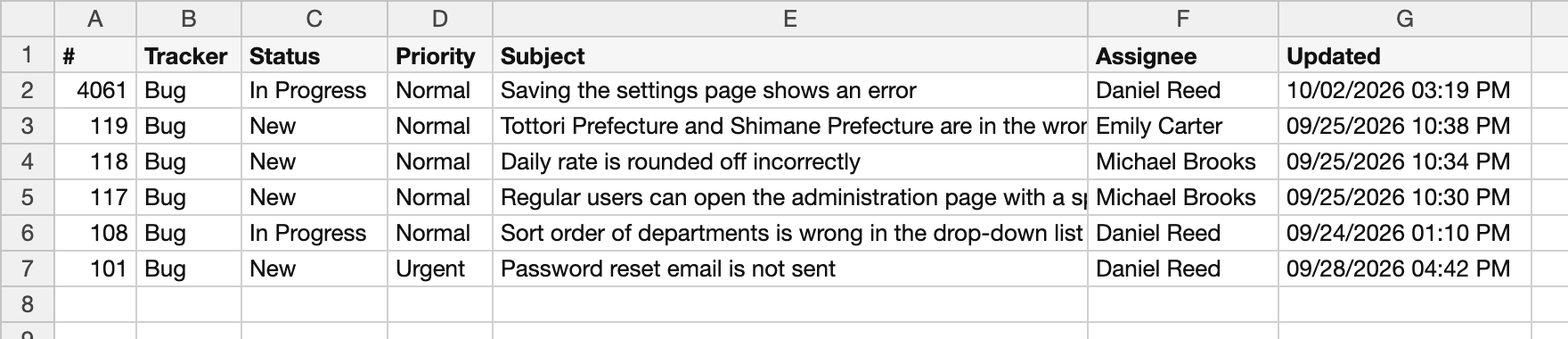
The exported CSV of the issue list


Notes
Only the latest values of the issues can be exported to CSV. All notes and the history are not included.
Related information











