How to disable standard fields of issues in Redmine
Created on 2024-08-02
•

You can disable the Standard Fields of issues for each tracker. A disabled field no longer appears on the issue page. Hiding the fields that you do not use makes the page simple and easy to understand.
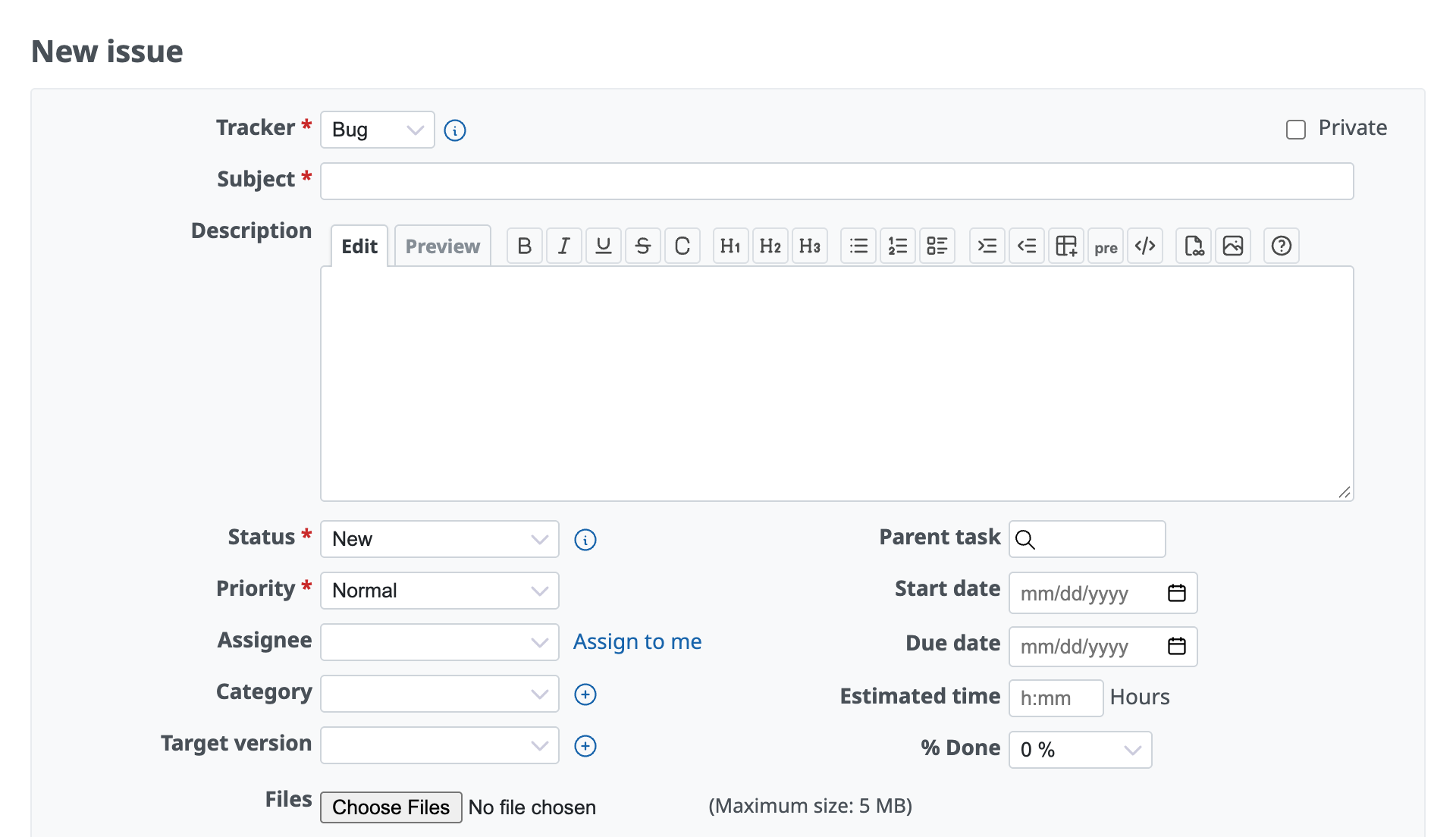
The issue page with all standard fields enabled
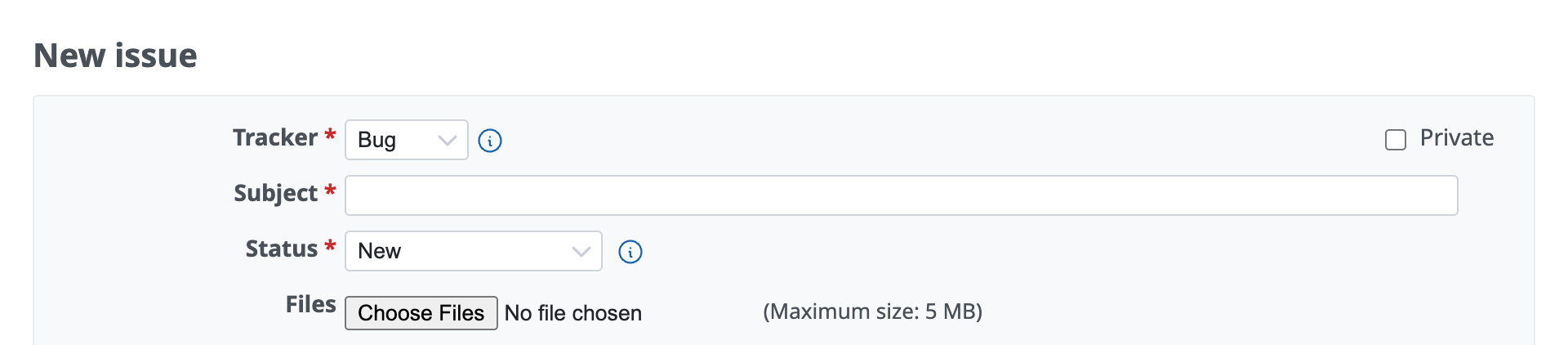
The issue page with all standard fields that can be disabled turned off
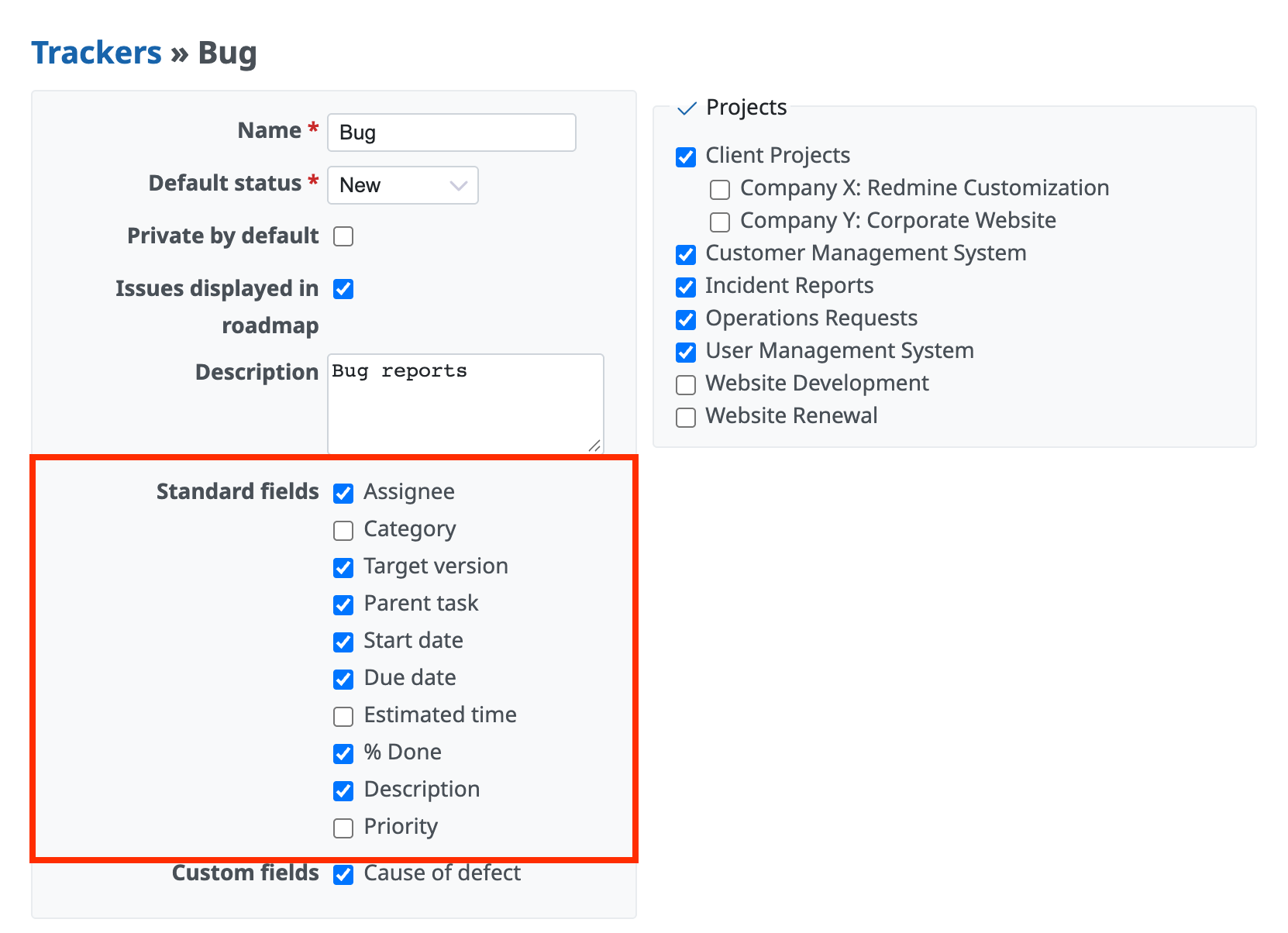
Procedure to disable fields on the settings page of each tracker
- Click "Administration" → "Trackers" → the name of the tracker
- Turn off the standard fields that you want to disable
- Click "Save"
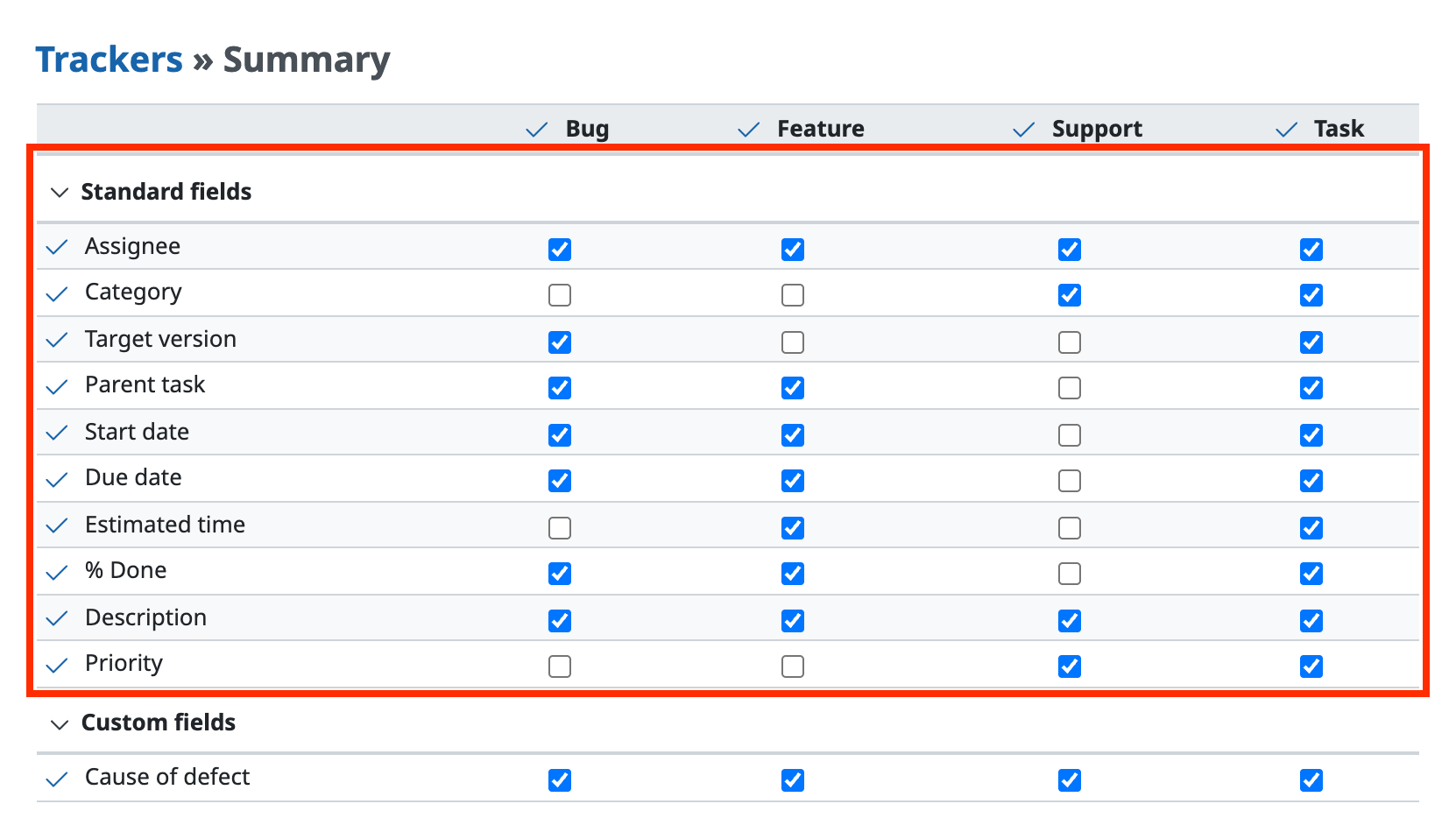
Procedure to disable fields for all trackers at once
- Click "Administration" → "Trackers" → "Summary"
- Turn off the checkbox where the standard field that you want to disable and the tracker cross
- Click "Save"
Related information











