How to change the languages shown by the code highlighting button on the Redmine toolbar
Created on 2021-04-22
•

(Supported versions: Redmine 4.2 or later / RedMica 1.1 or later)
You can change the languages shown by the code highlighting button on the Redmine toolbar in "My account".
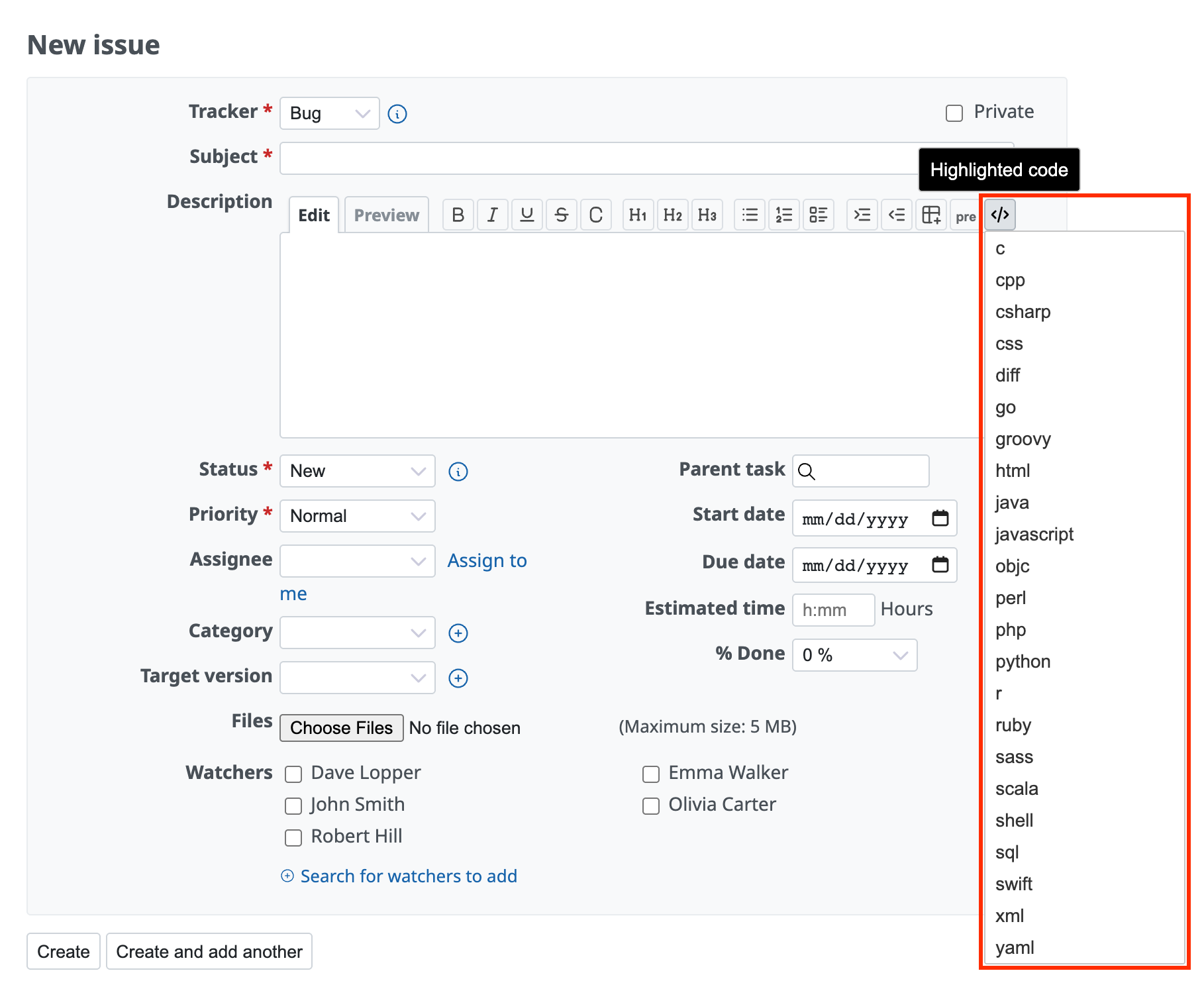
Redmine has a feature that displays source code entered in issues and wiki pages with syntax highlighting so that it is easy to read. You can insert the markup with the code highlighting button on the toolbar. You can customize the languages that appear after you press the button to the languages that you like. If you show only the languages that you use often, input becomes easier.
How to customize
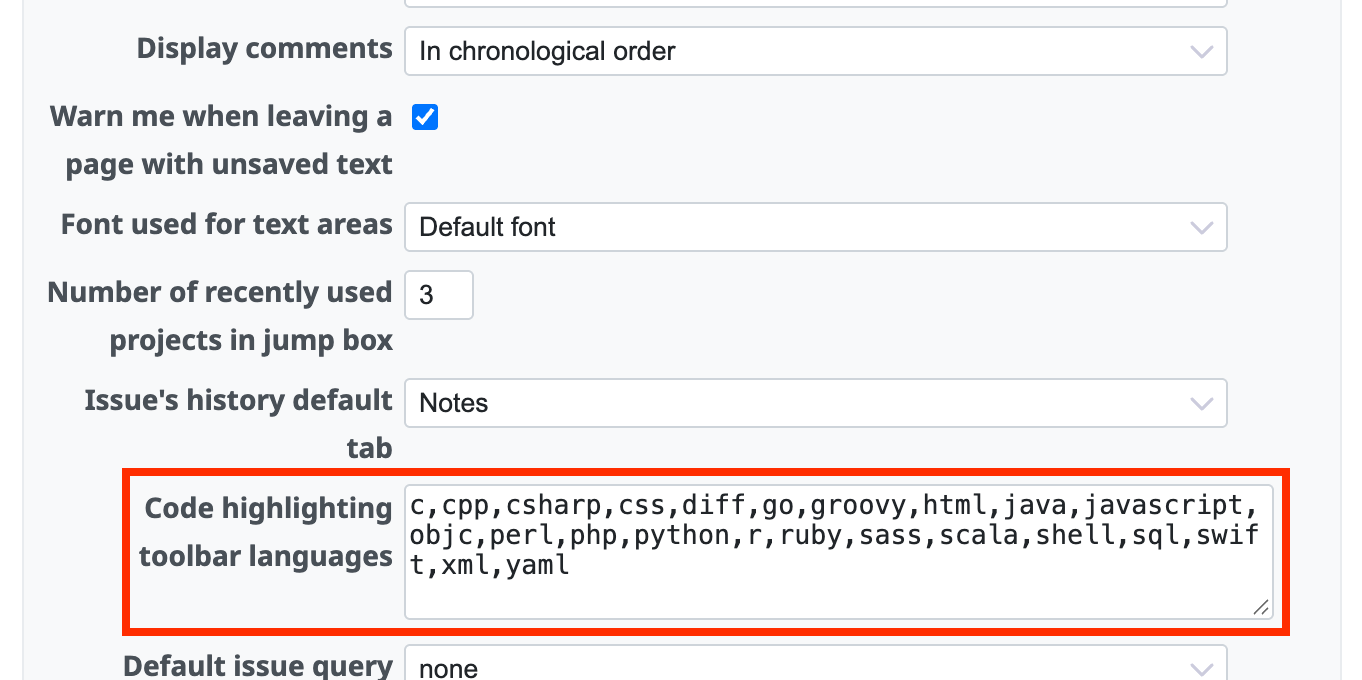
- Click "My account" in the account menu at the top right of the page
- Enter the language names in "Code highlighting toolbar languages"
- Click "Save"
Related information











