How to use syntax highlighting in Redmine
Updated on 2025-08-01
•
Created on 2016-10-26
•

Redmine has a syntax highlighting feature that highlights the reserved words and constants of source code written in issues and wiki pages so that the code is easy to read.
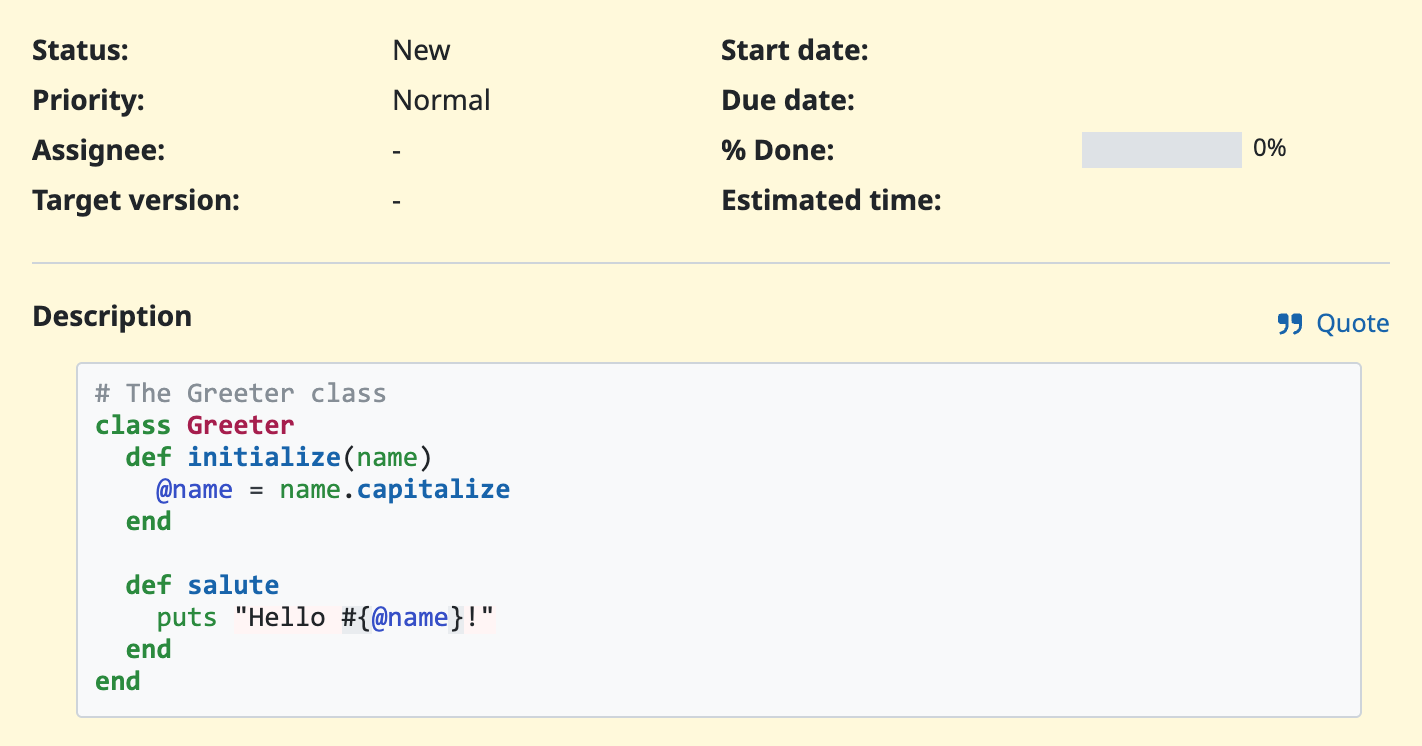
To use syntax highlighting, write special markup around the source code. The markup depends on whether Textile or Markdown is selected in the "Text formatting" setting (Administration → Settings → General).
Markdown
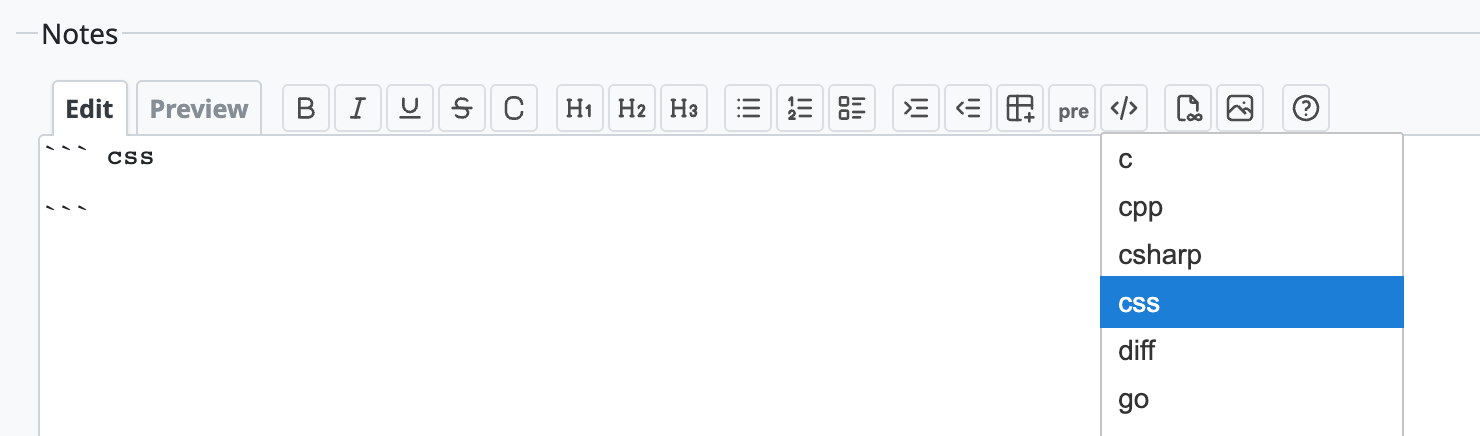
Specify the name of the language for syntax highlighting immediately after the ``` that starts a code block.
``` c
#include <stdio.h>

int main(void) {
    printf("Hello, World!\n");

    return 0;
}
```
Textile
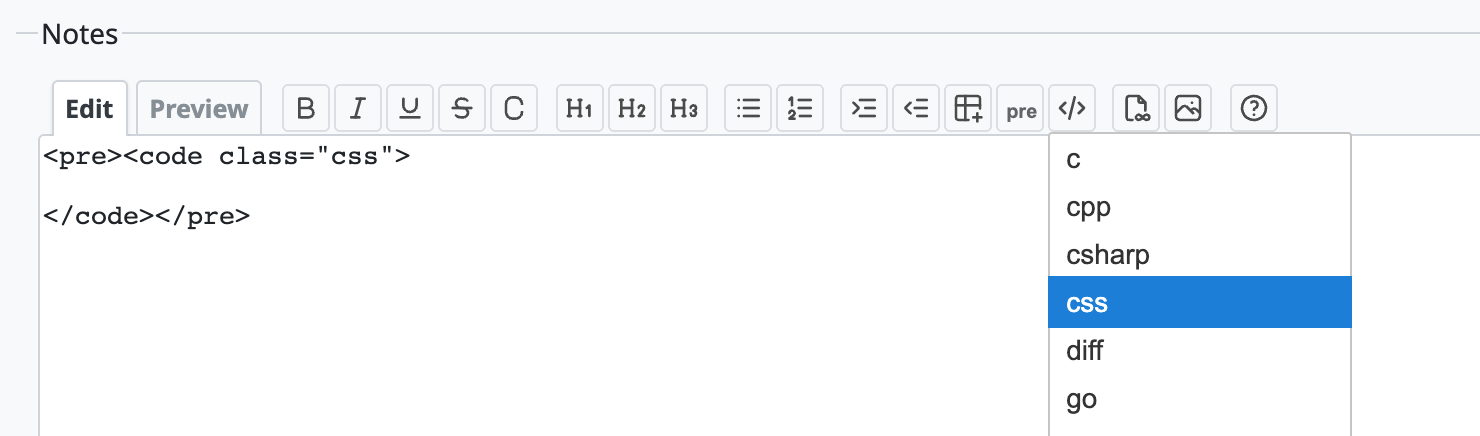
Enclose the source code in code tags, and then enclose the code tags in pre tags. Specify the name of the language in the class attribute of the code tag. The following example specifies the C language.
<pre><code class="c">
#include <stdio.h>

int main(void) {
    printf("Hello, World!\n");

    return 0;
}
</code></pre>
Using the toolbar
With the code highlighting button on the toolbar, you can easily insert the markup for syntax highlighting for the current text formatting (Markdown or Textile).
Languages supported by syntax highlighting
In Redmine 6.0, you can specify the following languages for syntax highlighting.
abap, actionscript, ada, apache, apex, apiblueprint, applescript, armasm, augeas, awk, batchfile, bbcbasic, bibtex, biml, bpf, brainfuck, brightscript, bsl, c, ceylon, cfscript, cisco_ios, clean, clojure, cmake, cmhg, cobol, codeowners, coffeescript, common_lisp, conf, console, coq, cpp, crystal, csharp, css, csvs, cuda, cypher, cython, d, dafny, dart, datastudio, diff, digdag, docker, dot, ecl, eex, eiffel, elixir, elm, email, epp, erb, erlang, escape, factor, fluent, fortran, freefem, fsharp, gdscript, ghc-cmm, ghc-core, gherkin, glsl, go, gradle, graphql, groovy, hack, haml, handlebars, haskell, haxe, hcl, hlsl, hocon, hql, html, http, hylang, idlang, idris, iecst, igorpro, ini, io, irb, isabelle, isbl, j, janet, java, javascript, jinja, jsl, json, json-doc, json5, jsonnet, jsp, jsx, julia, kotlin, lasso, lean, liquid, literate_coffeescript, literate_haskell, livescript, llvm, lua, lustre, lutin, m68k, magik, make, markdown, mason, mathematica, matlab, meson, minizinc, mojo, moonscript, mosel, msgtrans, mxml, nasm, nesasm, nginx, nial, nim, nix, objective_c, objective_cpp, ocaml, ocl, openedge, opentype_feature_file, p4, pascal, perl, php, plaintext, plist, plsql, postscript, powershell, praat, prolog, prometheus, properties, protobuf, puppet, python, q, qml, r, racket, reasonml, rego, rescript, rml, robot_framework, ruby, rust, sas, sass, scala, scheme, scss, sed, shell, sieve, slice, slim, smalltalk, smarty, sml, sparql, sqf, sql, ssh, stan, stata, supercollider, svelte, swift, systemd, syzlang, syzprog, tap, tcl, terraform, tex, toml, tsx, ttcn3, tulip, turtle, twig, typescript, vala, vb, vcl, velocity, verilog, vhdl, viml, vue, wollok, xml, xojo, xpath, xquery, yaml, yang, zig











