Cannot create a new issue in Redmine
Updated on 2021-04-19
•
Created on 2017-02-03
•

When you cannot create an issue, for example because "New issue" does not appear in the menu, check the following settings.
- Is a tracker selected for the project?
- Is the "Issue tracking" module selected?
- Do you have permission to create issues?
Is a tracker selected for the project?
If the "Issues" tab appears but the "New issue" menu does not appear, a tracker may not be selected. A tracker is an important item that classifies issues and also affects the permission settings of users. A project uses at least one tracker to create issues.
- Go to "Administration" → "Projects" → select the project → open "Issue tracking" in the "Settings" tab.
(In Redmine 3.4 or earlier, open "Information" in the "Settings" tab.) - Check that at least one of the "Trackers" is selected. If none is selected, select any tracker.
- Click "Save".

Setting to select trackers by default when you create a new project
It is convenient to have the trackers that you use often selected in advance.
- Open the "Administration" → "Settings" → "Projects" tab.
- Select any trackers in "Default trackers for new projects".
- Click "Save".

Is the "Issue tracking" module selected?
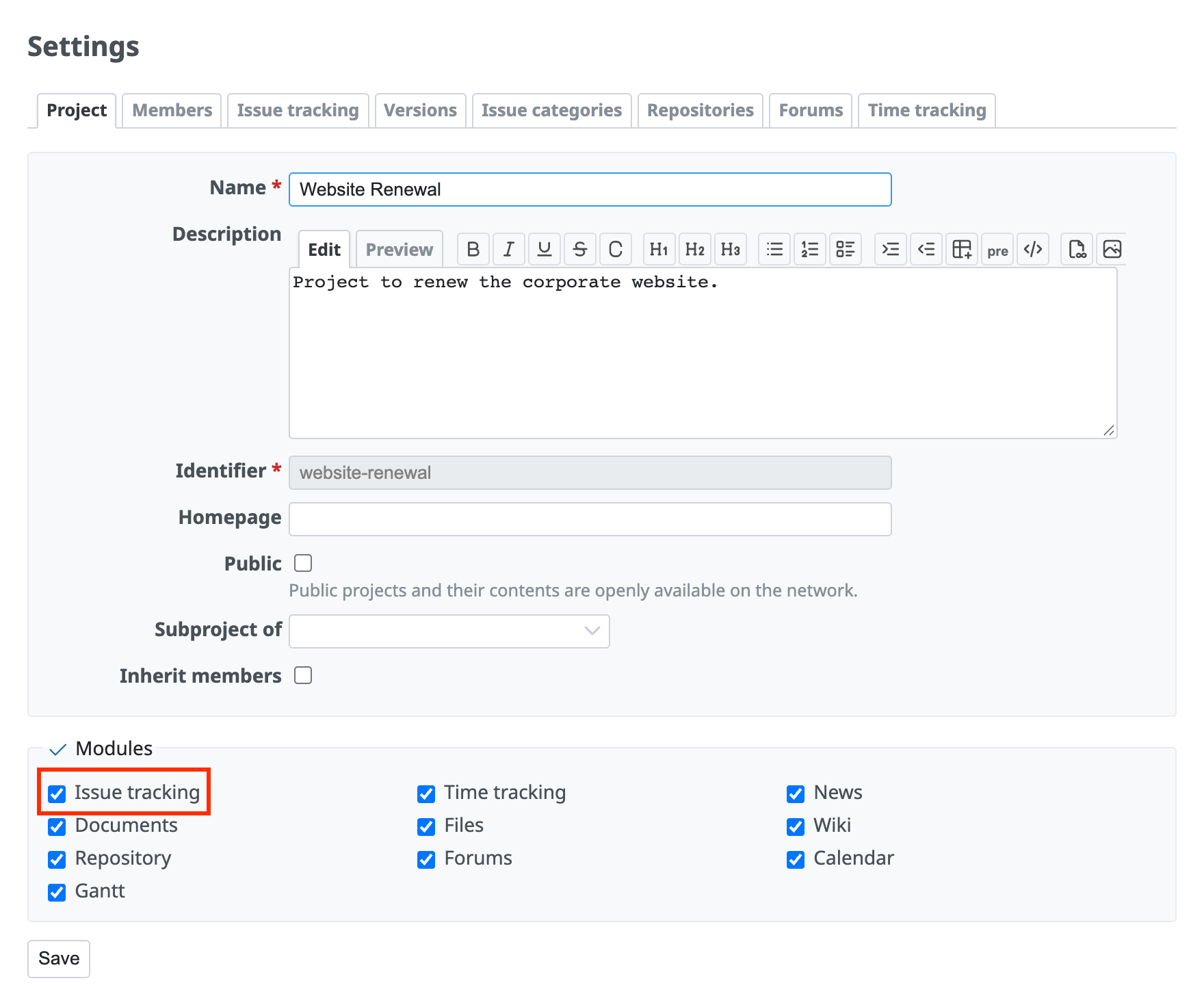
If the "Issues" tab does not appear in the menu, the "Issue tracking" module may not be selected. Modules are the list of features that you can use in the project.
- Go to "Administration" → "Projects" → select the project → open "Project" in the "Settings" tab.
(In Redmine 3.4 or earlier, open "Modules" in the "Settings" tab.) - Select the "Issue tracking" module.
- Click "Save".
Do you have permission to create issues?
Only users who have the permission can create issues.
Set the permissions for operations on the "Administration" → "Roles and permissions" → "Permissions report" page.
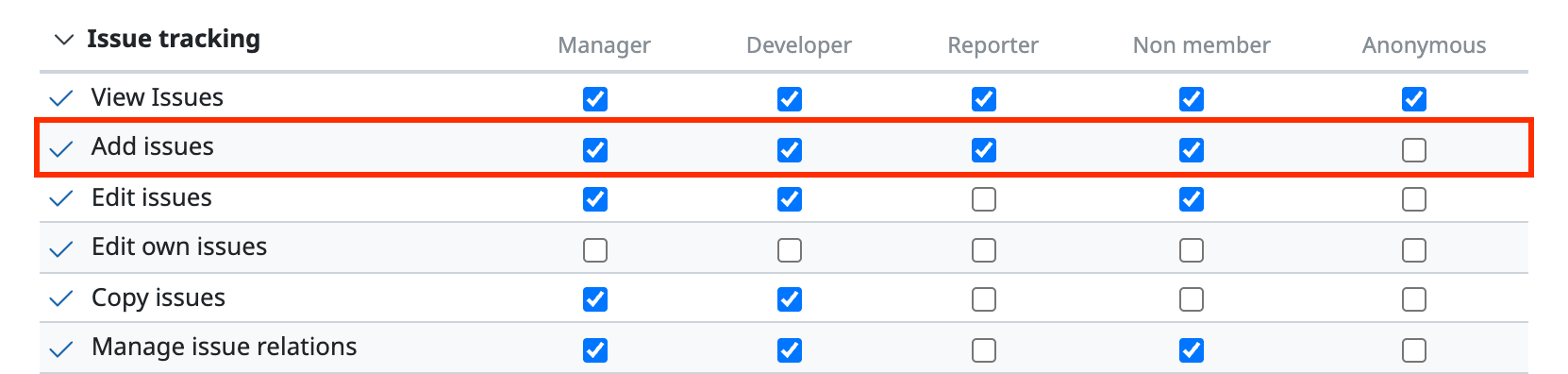
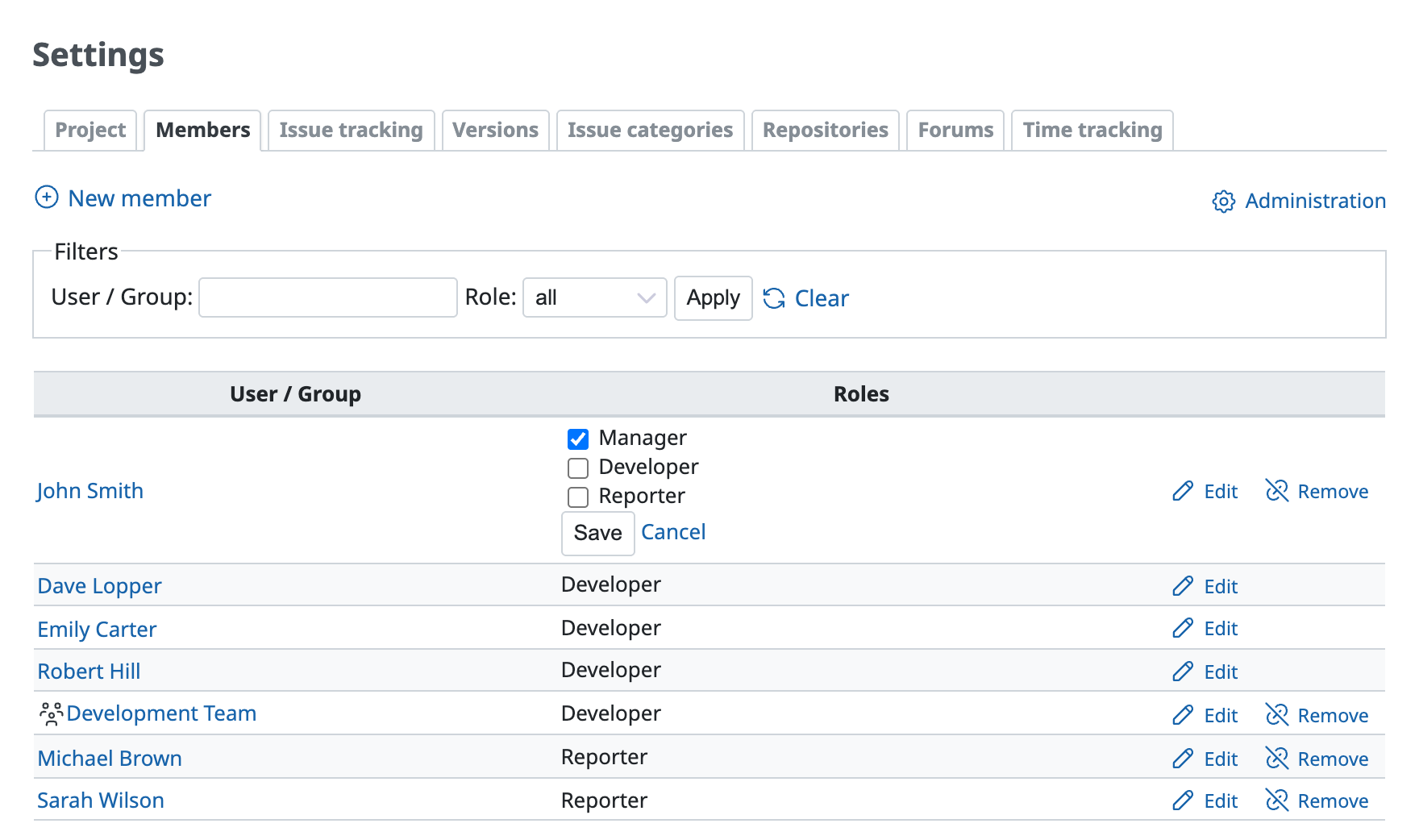
Permissions are set for roles, not for users. When you add a user as a member of a project, you select which role applies to which user.
You can check and change the roles of users who are already members on the "Settings" → "Members" tab of the project.
Related information











