Cannot change the status of a Redmine issue to "Closed" (it does not appear in the options)
Created on 2018-03-19
•

When you cannot change the status of an issue to "Closed" (it does not appear in the status options and you cannot close the issue), the following causes are possible.
① The workflow restricts it
② There are open subtasks
③ The blocking issue is not closed
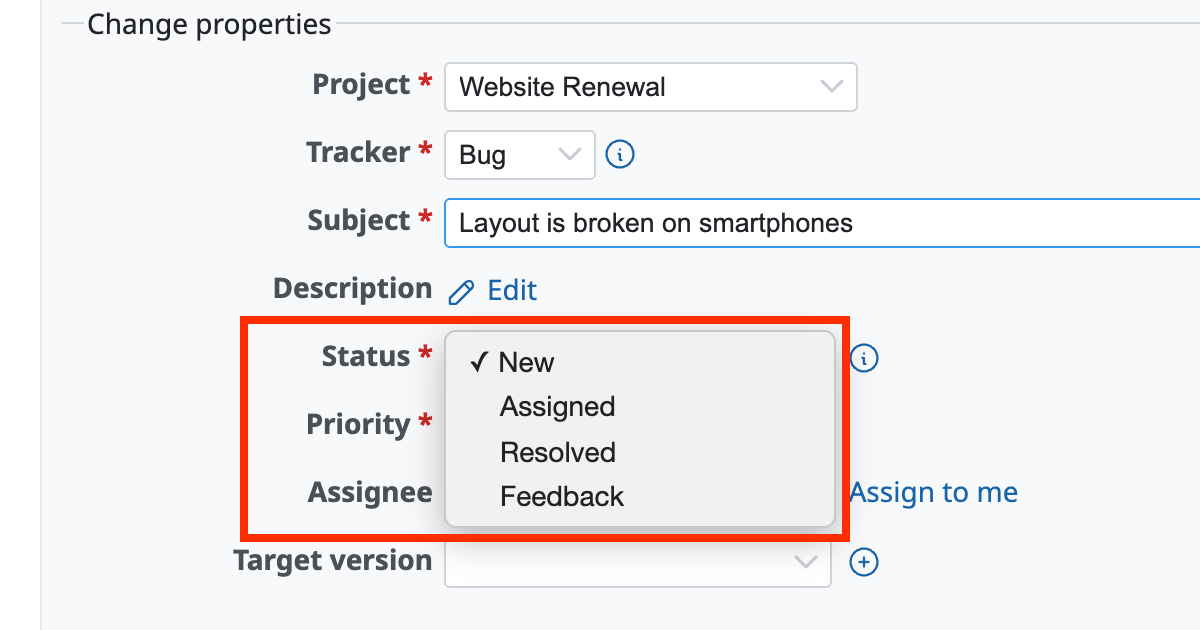
① The workflow restricts it
The workflow settings may restrict you from changing the status to "Closed".
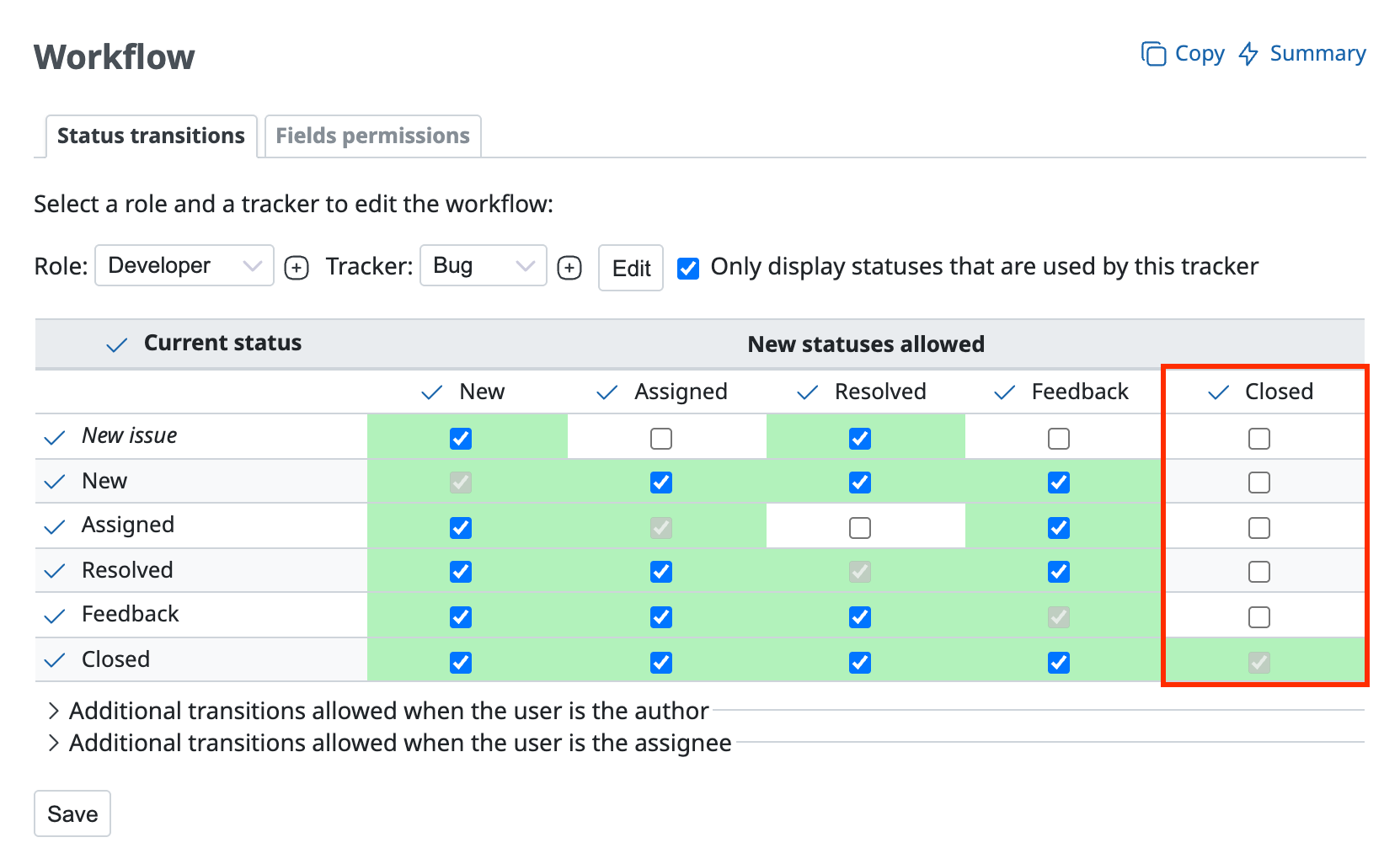
- Open the "Administration" → "Workflow" → "Status transitions" tab
- Select the role (Note 1) and the tracker (Note 2) and click "Edit"
- Check that "Closed" in "New statuses allowed" is turned on
Note 1: The role that applies in the project to the user who cannot close the issue
Note 2: The tracker of the issue that cannot be closed
If "Closed" is turned off as shown in the figure below, turn it on and click "Save". You can then close the issue.
② There are open subtasks
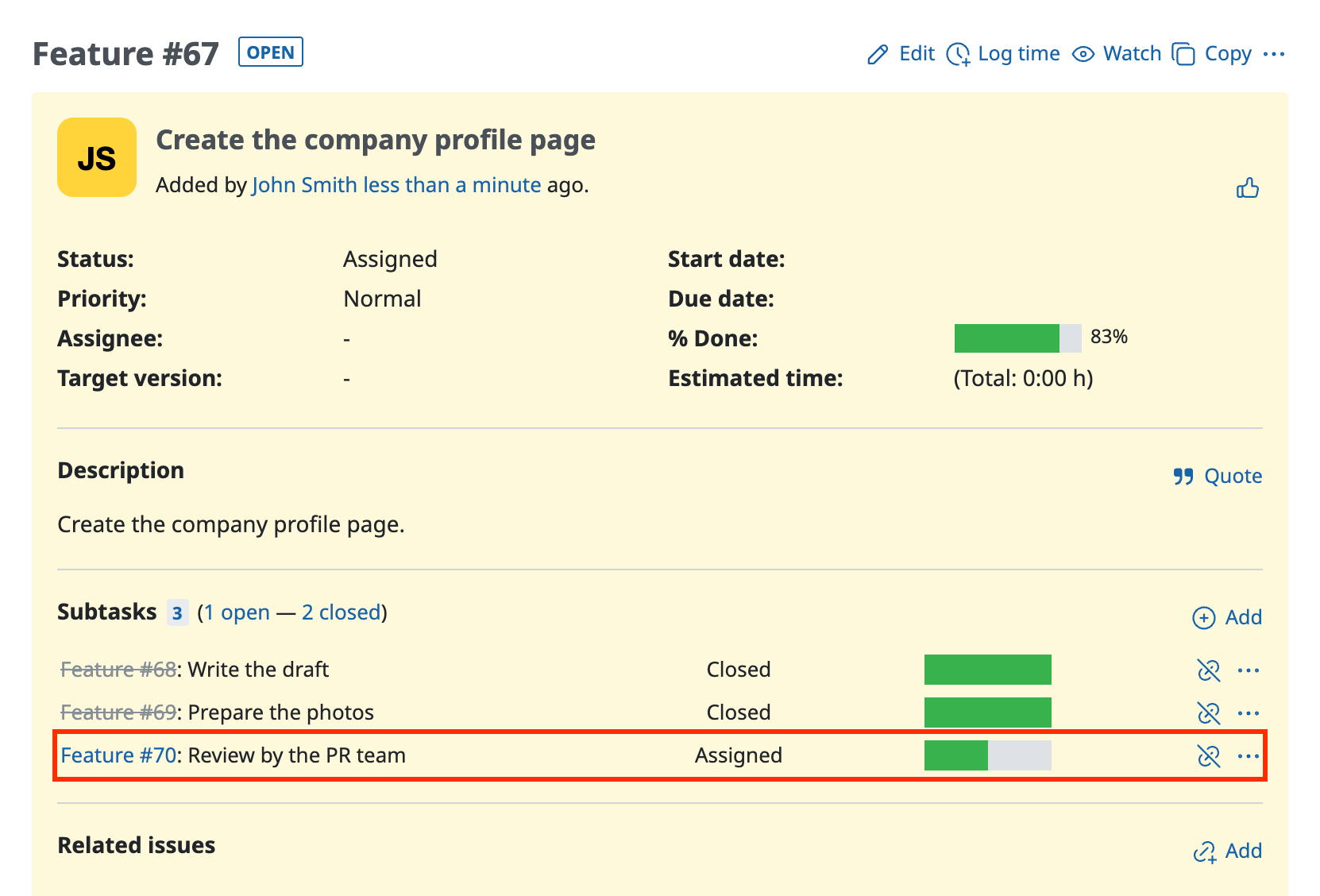
Does the issue that you cannot close have open subtasks? In Redmine 3.4.0 or later, you cannot close a parent issue that has open subtasks. When all subtasks are closed, you can close the parent issue.
③ The blocking issue is not closed
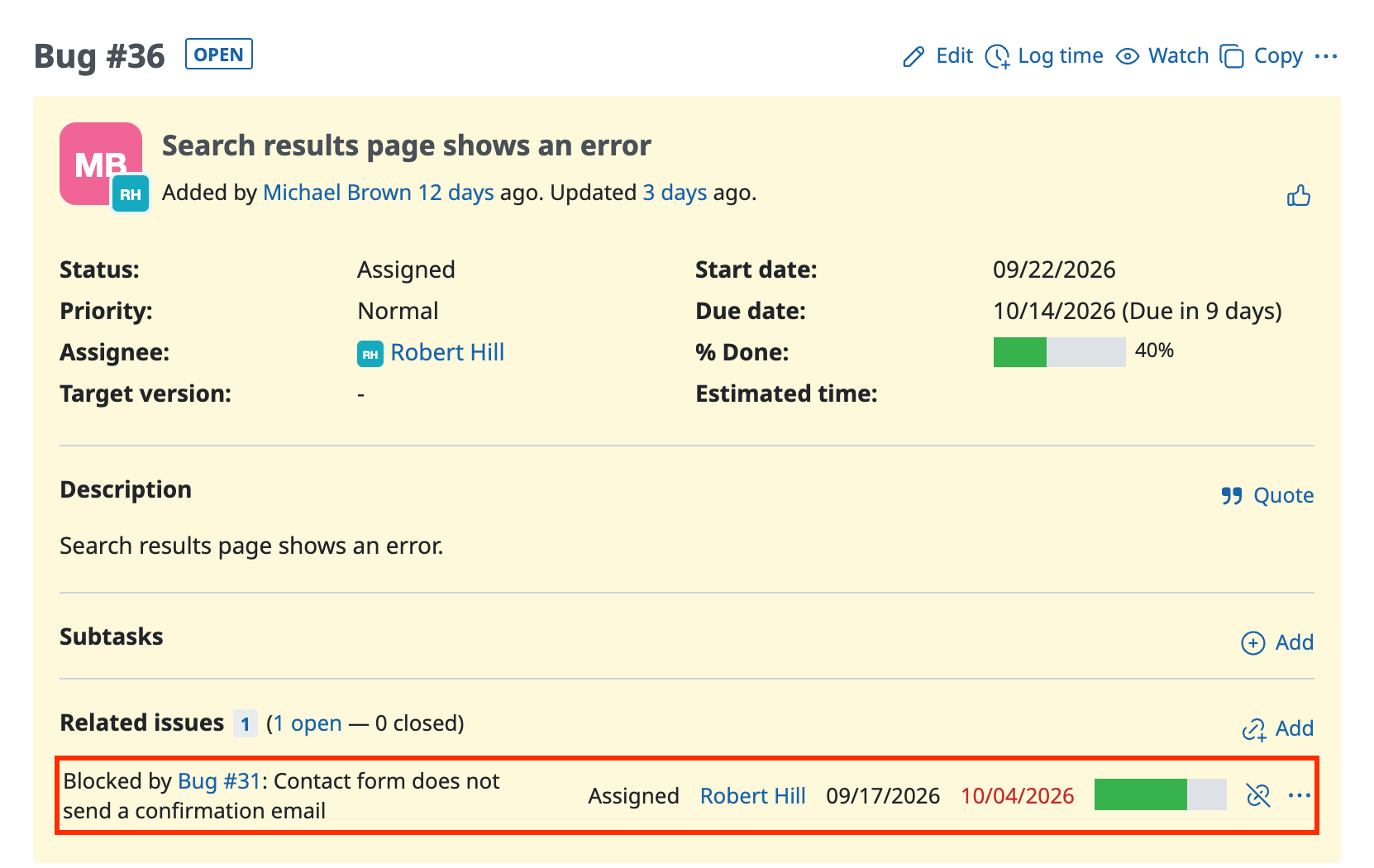
When an issue is blocked by an issue that is still open, you cannot change the status of the blocked issue to Closed. When you close the blocking issue, you can also change the blocked issue to Closed.
Related information











