Restricting access to Redmine by IP address
Created on 2021-02-07
•

Applicable versions: Redmine 4.1 or later / RedMica 1.0 or later
Redmine does not have a standard feature that restricts access by source IP address. However, you can do this with the IP address filter plugin (in Japanese).
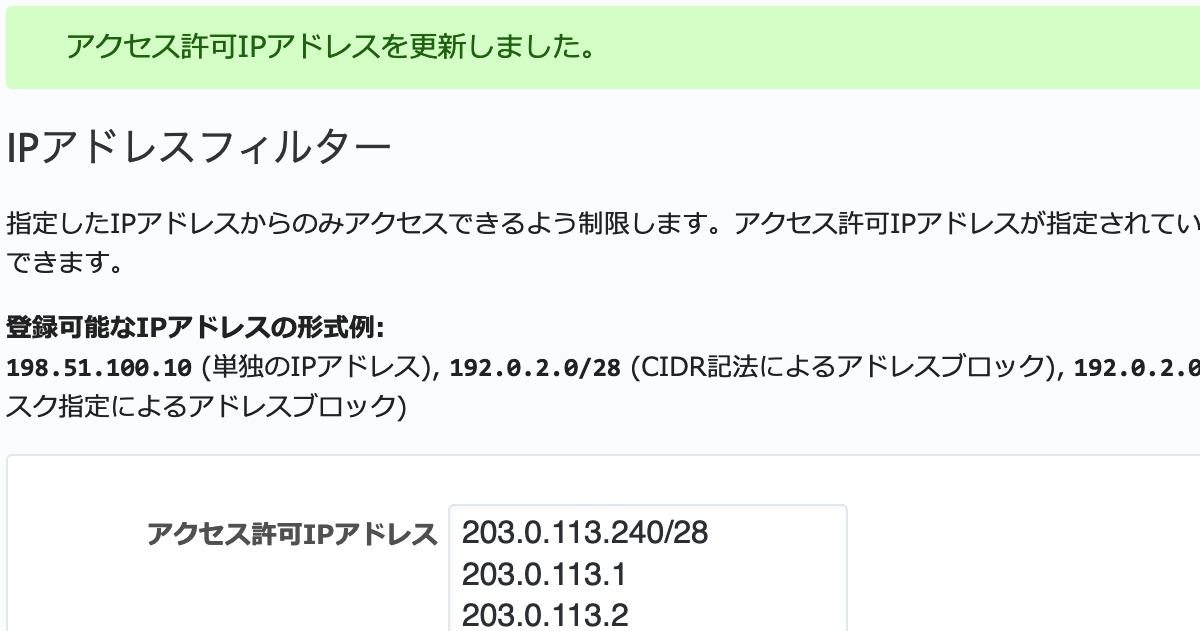
"IP address filter" is a plugin that lets you configure access restrictions by IP address from the Redmine administration screen. After you install it, a menu item for the IP address filter is added to the "Administration" screen.
How to install
The plugin works after you place it in the plugins directory of Redmine. For details, please see the documentation of the IP address filter plugin.
https://github.com/redmica/redmine_ip_filter#install
However, if Redmine is placed behind a load balancer or a reverse proxy server, you must configure the web server that runs Redmine to ignore the X-Forwarded-For field in the HTTP request header. Without this setting, the IP address filter may not work correctly, or a malicious user may modify the HTTP request header to bypass the access restriction.
https://github.com/redmica/redmine_ip_filter#preventing-ip-address-spoofing
[PR] The IP address filter plugin is installed by default in My Redmine, a cloud service for Redmine.
How to use
A user who has administrator privileges can set the IP addresses that are allowed to access Redmine on the "Administration" → "IP address filter" screen. For details, please see the official page of the IP address filter plugin.











