Settings that make Redmine passwords more secure (minimum length and required character classes)
On the "Administration" → "Settings" → "Authentication" tab, you can set the minimum password length and the required character classes (uppercase letters, lowercase letters, digits, and special characters). These settings make the passwords that users use more secure.
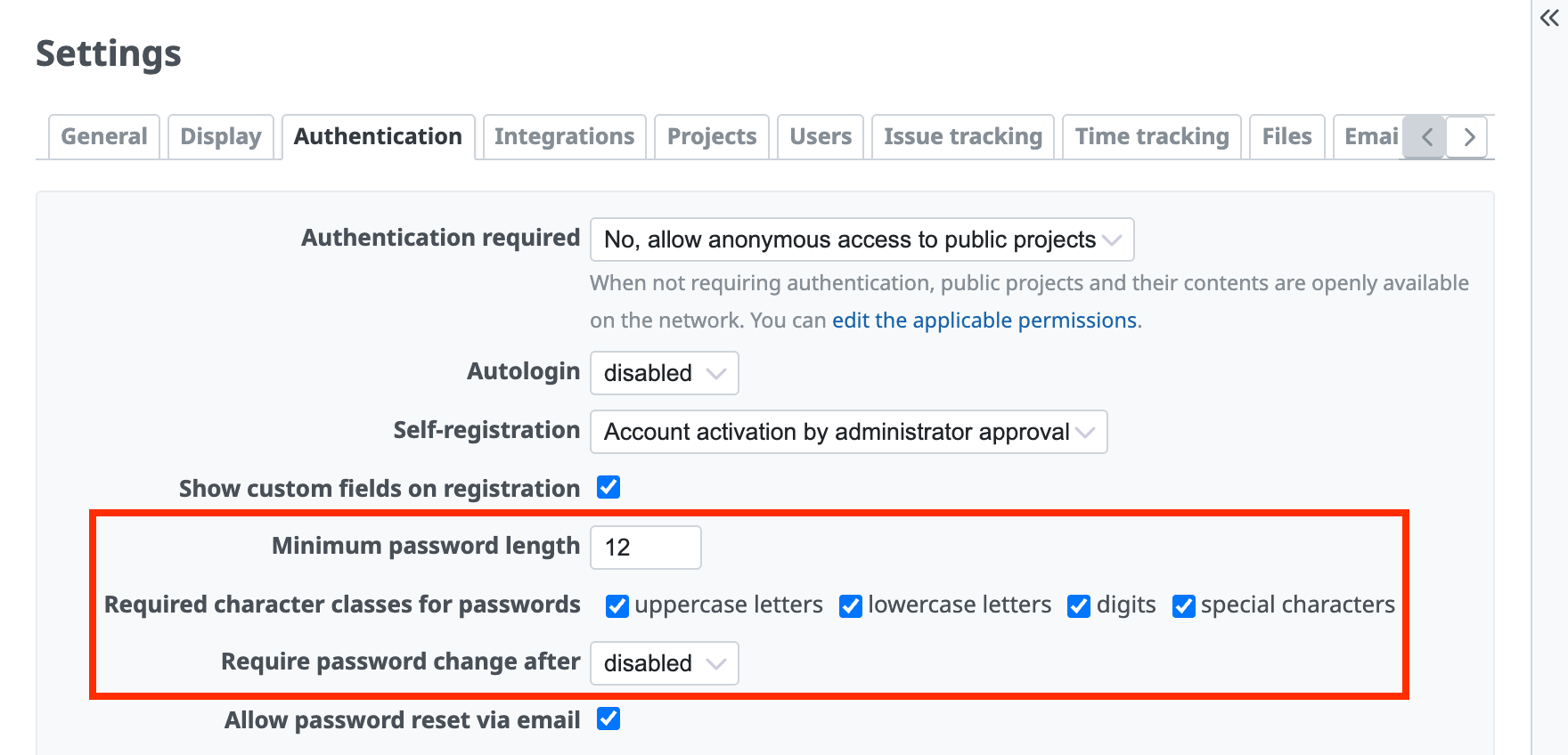
You can set the minimum password length, the required character classes, and the password expiration
Password requirements that you can set
| Requirement | Description |
|---|---|
| Minimum password length | Prevents the use of passwords that are shorter than the specified number of characters. The default is 8 characters. |
| Required character classes for passwords | You can require passwords to contain any or all of the following four character classes. ① Uppercase letters (A, B, C, …) ② Lowercase letters (a, b, c, …) ③ Digits (1, 2, 3, …) ④ Special characters (!, @, #, …) (Applicable versions: Redmine 4.1 or later) |
When the changed settings are applied
- When an existing user tries to change the password. Even if the existing password does not meet the new requirements, the user can use the existing password until the user changes it.
- When you create a new user and issue a password.
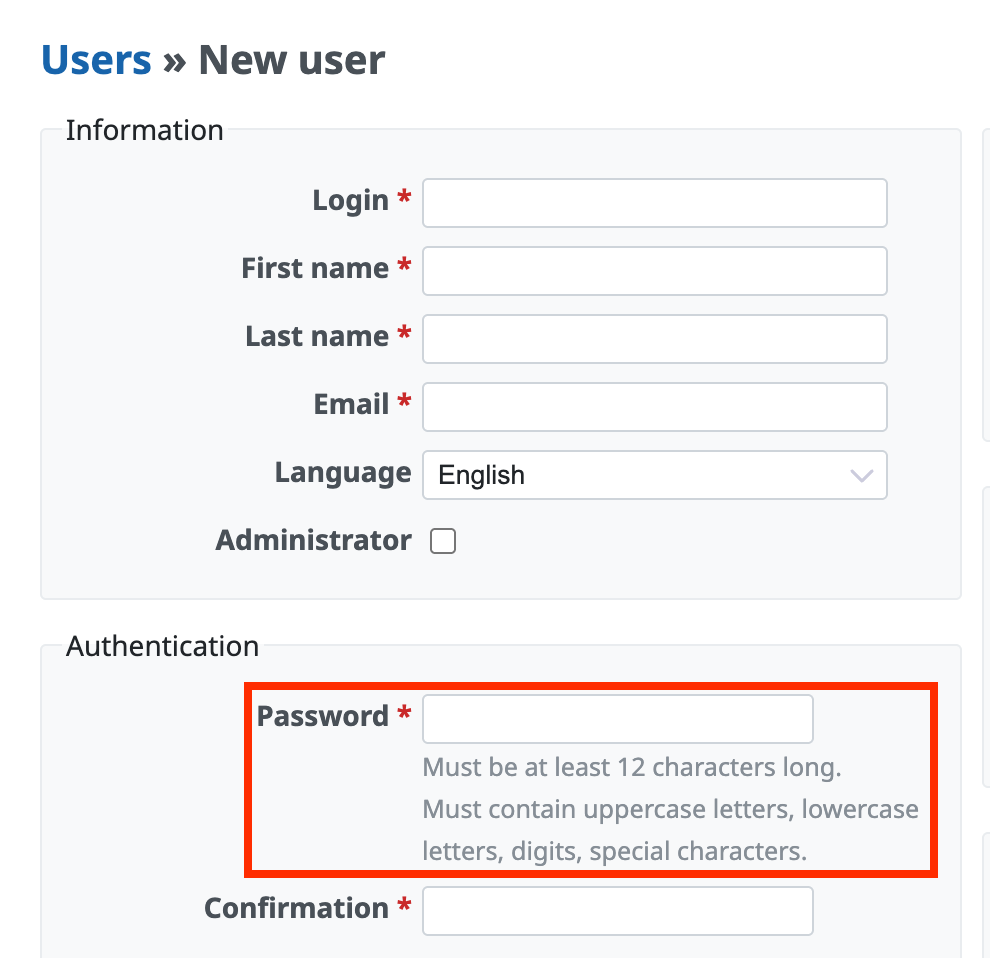
The password requirements are shown on the password input screen
Password expiration
You can force users to change their passwords regularly. The options are 7 days, 30 days, 60 days, 90 days, 180 days, and 365 days.
After you change this setting, the password change screen is shown when a user logs in after the password has expired. The user cannot log in without changing the password.
For example, if you set the expiration to 7 days, each user is asked to change the password 7 days after the user last changed the password, not 7 days after the date when you changed the setting. For this reason, the timing is different for each user.
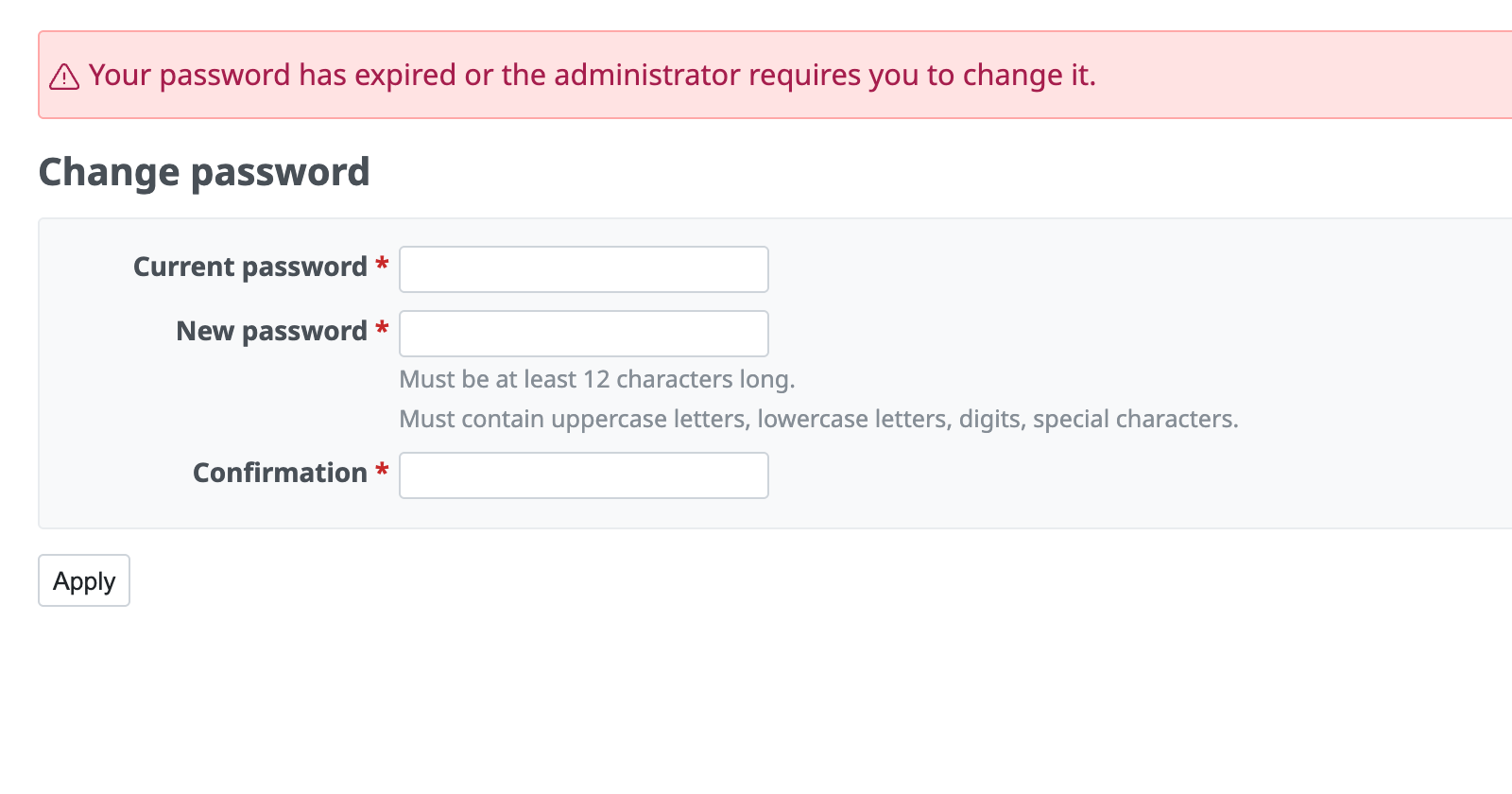
When the password has expired, the password change screen is shown
Other settings that strengthen security
Two-factor authentication
(Applicable versions: Redmine 4.2 or later / RedMica 1.2 or later)
Two-factor authentication is available in Redmine 4.2 or later and RedMica 1.2 or later. When you enable two-factor authentication and use a one-time password in addition to the ID and password, unauthorized logins by third parties become difficult.











