Handing over Redmine administrator privileges to another user
Updated on 2023-04-05
•
Created on 2018-02-14
•

This page explains how to grant the "Administrator" privilege to another user when you hand over the Redmine administrator role, for example because of a transfer or retirement. An "Administrator" can change the settings of the whole Redmine, such as user registration and permission settings.
Grant the "Administrator" privilege to the user who takes over
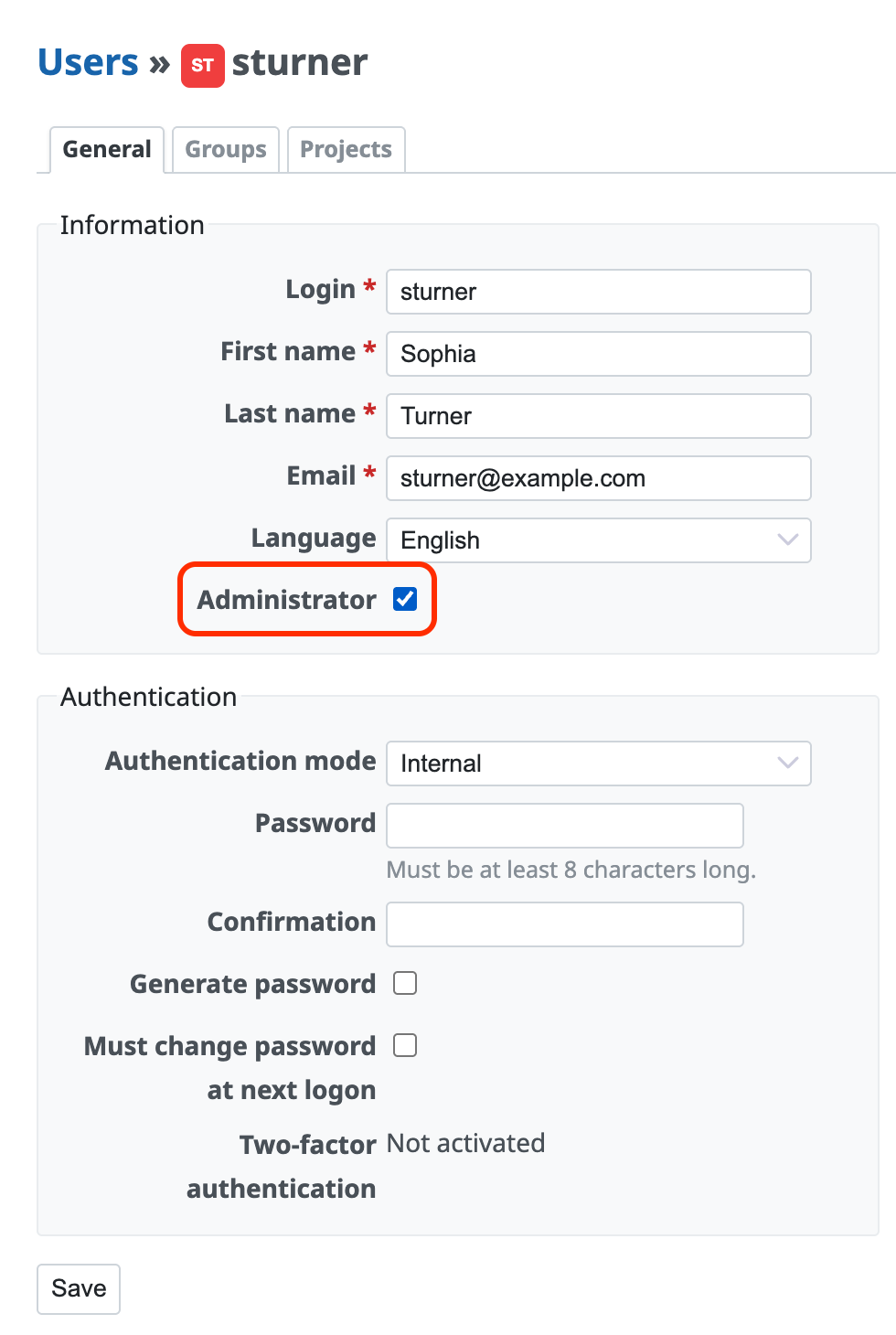
- Open "Administration" → "Users" and click the login
- Check "Administrator"
- Click "Save"
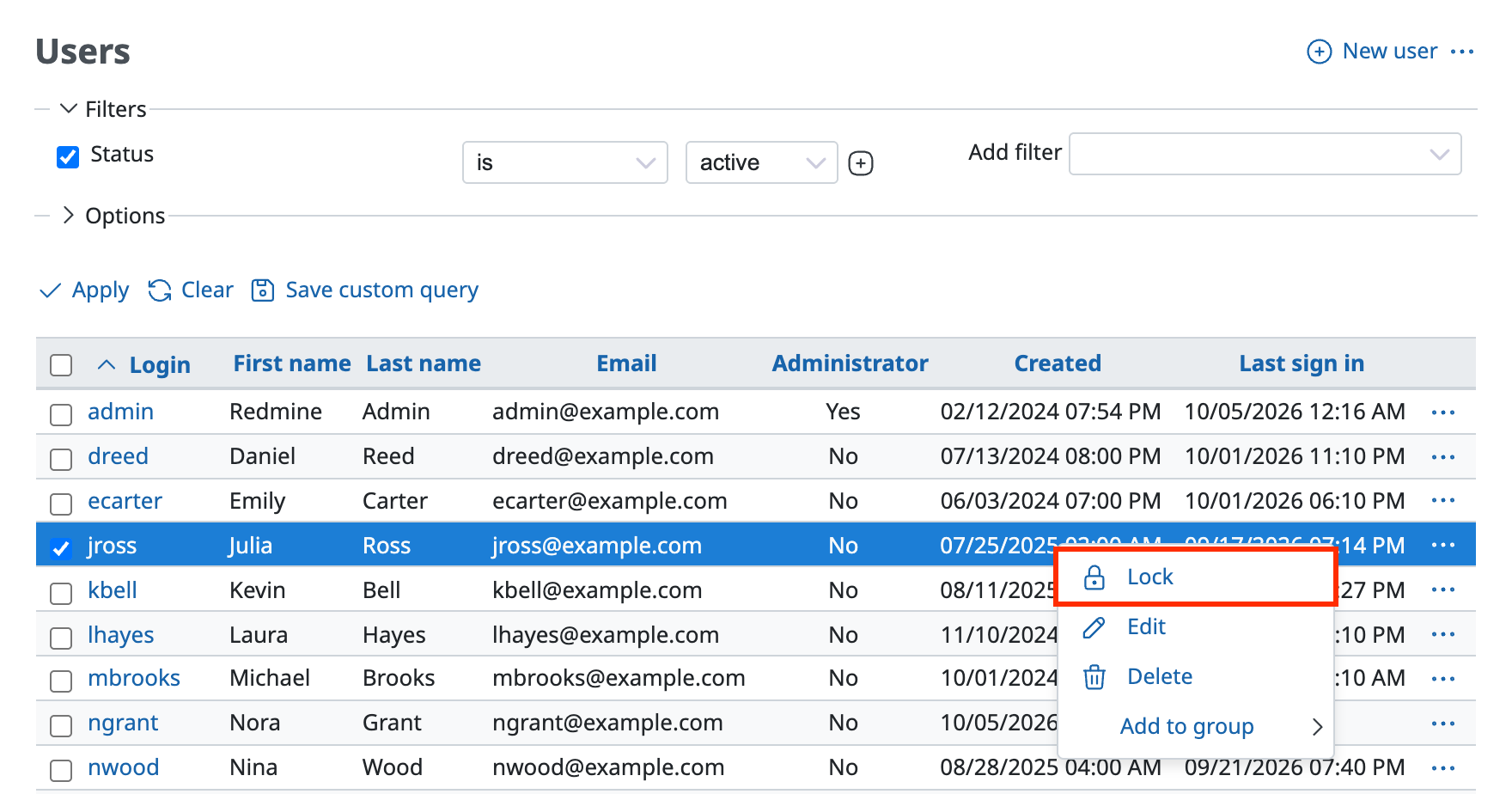
Lock the account of the user who is no longer an administrator because of a transfer or retirement
For the procedure to lock a user, please see the following page.
Locking and unlocking a Redmine user
- You cannot lock your own account.
- A locked user cannot log in to Redmine.
Related information











