Using HTML tags in Redmine wiki pages and issues
Updated on 2024-12-13
•
Created on 2009-09-24
•

Of the text formats that Redmine supports, CommonMark Markdown allows you to use HTML tags as they are. However, Textile and Markdown restrict the use of HTML tags for security reasons.
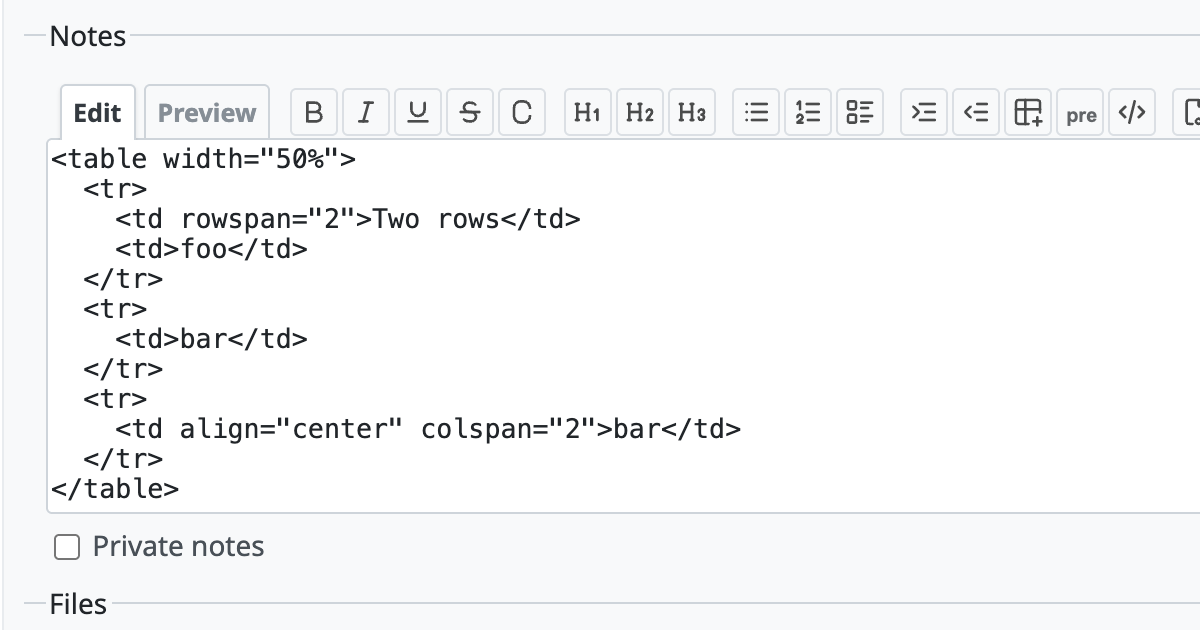
What to do for each text format if you want to use HTML tags
The way to use HTML tags depends on the "Text formatting" setting that is currently selected (the "Administration" → "Settings" → "General" screen).
CommonMark Markdown
In CommonMark Markdown, you can use HTML tags as they are. You do not need to do anything special.
Textile
If you really need to use HTML tags in Textile, you must change the source code.
Near the end of lib/redmine/wiki_formatting/textile/redcloth3.rb, there is a place where the allowed tags are stored in a constant named ALLOWED_TAGS. Add the tags that you want to use there and restart Redmine.
Example: enabling <a> and <font>
ALLOWED_TAGS = %w(redpre pre code notextile a font)
Markdown
If you use "Markdown" in Redmine 5.1 or earlier, change the "Text formatting" setting (the "Administration" → "Settings" → "General" screen) to "CommonMark Markdown". The Markdown engine that Redmine uses internally switches from Redcarpet to CommonMarker, and you can then use HTML tags.
In Redmine 6.0, the Redcarpet-based Markdown was removed and the formats were unified into the CommonMarker-based CommonMark Markdown.
If you really need to use HTML tags in Markdown in Redmine 4.2 or earlier, which does not support CommonMark Markdown, you must change the source code.
Near the end of lib/redmine/wiki_formatting/markdown/formatter.rb, there is the text :filter_html => true. Change the true part to false and restart Redmine.
Related items











