Embedding a list of recently updated pages in a Redmine wiki page
Created on 2026-01-30
•

(Supported versions: Redmine 6.1.1 or later / RedMica 4.0.2 or later)
In the Redmine wiki, you can use the macro {{recent_pages}} to embed a list of recently updated wiki pages in a wiki page.

Macro syntax
Write {{recent_pages}} or {{recent_pages(options)}} in a wiki page.
| Macro syntax (options) | Description |
|---|---|
{{recent_pages}} |
Displays a list of the titles of pages in the same project that were updated in the last 7 days |
{{recent_pages(days=D)}} |
Displays a list of the titles of pages that were updated in the last "D" days |
{{recent_pages(limit=N)}} |
Limits the number of displayed pages to a maximum of "N" |
{{recent_pages(time=true)}} |
Displays the time since the last update (for example: 10 minutes, about 3 hours, 5 days) next to the title of each page |
{{recent_pages(project=identifier)}} |
Displays a list of updated wiki pages of the project whose project identifier is "identifier" |
You can specify more than one option at the same time.
| Example | Description |
|---|---|
{{recent_pages(days=30, limit=5, time=true)}} |
Displays up to the 5 most recent wiki pages that were updated in the last 30 days. Displays the time since the last update next to the title. |
{{recent_pages(project=identifier, time=true)}} |
Displays a list of updated wiki pages of the project whose project identifier is "identifier". Displays the time since the last update next to the title. |
Display examples
Display example in a wiki page
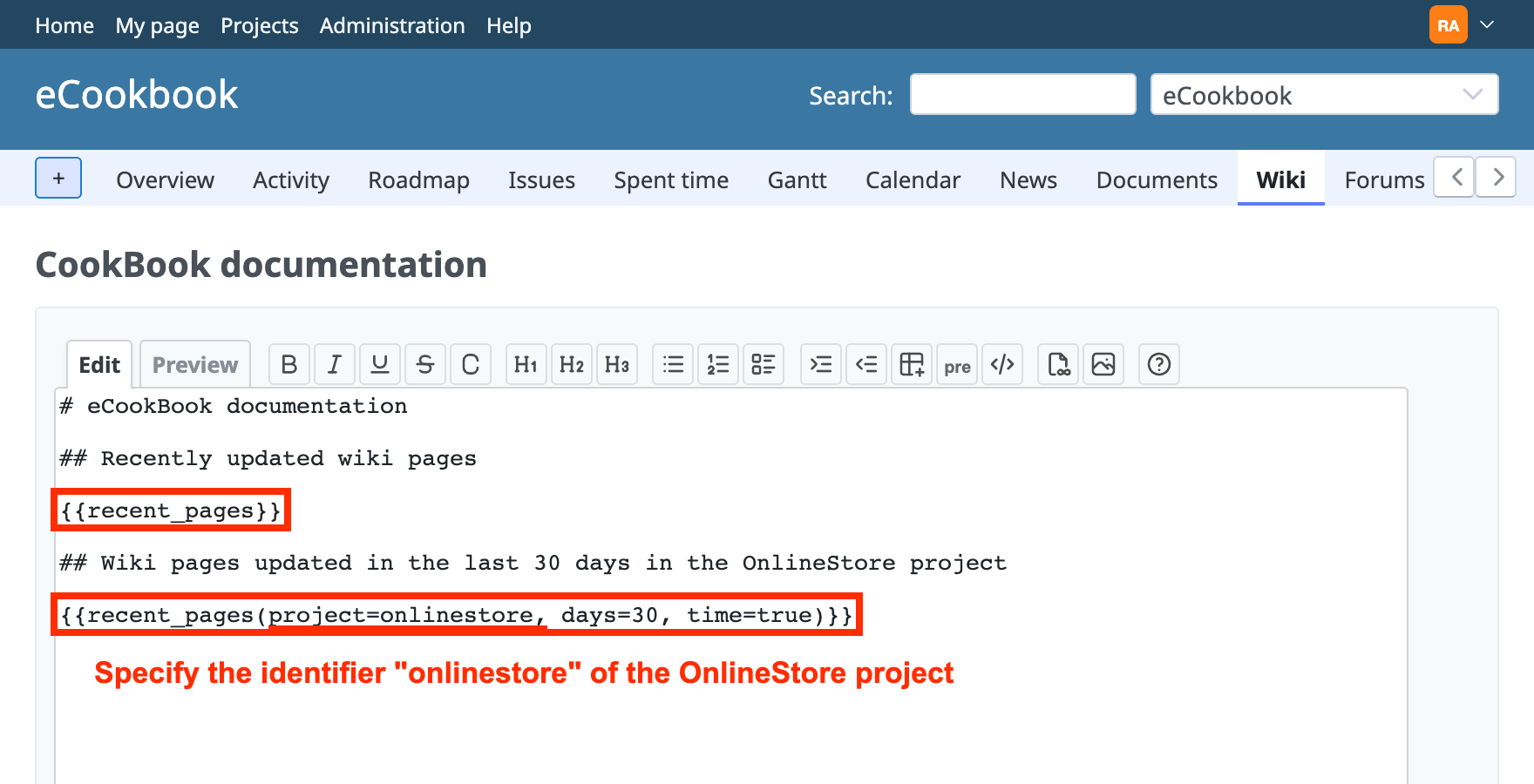
Write the macro in the edit area of the wiki page
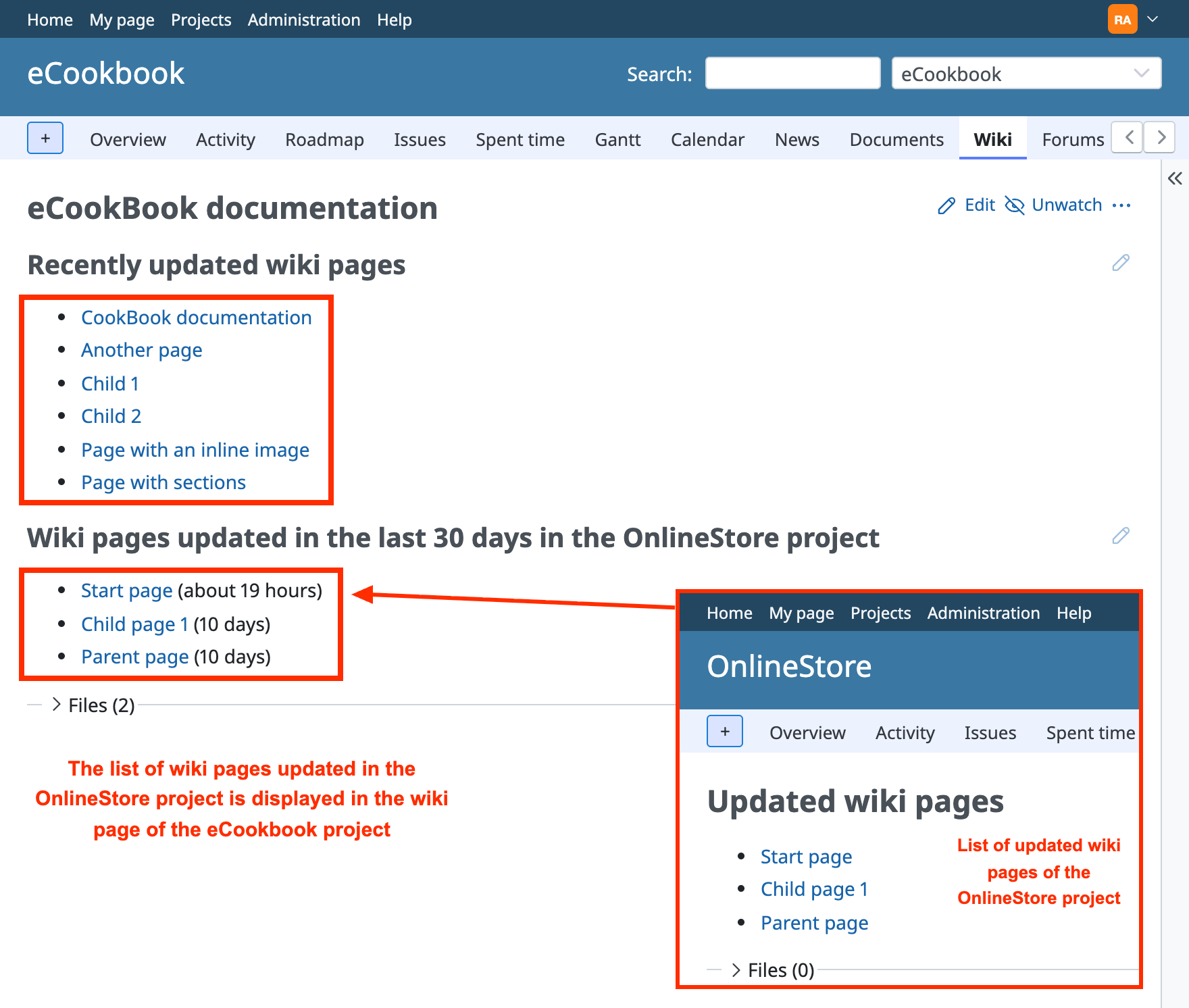
The wiki page as displayed
Display example in the sidebar
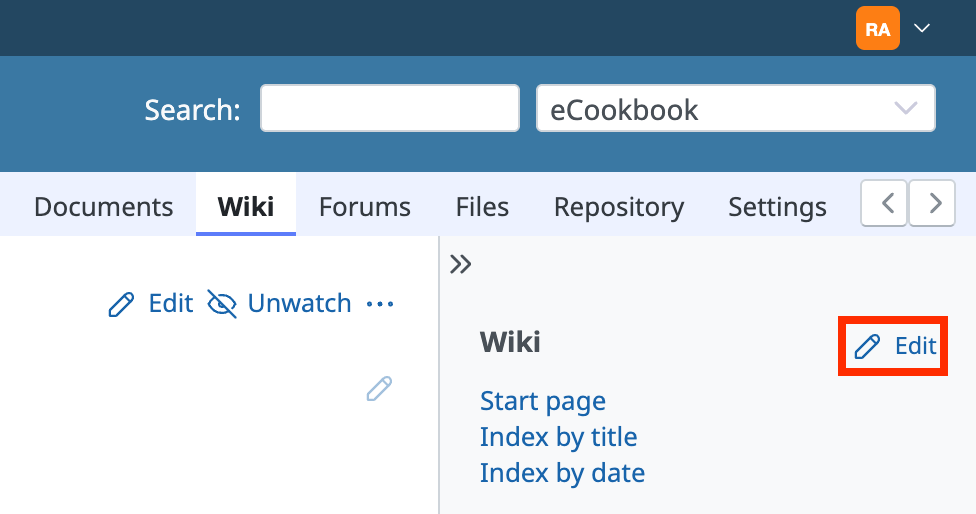
Click "Edit" in the sidebar
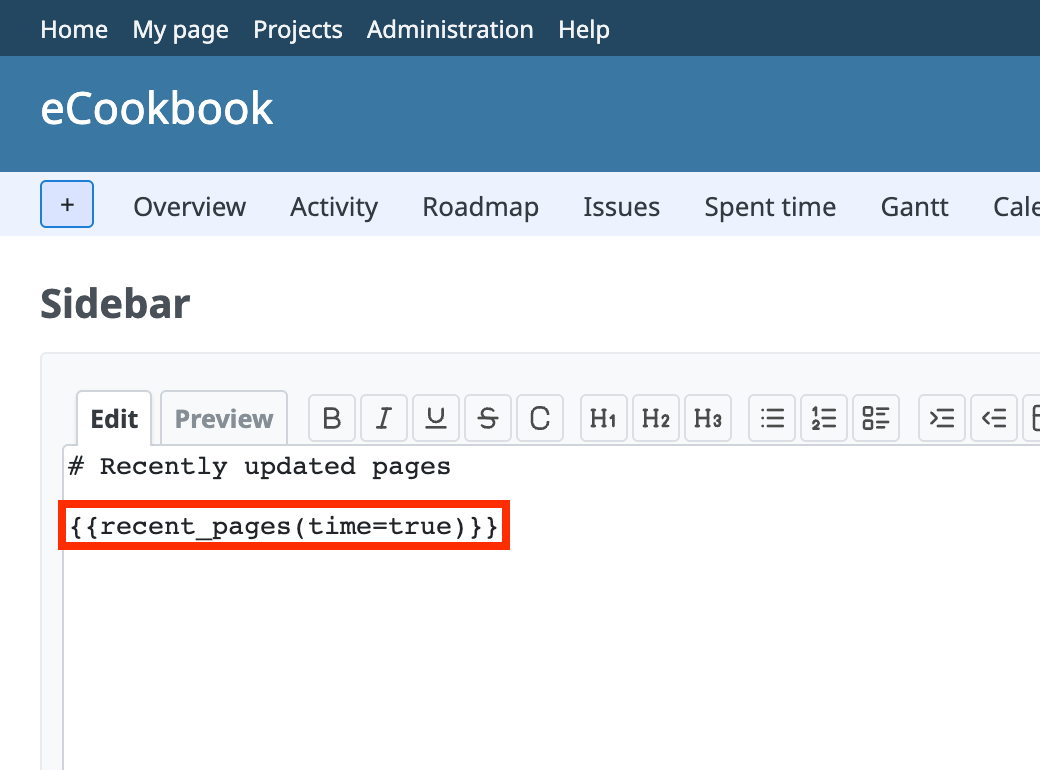
Write the macro in the edit area of the sidebar
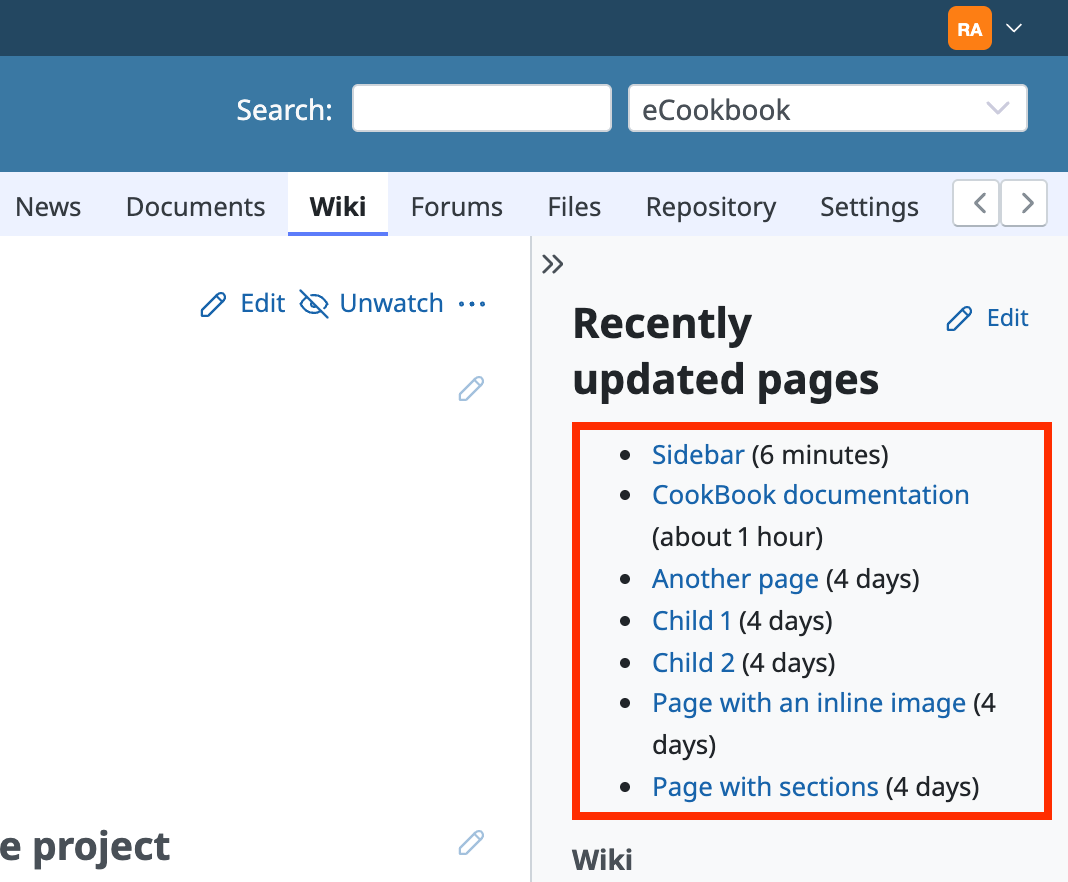
The list is displayed in the sidebar
Related information











