Checking the version of Redmine in use
Updated on 2022-12-24
•
Created on 2009-11-22
•

You can check the version of Redmine that you currently use in one of the following ways.
Method 1: Check in the administration pages
As a user with administrator rights, open the "Administration" → "Information" page.
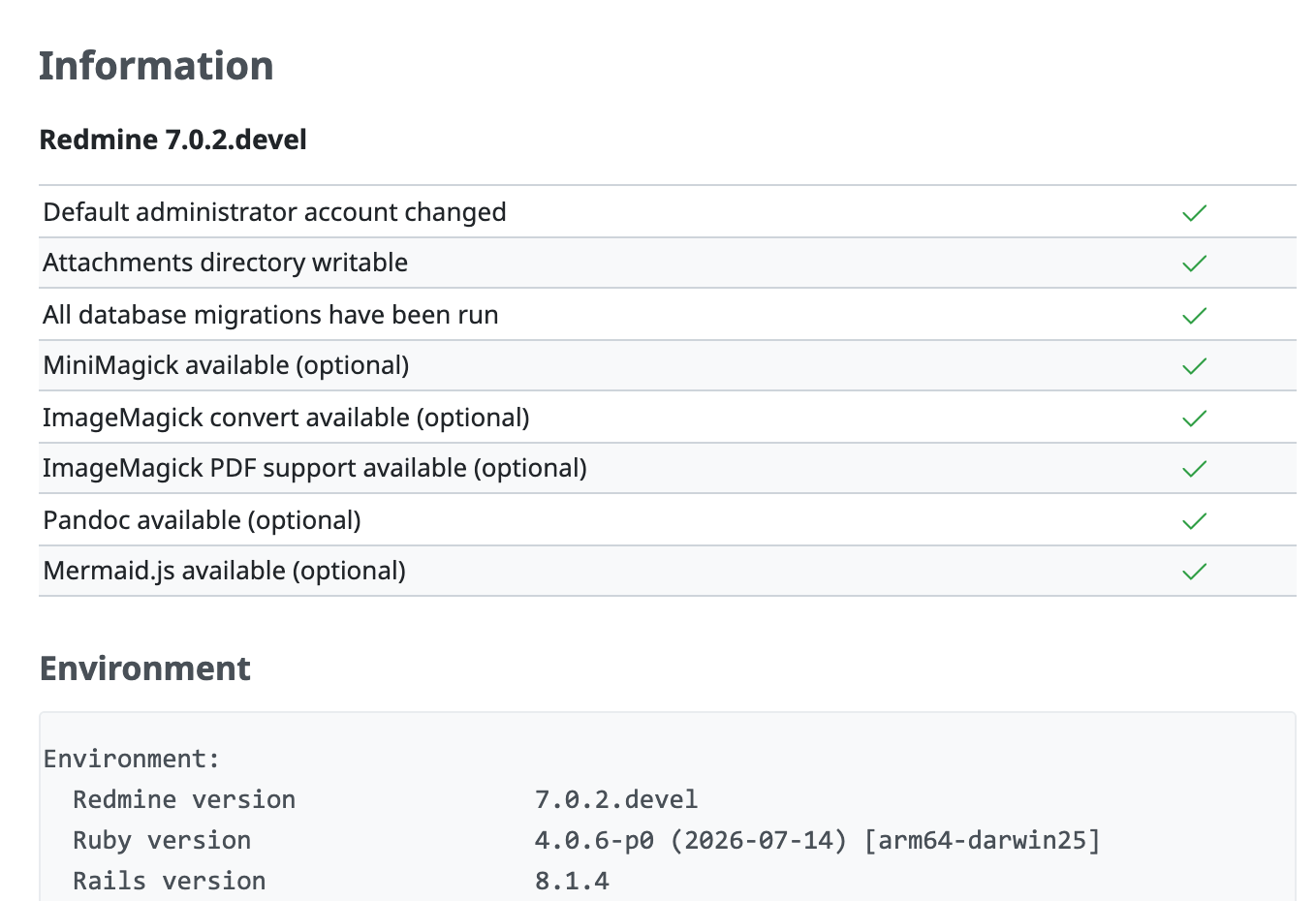
In addition to the Redmine version, this page shows the following information.
- Whether there are problems with the Redmine installation (directory permissions, pending migrations, and so on)
- The type of database
- The Redmine runtime environment (Ruby version, installed plugins, and so on)
Method 2: Check on the Redmine server
Run the following command in the Redmine installation directory. It displays the same information as the "Administration" → "Information" page of Redmine.
ruby bin/about
For Redmine 2.6 and earlier, run script/about and not bin/about.
Example of the output:
Environment:
  Redmine version                5.0.4.stable.21997
  Ruby version                   2.5.8-p224 (2020-03-31) [x86_64-darwin19]
  Rails version                  6.1.7
  Environment                    production
  Database adapter               SQLite
  Mailer queue                   ActiveJob::QueueAdapters::AsyncAdapter
  Mailer delivery                smtp
Redmine settings:
  Redmine theme                  Bleuclair
SCM:
  Subversion                     1.14.1
  Mercurial                      6.3.1
  Cvs                            1.12.13
  Git                            2.34.1
  Filesystem
Redmine plugins:
  sample_plugin                  0.0.1
Method 3: Check in the source code
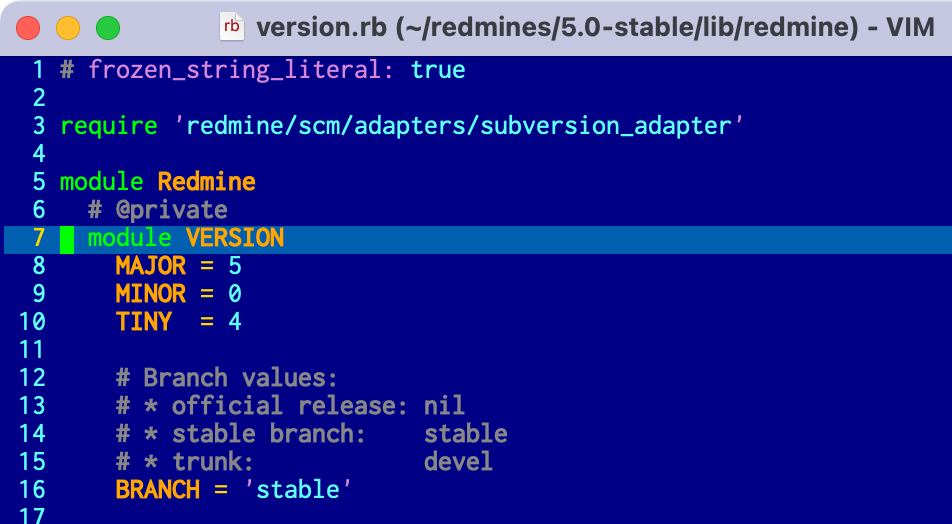
The numbers that represent the version are defined at the beginning of lib/redmine/version.rb. The following figure shows the file for Redmine 5.0.4.