How to display the Roadmap tab in Redmine
Created on 2022-05-09
•

The "Roadmap" tab appears when you add a version to the project.
To add a version, go to "Settings" → "Versions" → "New version" in the project. You need the "Manage versions" permission to add a version. By default, the "Manager", "Developer", and "Reporter" roles have this permission.
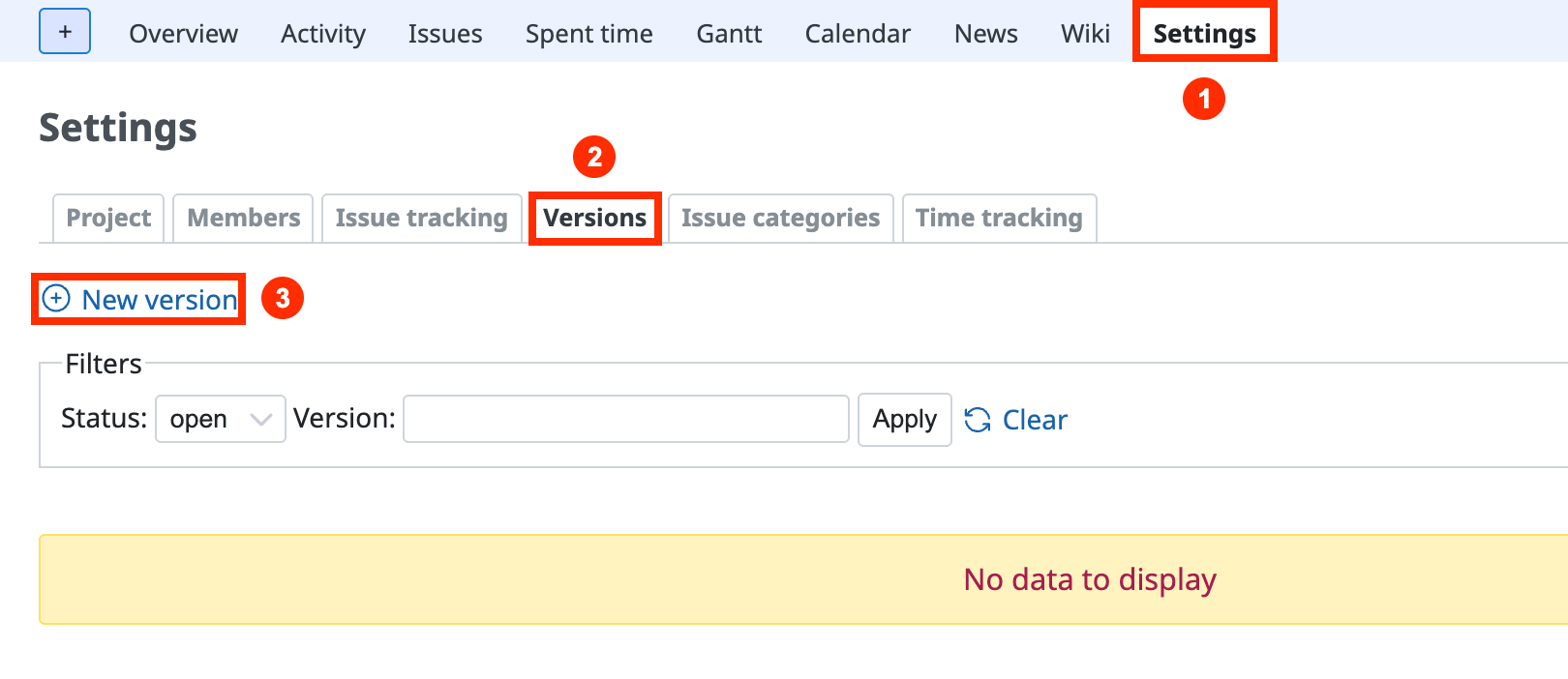
Project settings page
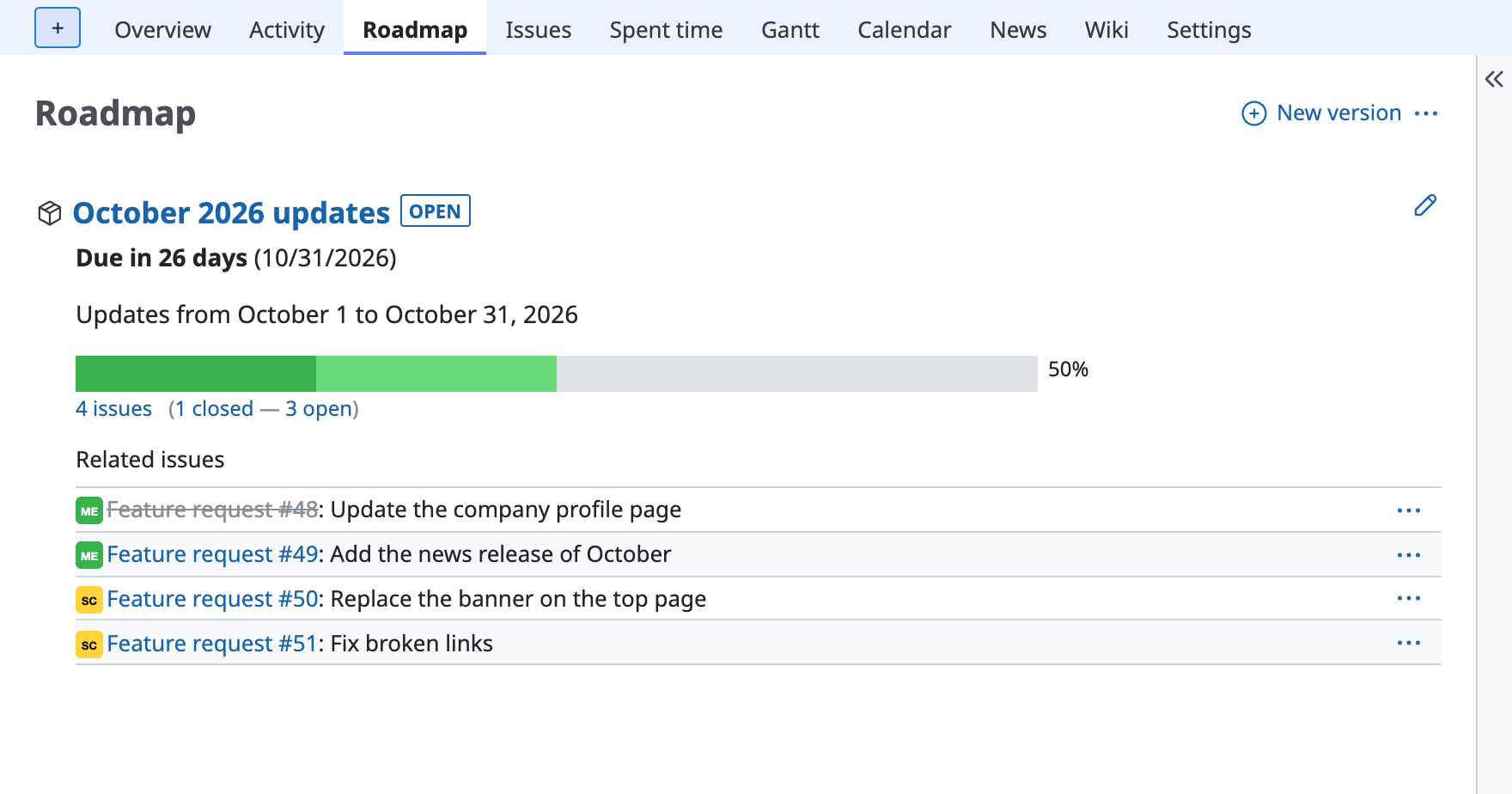
Roadmap page
Related information
Redmine Glossary
FAQ











