Reducing the tabs displayed in the Redmine project menu
Updated on 2021-04-12
•
Created on 2012-03-24
•

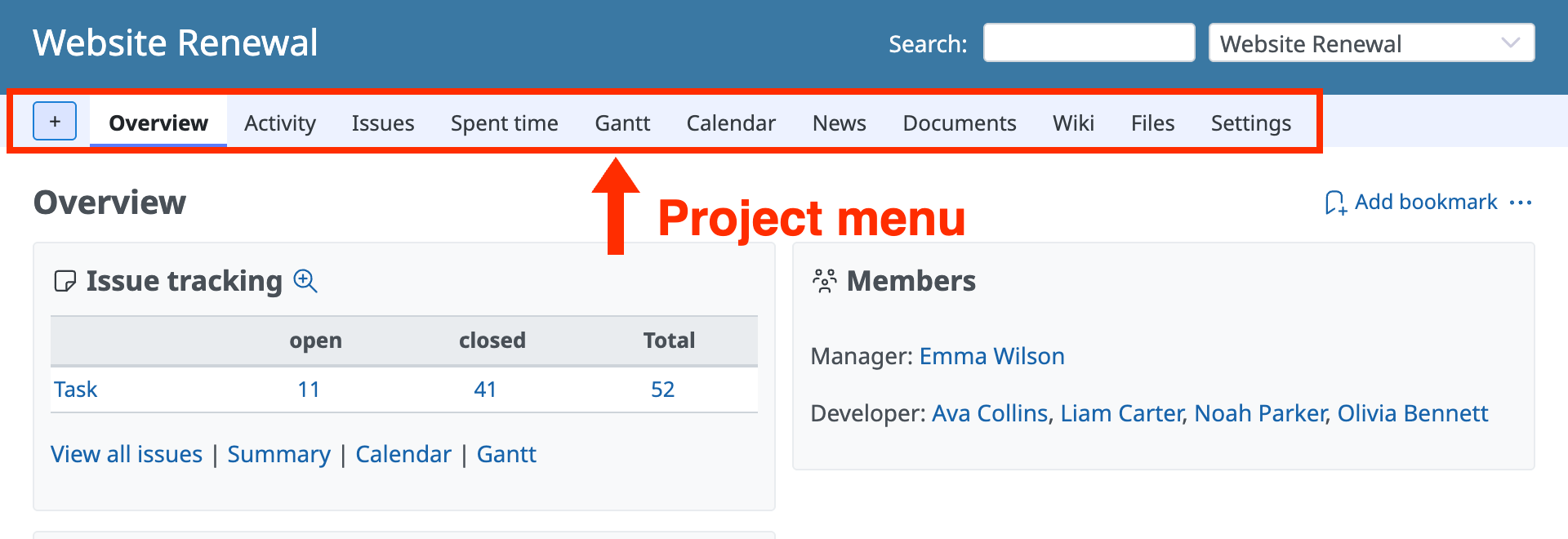
You can reduce the tabs displayed in the project menu if you turn off, in the settings page, the modules for features that the project does not use.
Immediately after you create a project, the project menu displays about 10 tabs. The number increases when you configure a repository or forums, or install plugins. If too many tabs are displayed, problems occur. For example, it becomes difficult to find the tab that you want, and the tabs do not all fit on the screen.
How to configure
Perform the operation as a user who has the "Edit project" permission for the project that you want to configure (by default, a user who is assigned the "Manager" role).
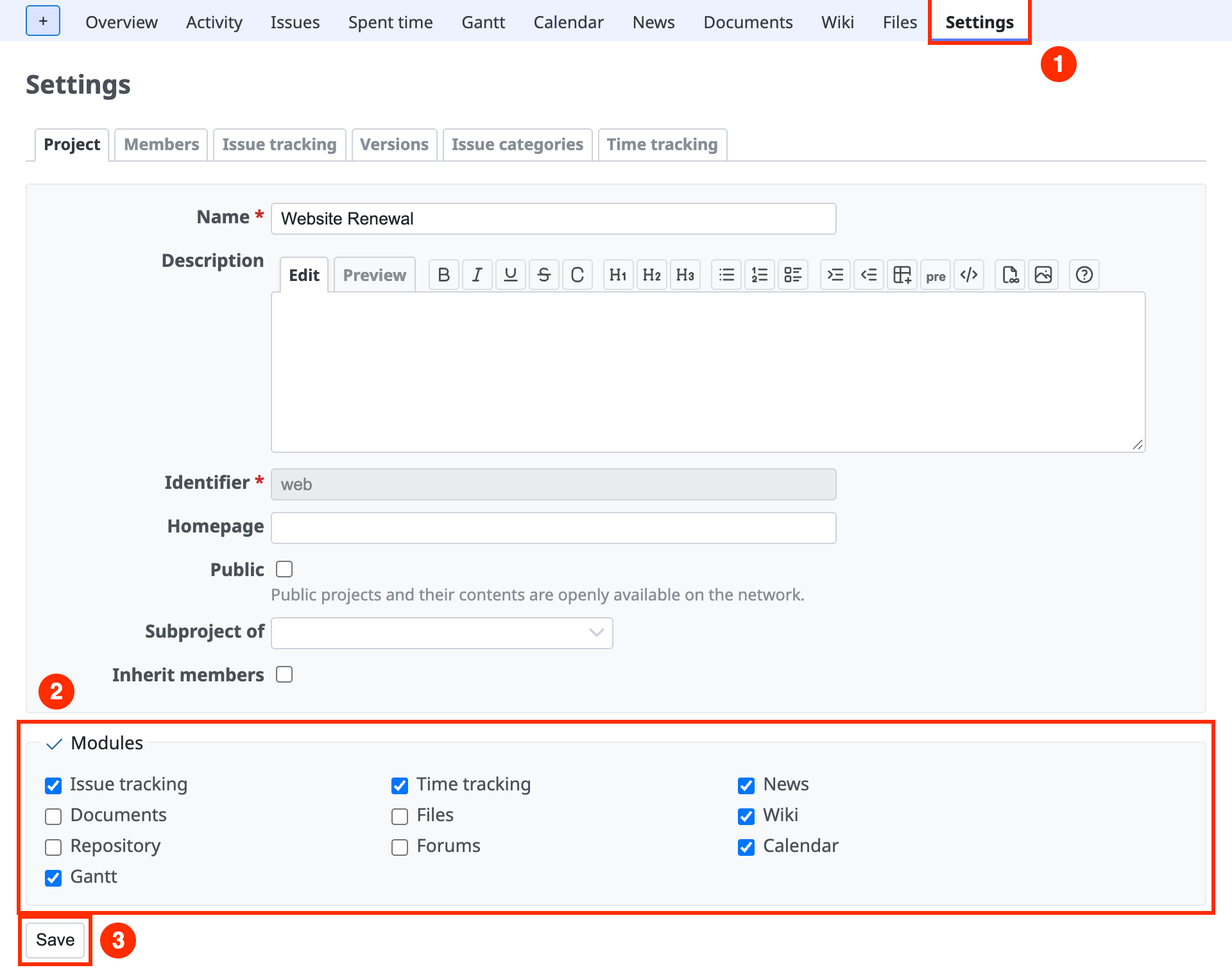
- Open the "Project" tab of the project "Settings" page.
- Turn off the checkboxes of the modules for the features that you do not use, and click the "Save" button.
Modules that you can consider turning off
| Module name | Description |
|---|---|
| News | A feature to announce information to members. You can view the registered content on the Home page, the project "Overview" page, and the My page. |
| Files | A feature intended for the distribution of binaries and tarballs of the software that you develop. |
| Documents | A feature intended for the distribution of files created with word processors, spreadsheets, and similar software. |
| Forums | A discussion board feature that you can use for discussions and other purposes. |
| Gantt | A feature that displays a Gantt chart based on the start date, due date, and % Done of issues. You do not need it if you do not manage progress and only manage whether tasks are complete or not. |
| Calendar | A feature that displays the start date and due date of issues on a calendar. |











