Make Redmine issues parent tasks and subtasks
Updated on 2023-03-24
•
Created on 2010-11-08
•

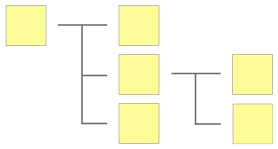 In Redmine, you can register several issues as subtasks of one issue. For example, you can divide the task described in the parent issue into smaller tasks and register them as subtasks.
There are the following two ways to make issues a parent task and subtasks.
1. Create a new issue as a subtask of an existing issue
2. Make an existing issue a subtask of another existing issue
1. Create a new issue as a subtask of an existing issue
Display the issue that will be the parent task and click "Add" in the "Subtasks" section.
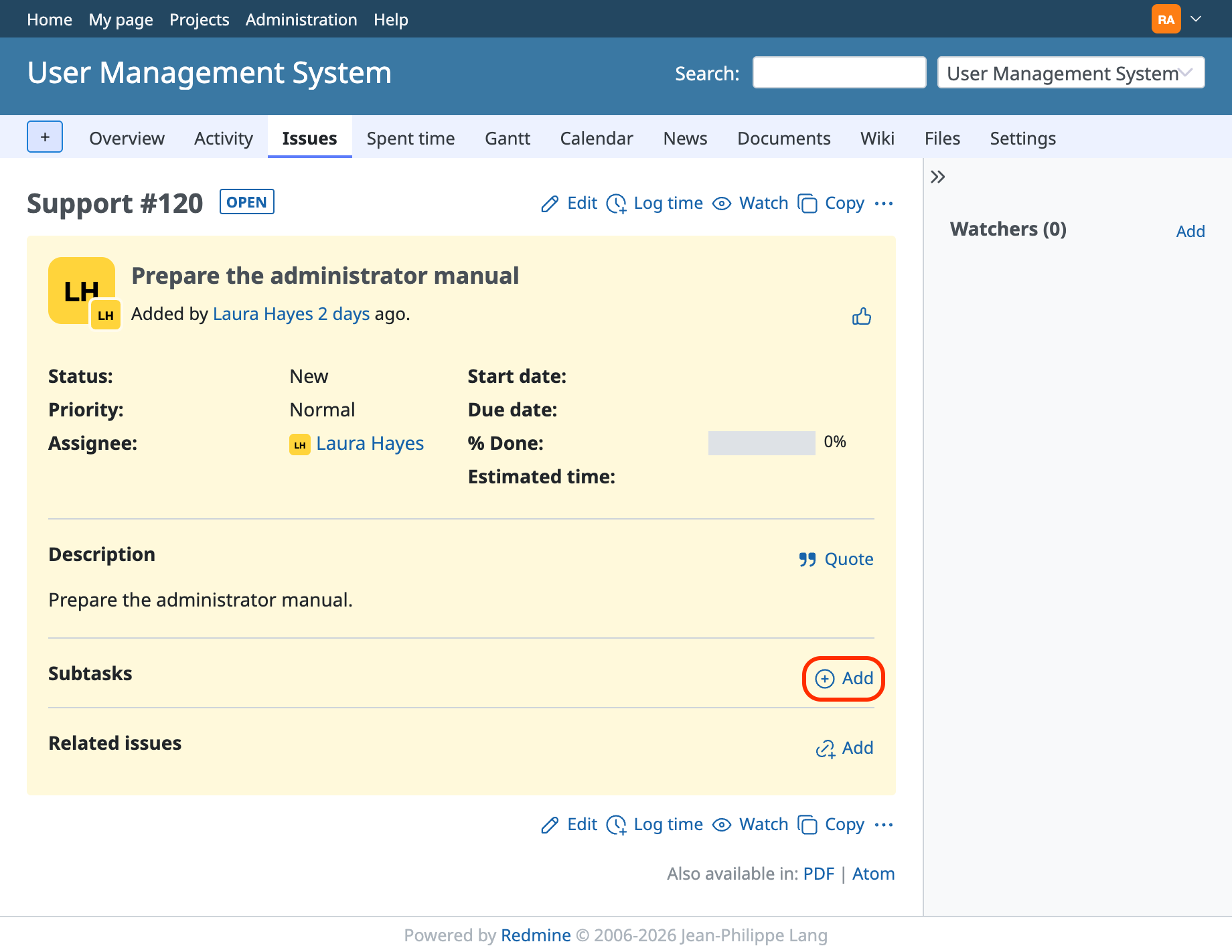
The "New issue" page opens with the number of the parent issue already entered. Enter the necessary information and create the issue. It is added as a subtask.
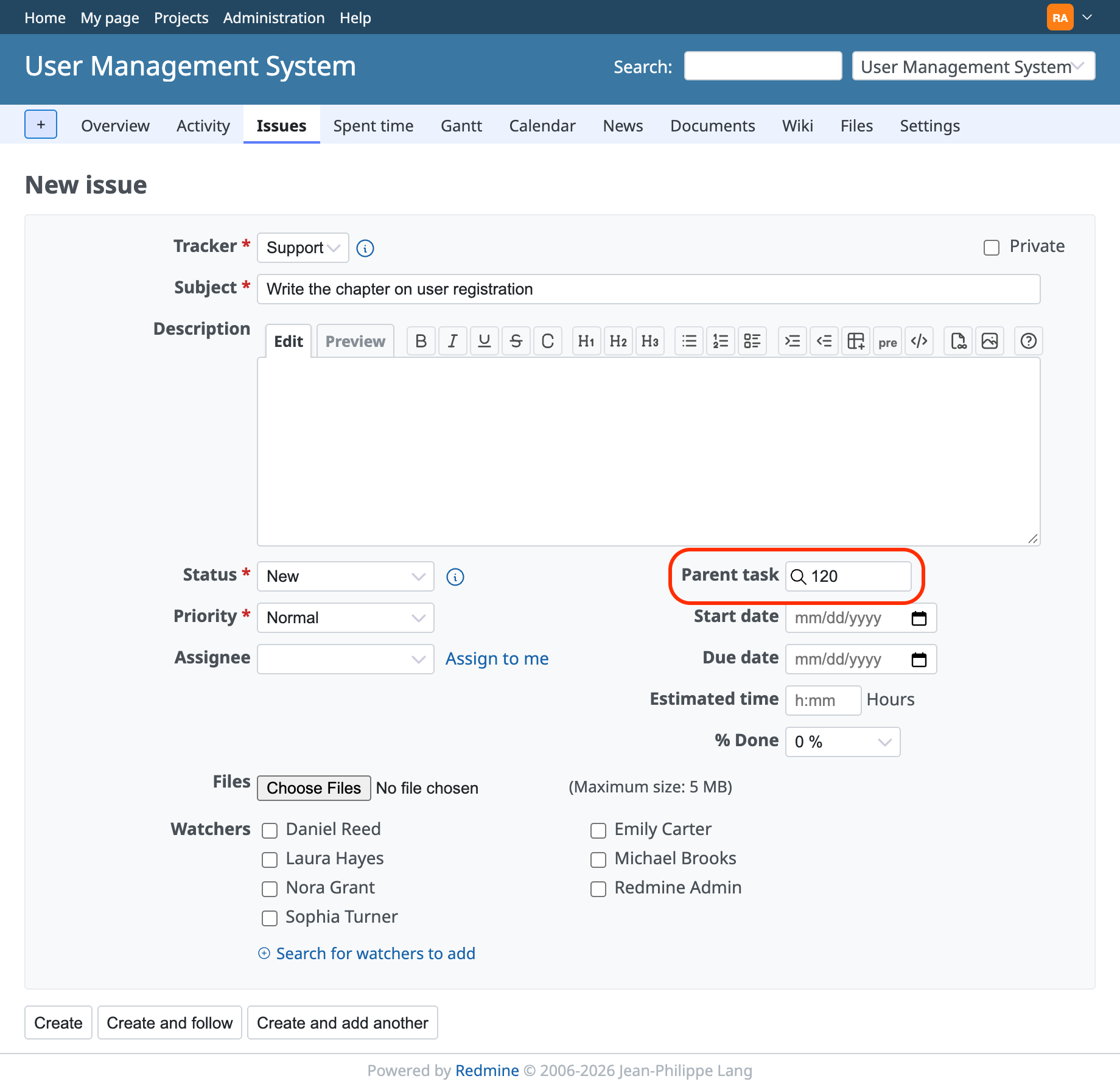
The parent issue shows the list of subtasks.
When you display a subtask, the number and subject of the parent issue are displayed above the subject of the issue.
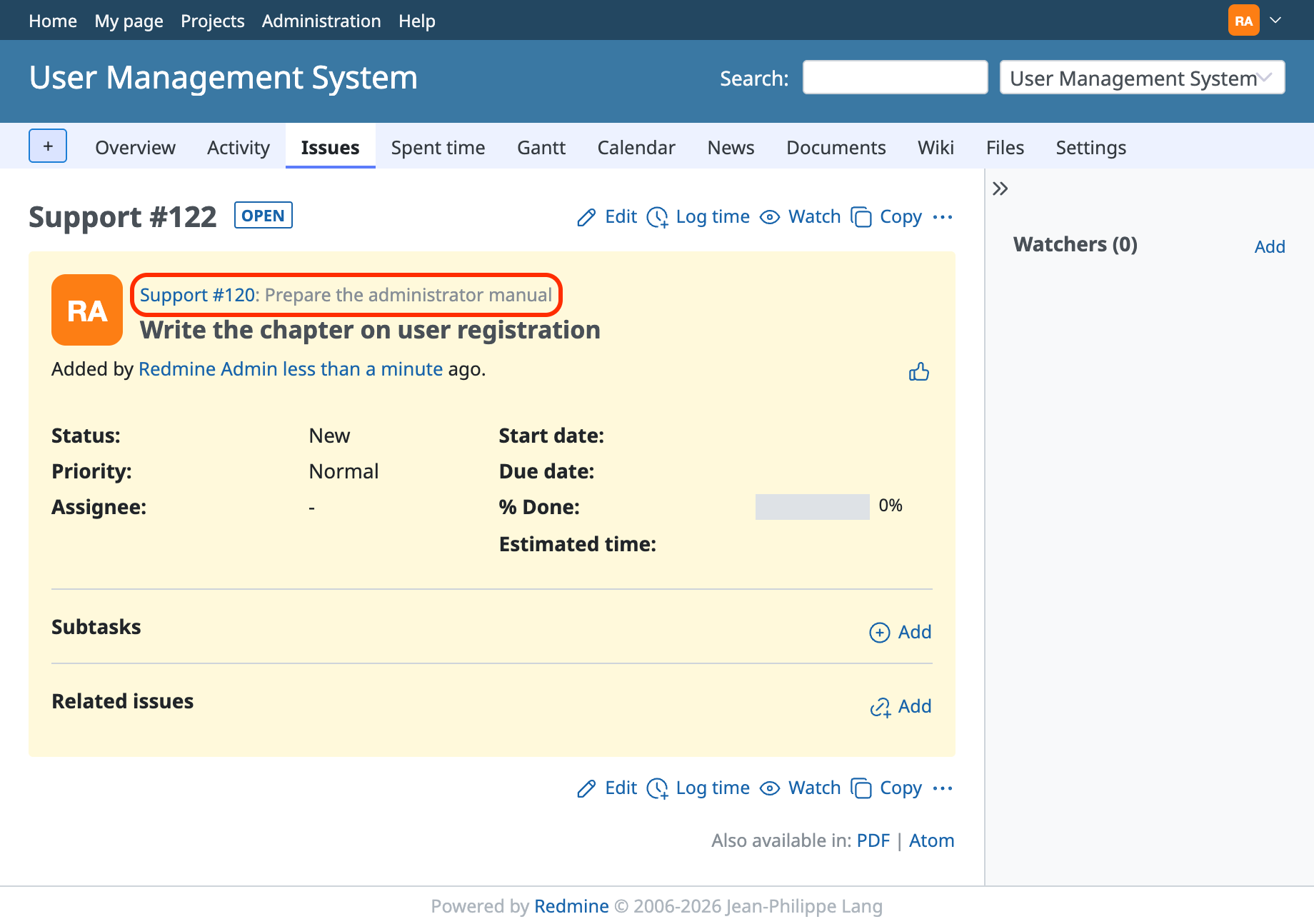
2. Make an existing issue a subtask of another existing issue
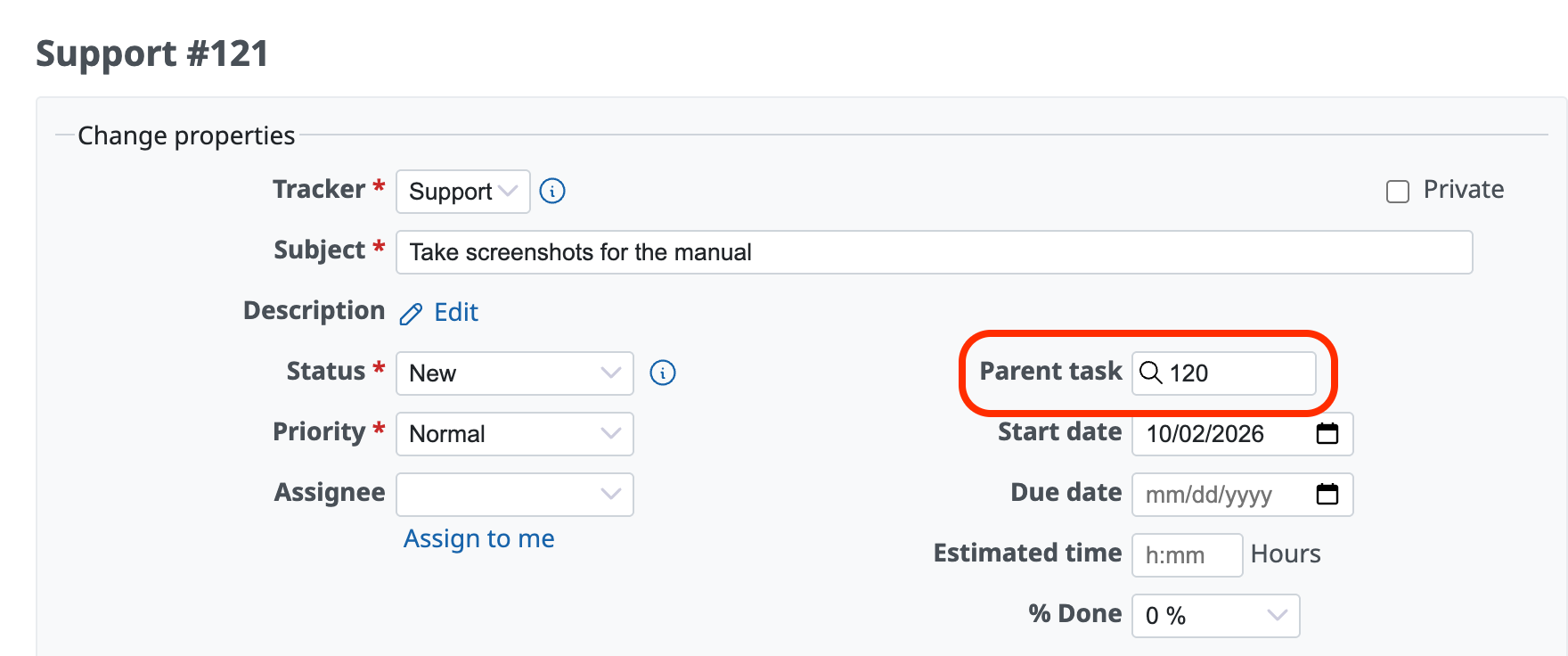
Open the edit page of the issue that you want to make a subtask, enter the number of the issue that you want to make the parent task in the "Parent task" field, and update the issue.
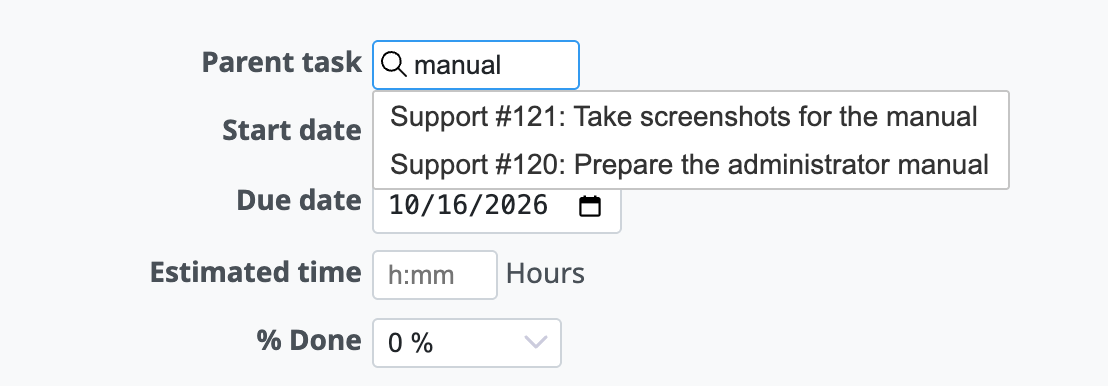
If you enter a part of the subject of an issue, you can search for candidate issues for the parent task. If you know a part of the subject, this is easier than entering the issue number directly.
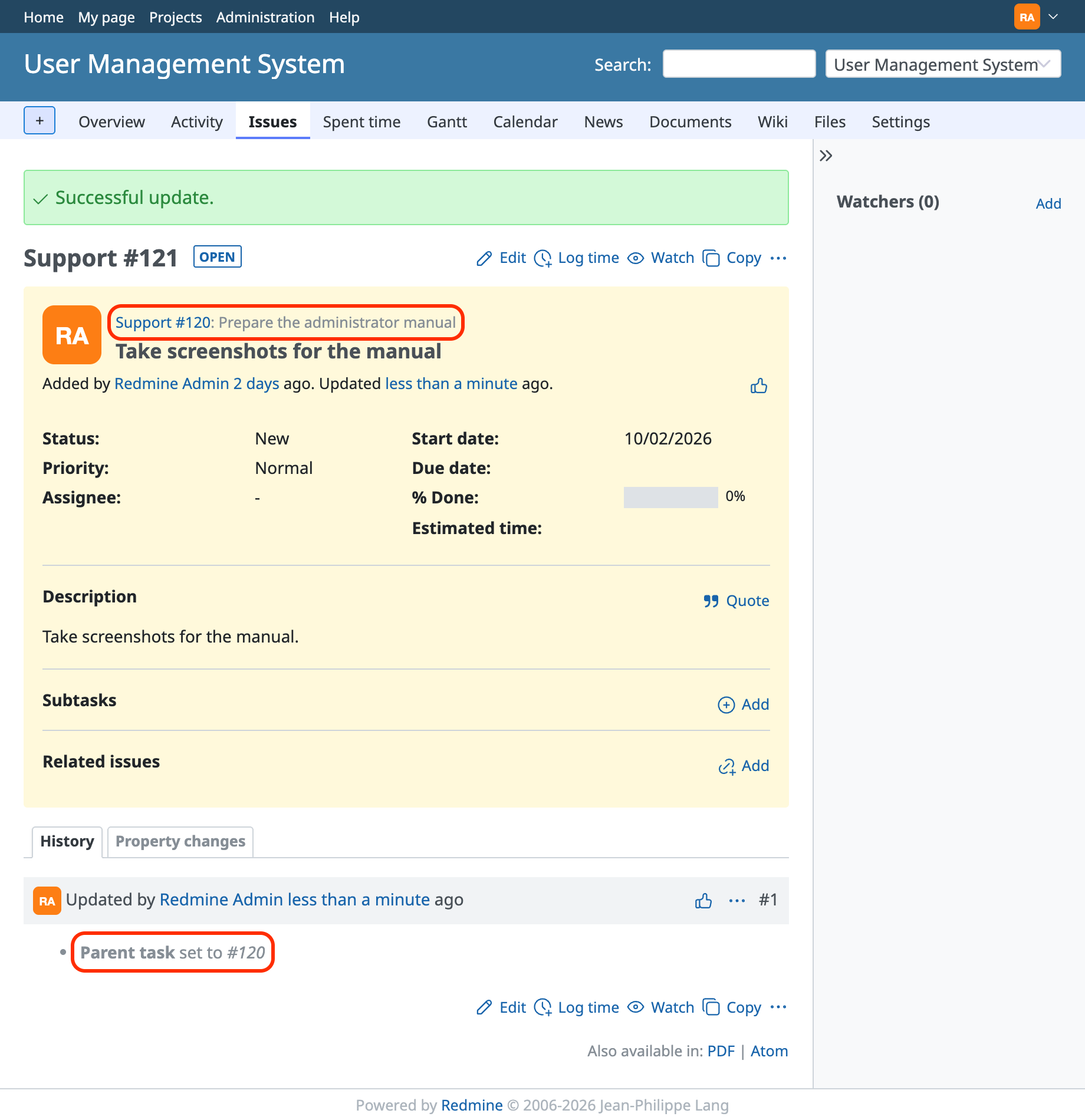
The number and subject of the issue that became the parent task are displayed above the subject of the issue that became the subtask. In addition, the history records that the parent task was set.
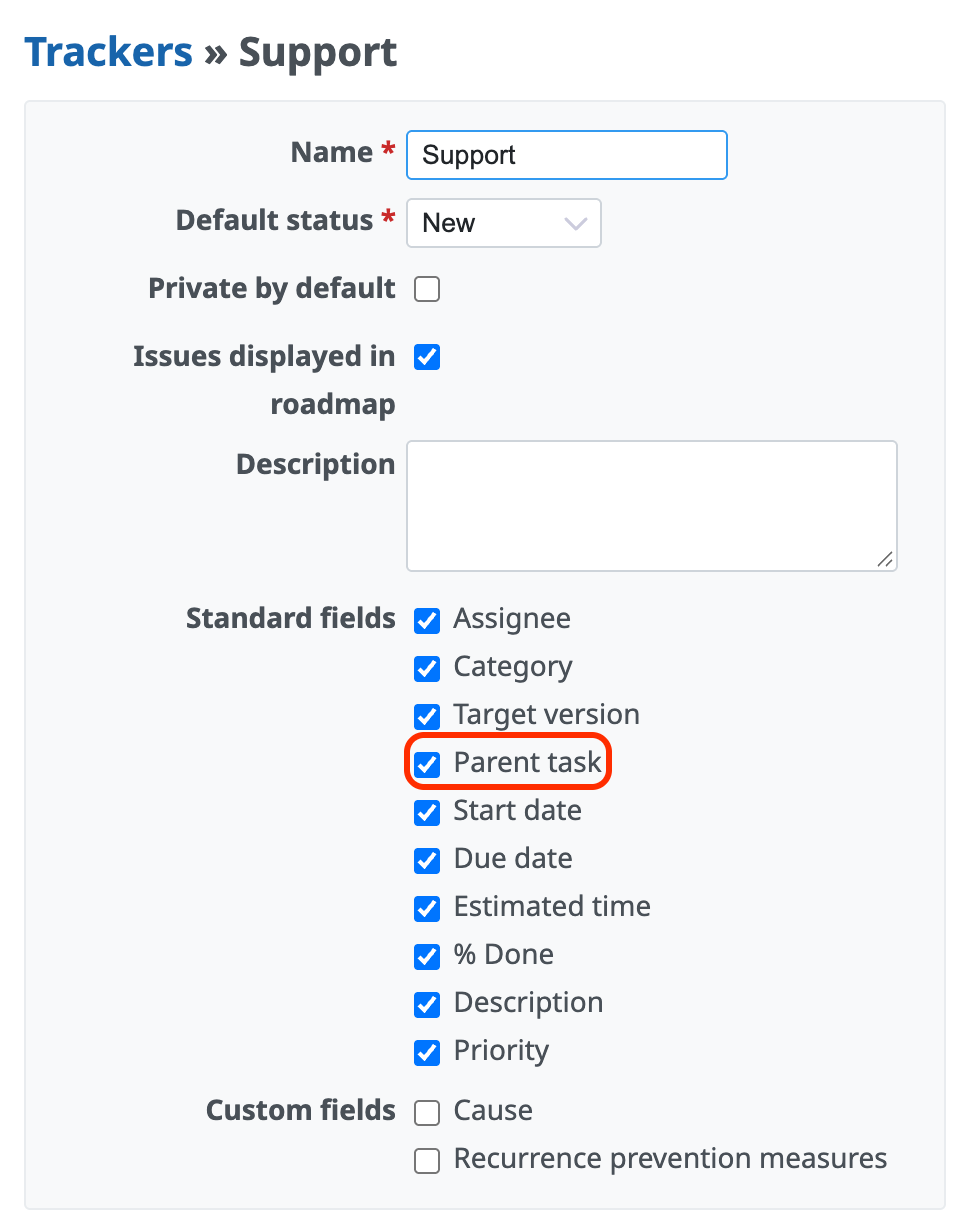
When the "Parent task" field does not appear
If the "Parent task" field does not appear on the page to create or edit an issue, check that "Parent task" in the standard fields is selected in the settings of the tracker that is selected for the issue.
Related information











