An added status does not appear in the drop-down list of a Redmine issue
Created on 2018-04-19
•

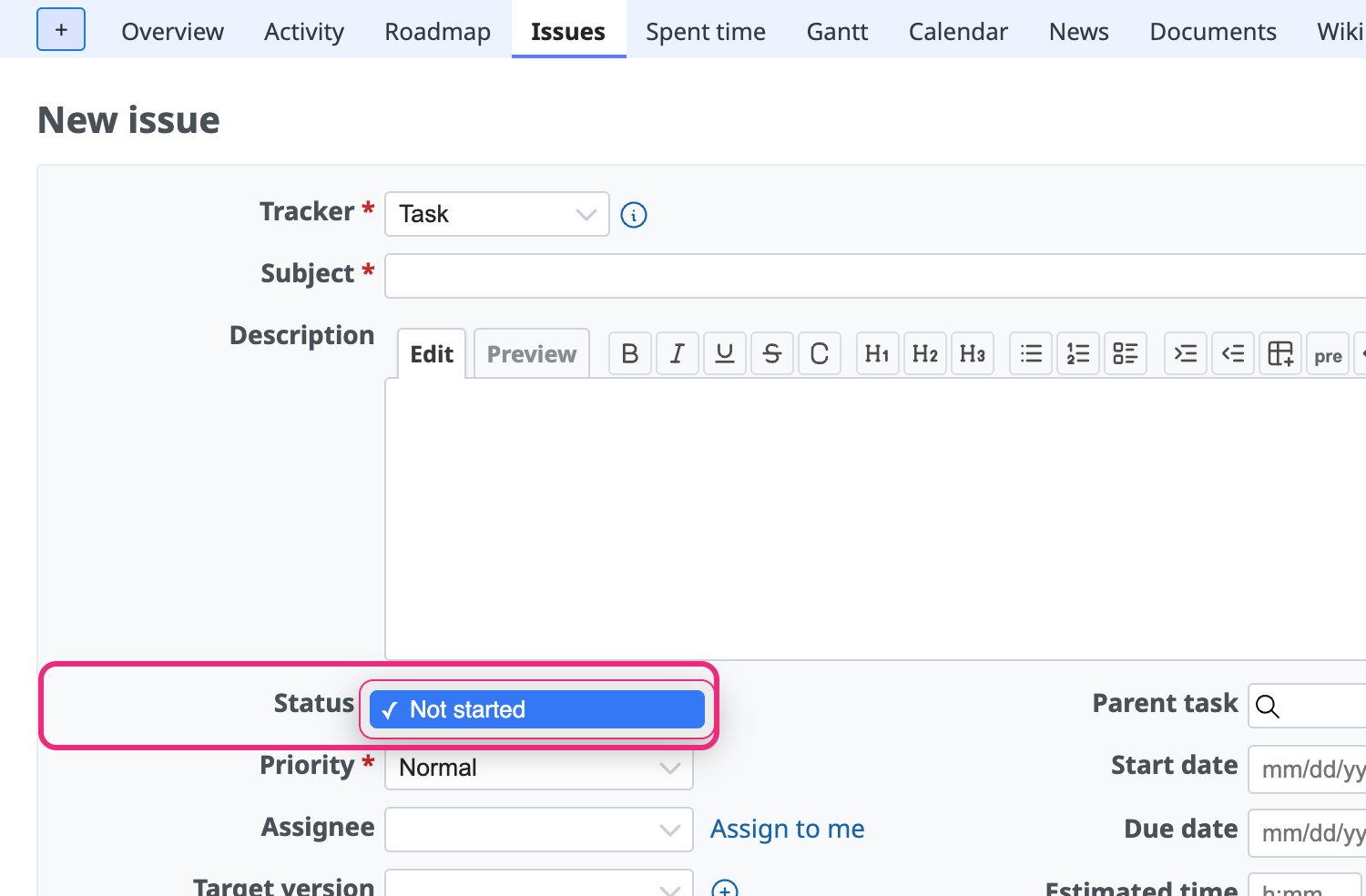
If a newly created status does not appear in the Status drop-down list on the issue page, the workflow may not be configured. The workflow sets which statuses an issue can change to from a given status.
Even if you add a status, it does not appear unless the workflow is configured
Settings
- Go to the "Administration" → "Workflow" → "Status transitions" tab
- Select the role (the role applied to the user in the project) and the tracker (the tracker selected for the issue) and click "Edit"
- Select the checkbox where the "Current status" displayed on the issue page and the "New statuses allowed" that does not appear cross, so that the change is allowed, and click "Save"
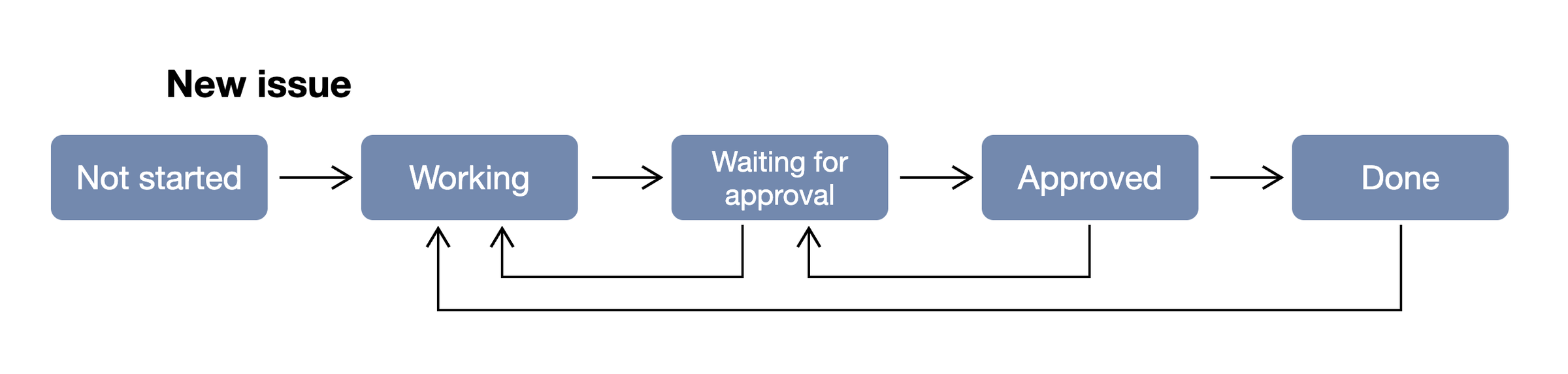
For example, the "Waiting for approval" status can change only to "Working" and "Approved"
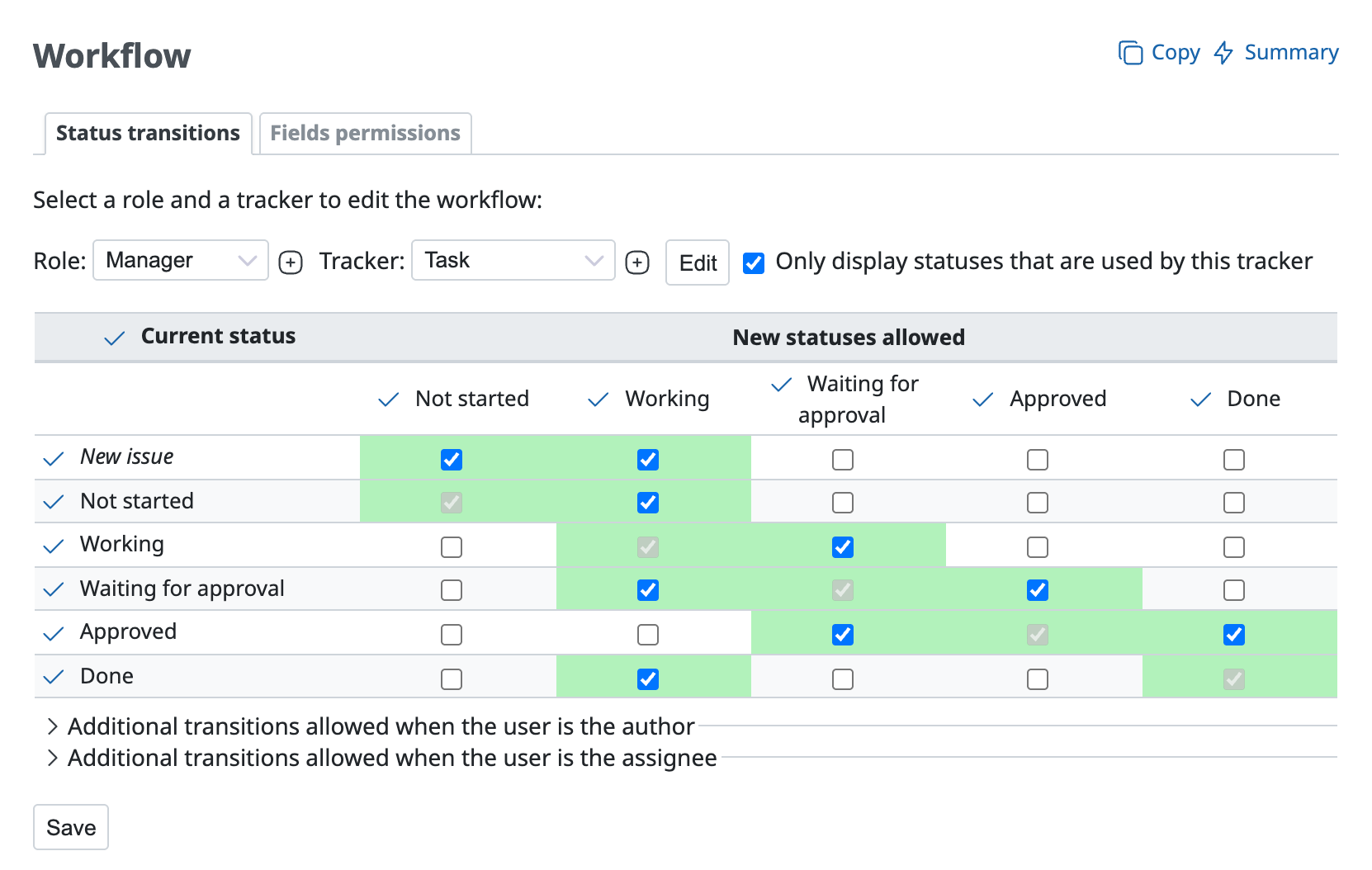
The above is an example of settings that allow the status changes shown in the figure below.
Related information











