Send email notifications for Redmine issues whose due date is near (reminder feature)
Updated on 2025-12-03
•
Created on 2008-05-28
•

Redmine can send by email a list of the issues whose due date is near or has already passed.
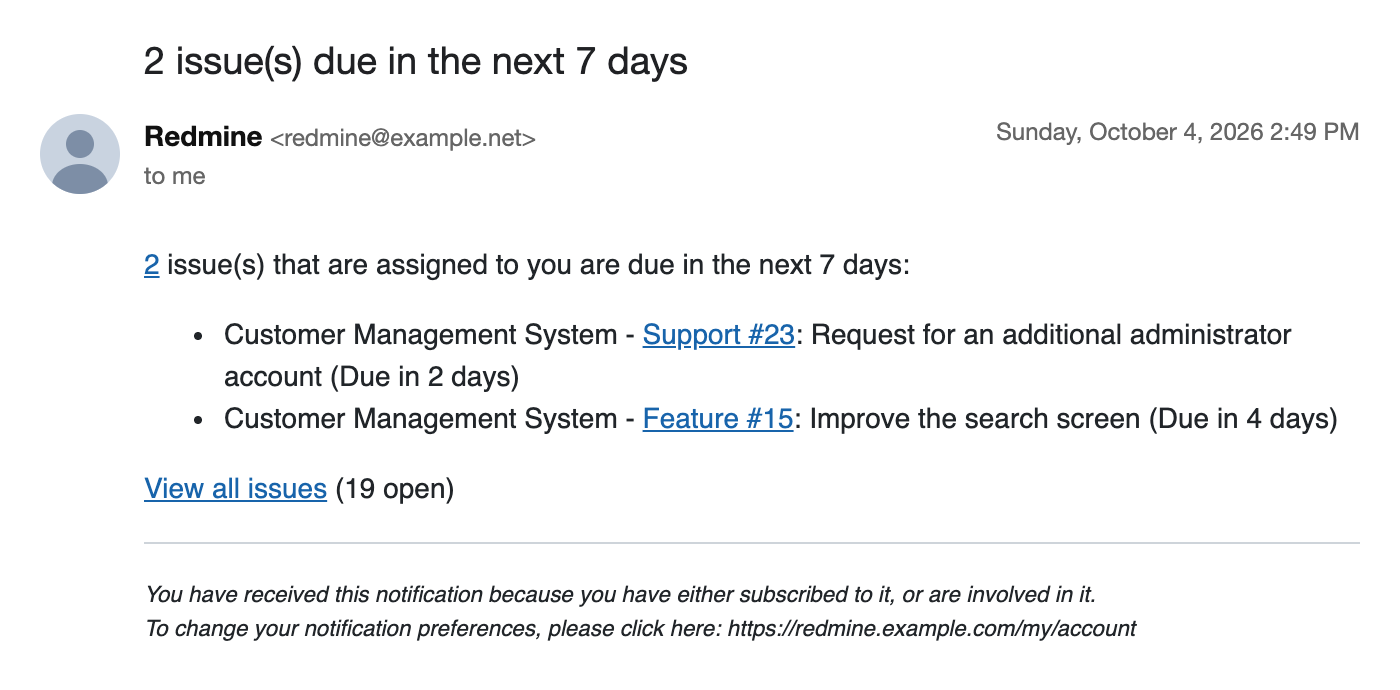
How to send the emails
Run bundle exec rake redmine:send_reminders on the command line. A list of the issues that are near or past the due date is sent to each user.
Options of the rake task
You can change the conditions for the notification by specifying options when you run the rake task.
| Option name | Description |
|---|---|
| days | Number of days before the due date from which to send the notification (default: 7) |
| tracker | id of the tracker to notify (default: all trackers) |
| project | id or identifier of the project to notify (default: all projects) |
| users | id of the users or groups to notify (default: all users) Note: You can specify several ids separated by commas |
| version | Target version to notify (default: none) |
Note: Specify each id as a number. The id of a tracker or a user is the number contained in the URL when you open its edit page in the administration pages.
Examples
Notify the issues whose due date comes within 3 days
Note: For example, if you run the command on May 27, the list of the issues whose due date is set to May 30 or earlier (including May 30) is sent.
bundle exec rake redmine:send_reminders days=3 RAILS_ENV=production
Run regularly with cron
It is convenient to set cron to run the task automatically every morning.
If you set /etc/crontab as follows, a list of the issues that reach the due date within 7 days or have already passed the due date is sent to each user at 6:30 every morning.
30 6 * * * root cd /path/to/redmine ; bundle exec rake redmine:send_reminders RAILS_ENV=production
Note: Replace /path/to/redmine with the Redmine installation directory.
Related information
- redmine_extended_reminder (github.com)
A plugin that adds information such as the due date and status of issues to the reminder.











