Hide some project members from the assignee candidates of Redmine issues
Updated on 2022-10-18
•
Created on 2013-11-10
•

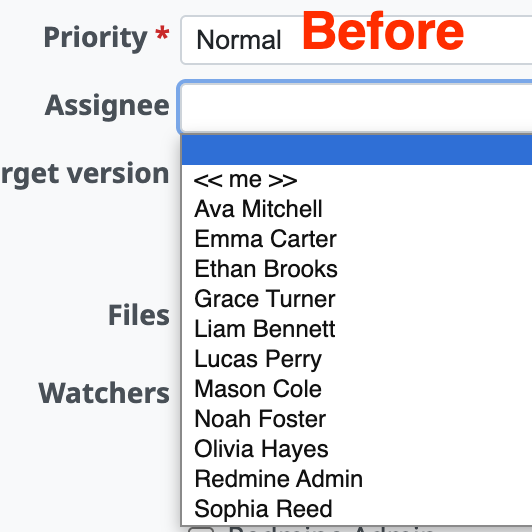
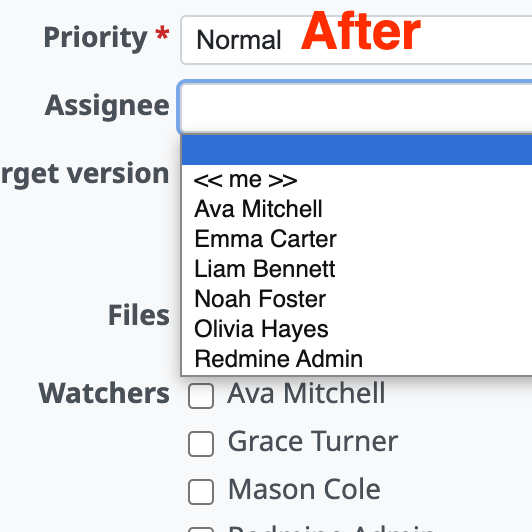
A project may have many members who only view information and do not do actual work (that is, issues are never assigned to them). In such a project, you may not want these members to appear in the "Assignee" field on the pages to create and update issues.
If you turn off the role setting "Issues can be assigned to users with this role", the members with that role no longer appear in the list of the "Assignee" field. Members to whom issues are never assigned, or must not be assigned, no longer appear in the Assignee field. This improves usability and helps to prevent mistakes.
Settings
Step 1: Create a role for members to whom issues are not assigned
Create a role for the members to whom issues are not assigned.
- Open the "Administration" → "Roles and permissions" page.
- Click "New role". The page to create a new role opens.
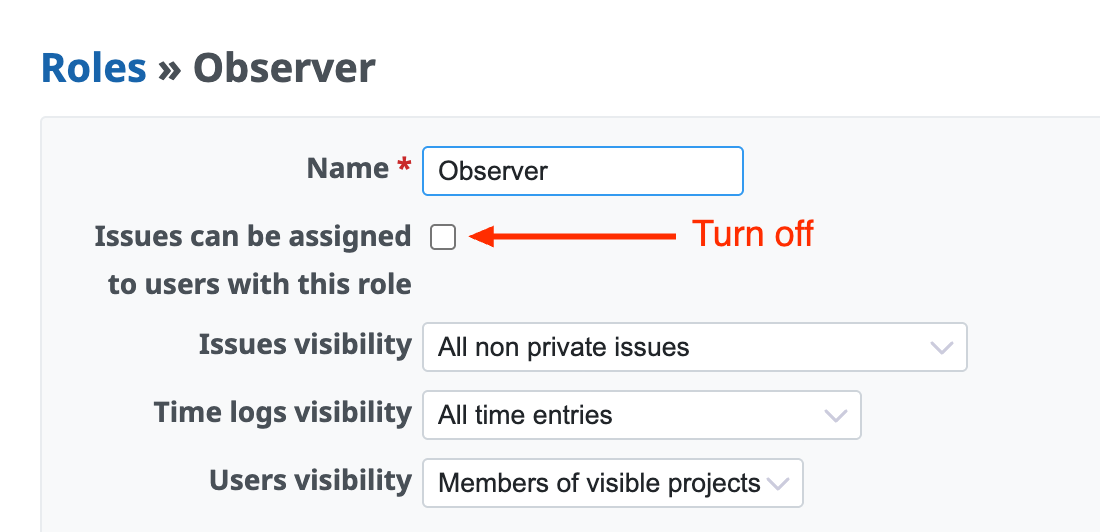
- Enter the name of the role, turn off the "Issues can be assigned to users with this role" checkbox, and create the new role.
In the following example, a role called "Observer" is created for the members to whom issues are not assigned.
Step 2: Change the role of the members to whom issues are not assigned
Change the role of the members to whom issues are not assigned to the role created in the previous step, which has "Issues can be assigned to users with this role" turned off.
- Open the "Settings" → "Members" page of the project.
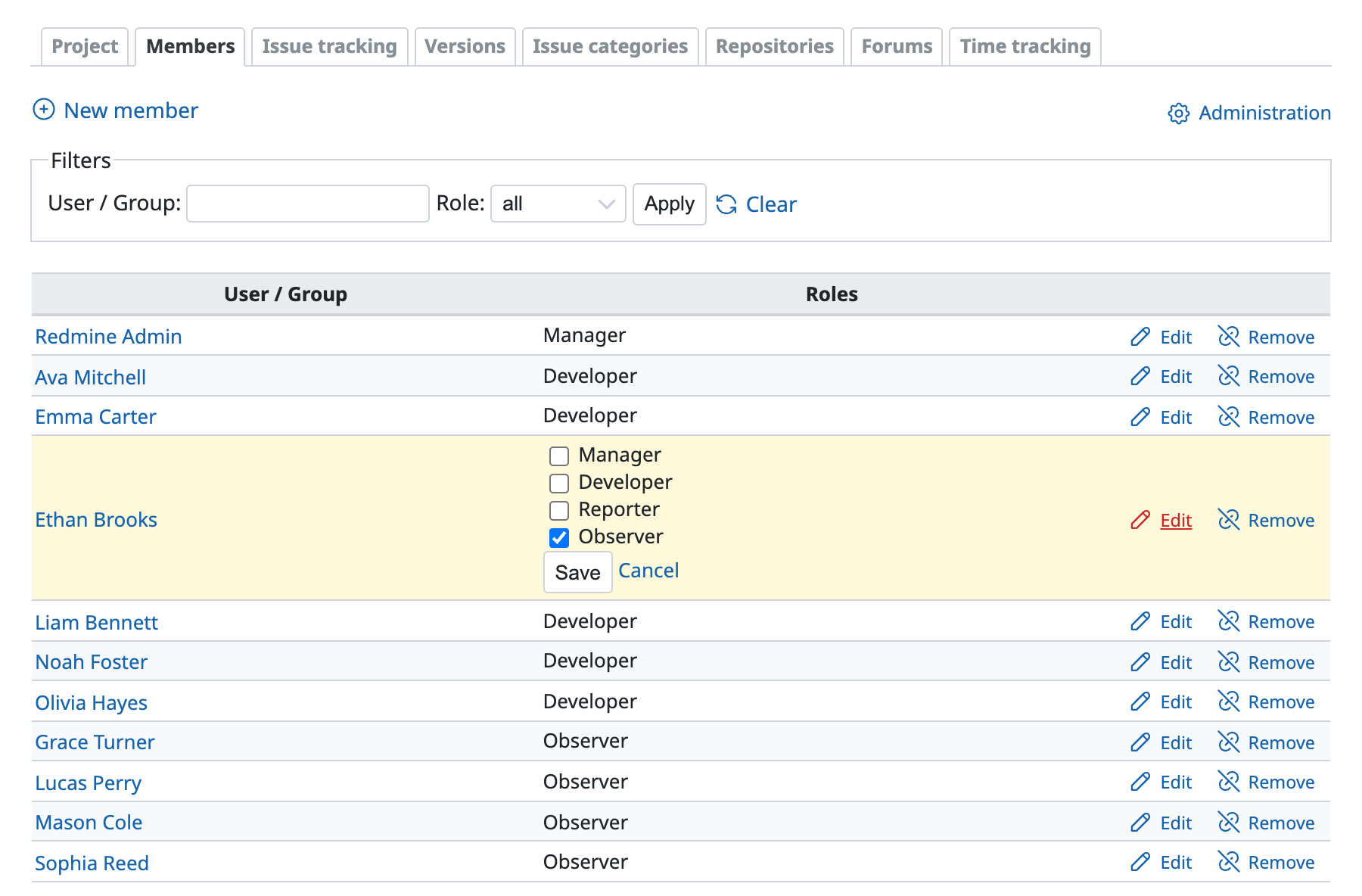
- Find the user whose role you want to change in the list of users and groups, and click "Edit".
- Change the role of the user to the newly created role.
In the following example, the role of five users in total, including Ethan Brooks, is changed to the "Observer" role created in the previous step.
This reduces the members displayed in the Assignee field.











