How to make a "Long text" custom field wider in Redmine
Created on 2018-01-15
•

The two fields in the red frames in the figure below, "Cause" and "Recurrence prevention measures", are custom fields with the "Long text" format. However, when you enter a long text, the content is displayed in an area of about one quarter of the page width, and it is hard to read.
To make this "Long text" field wider, use the "Full width layout" option. This is one of the features added in Redmine 3.4 (released in July 2017).
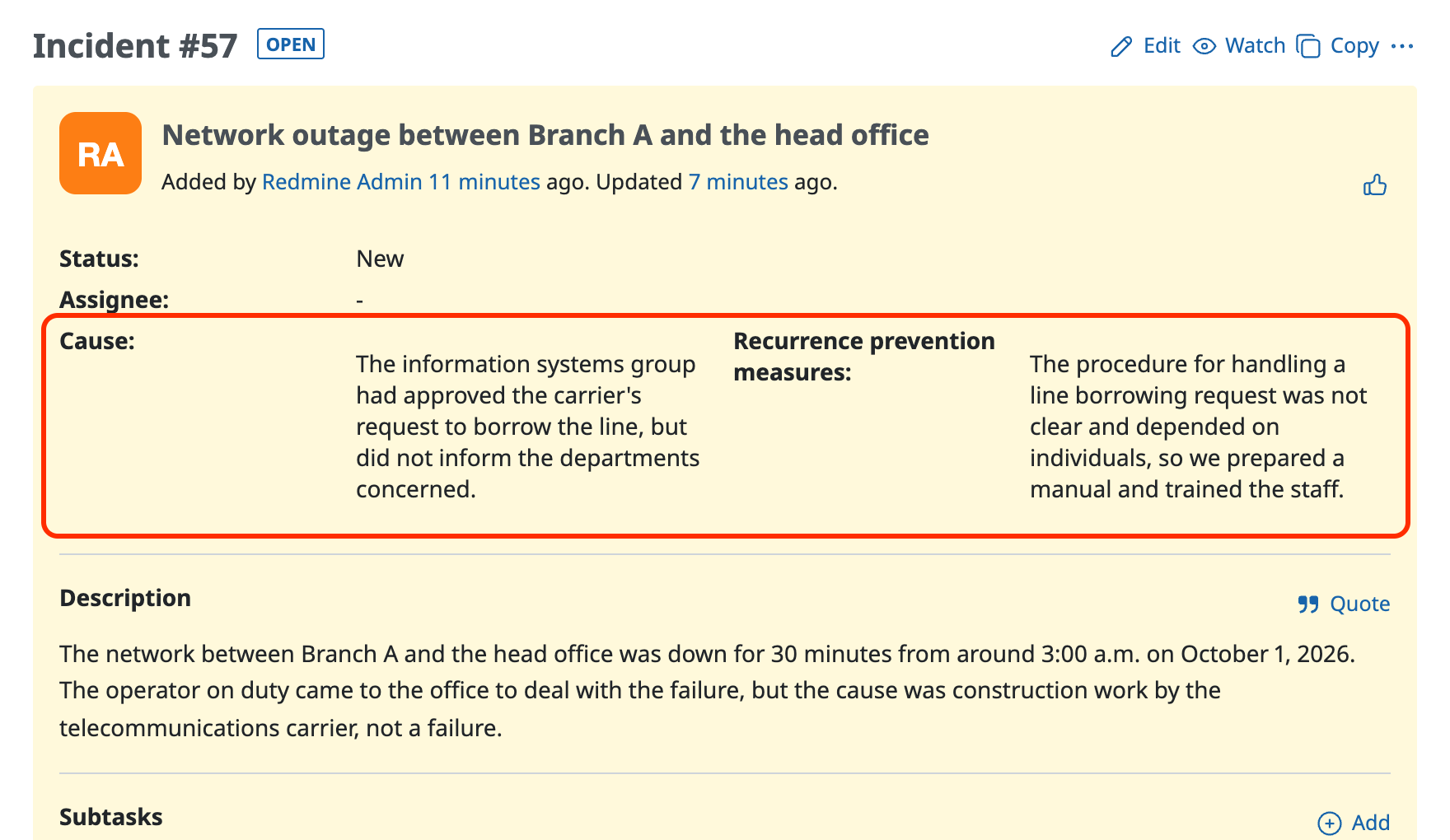
When you enter a long text, the display is narrow and hard to read (Redmine 3.3 or earlier)
Solution
Turn on "Full width layout" in "Administration" → "Custom fields".
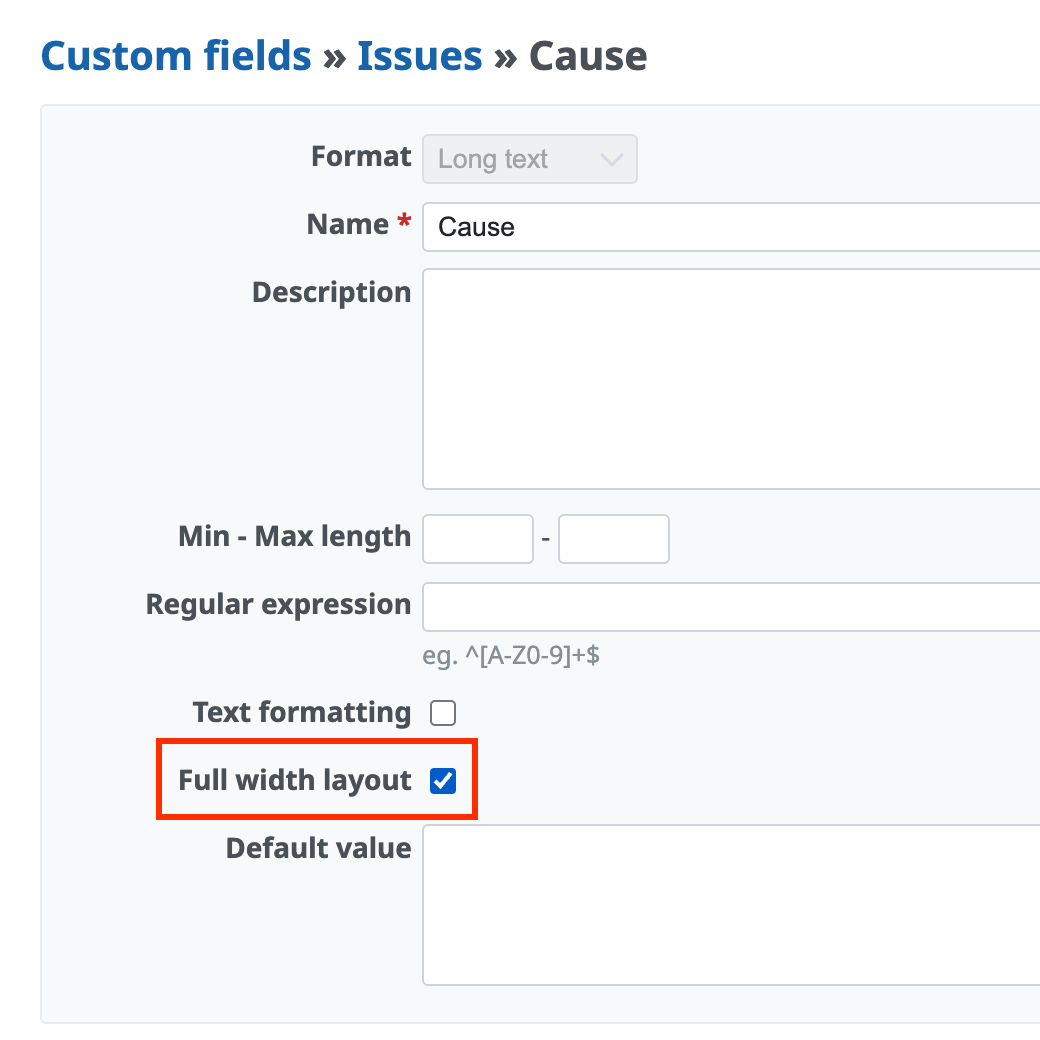
The custom field is displayed with the same width as the Description section.
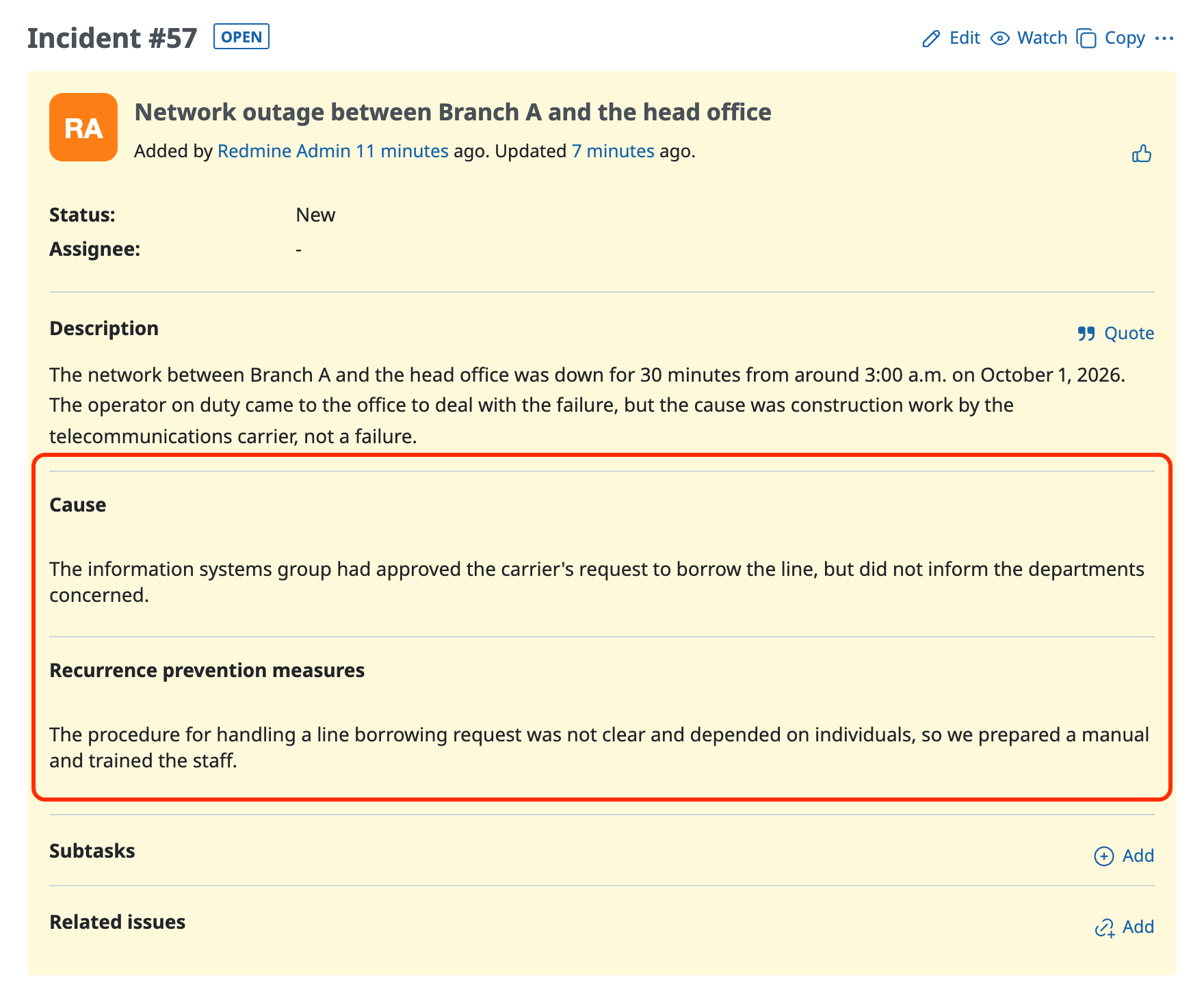
The issue page with "Full width layout" used for the custom fields











