A copied Redmine issue is created with the status of the original issue
Created on 2017-08-04
•

In Redmine 3.3 or earlier, when you copy an existing issue to create a new issue, the status selected by default on the new issue page is the status that was set in the source issue. However, this behavior sometimes caused mistakes. For example, when you created a new issue from a closed issue, the new issue was created with the status "Closed".
You can solve this problem by updating to Redmine 3.4 or later. In Redmine 3.4, when you copy an issue, the status is reset and the status that is set as the default ("New" in the figure below) is selected. This is the same state as when you select "New issue" from the menu.
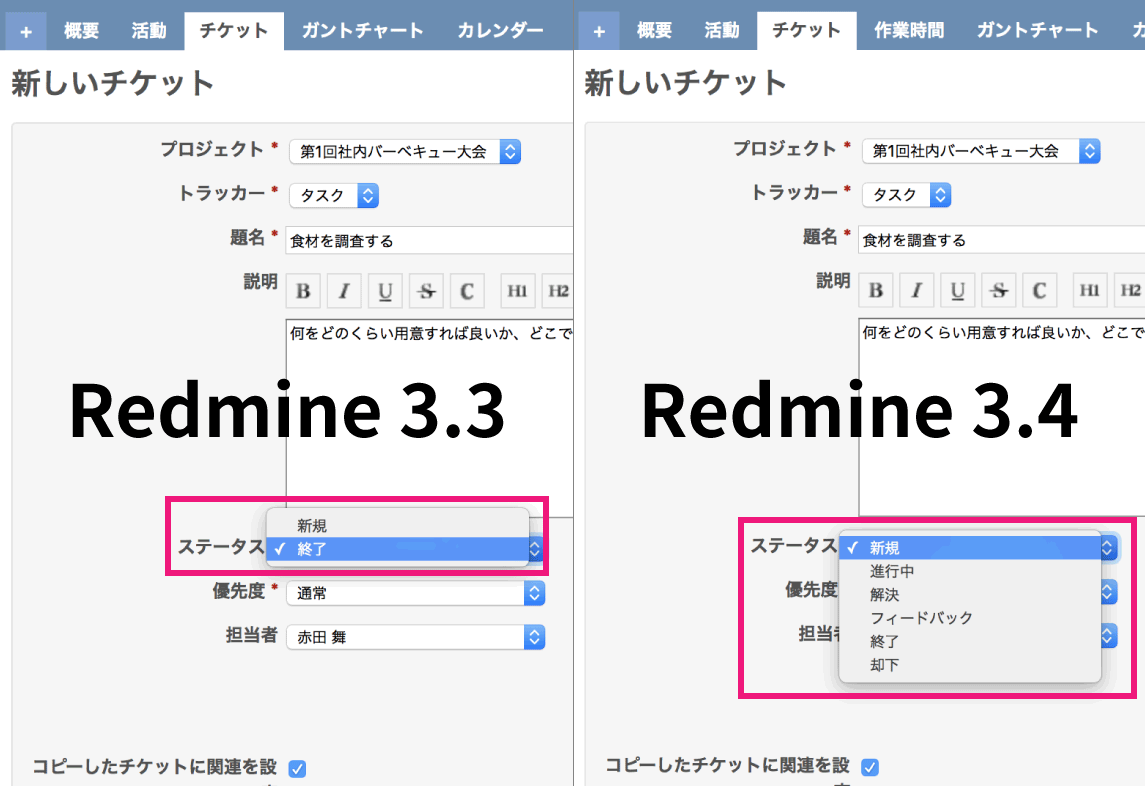
In addition, in Redmine 3.4.0, the statuses shown in the options are the same as when you select "New issue". Before, only two options were shown: the status of the source issue and the default status. In Redmine 3.4 or later, all statuses allowed by the workflow are shown in the options. (In the figure above, statuses other than "New" and "Closed" are also shown)
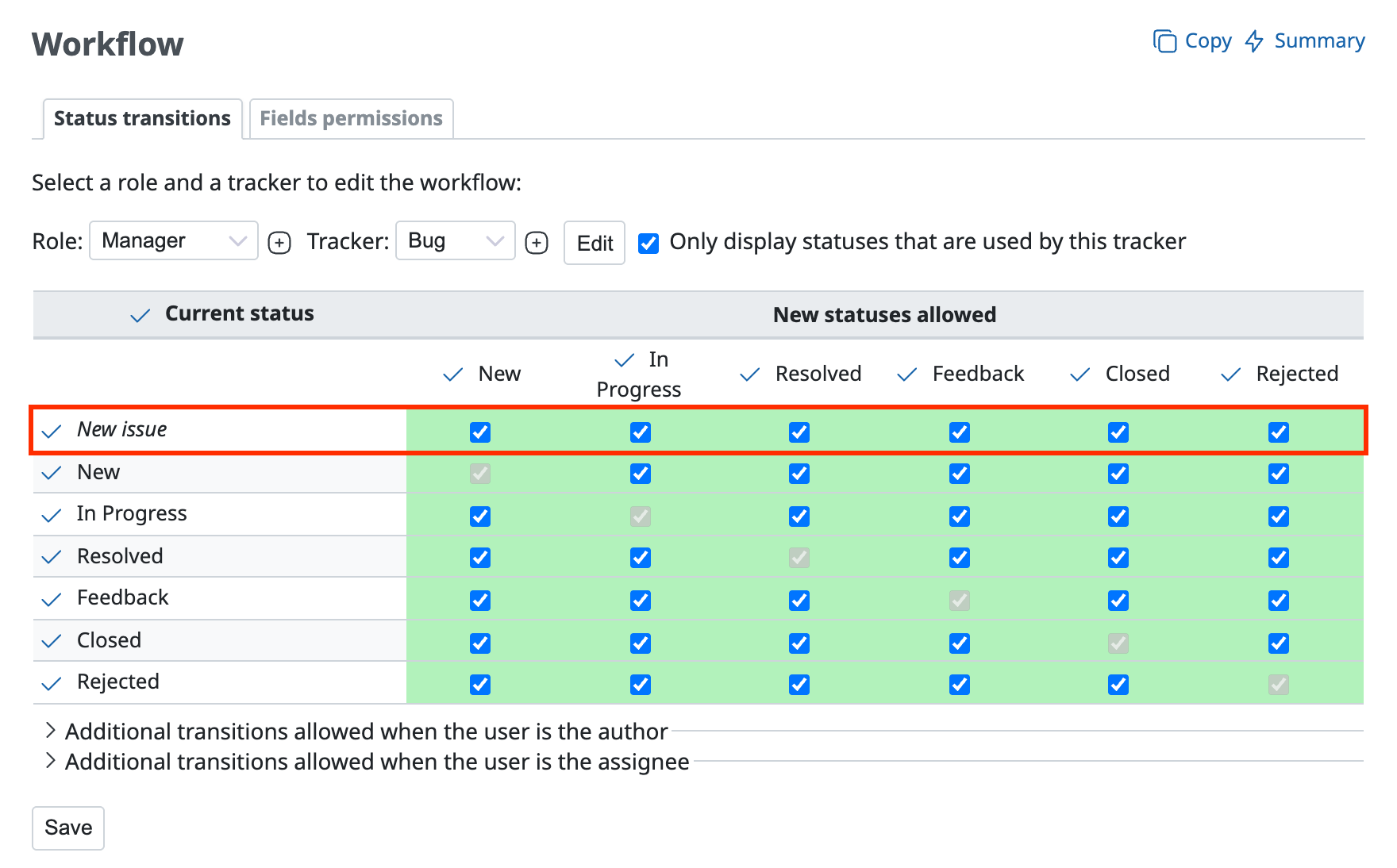
The statuses that you can select when you copy an issue are the statuses that are selected in the "New issue" row on the "Administration" → "Workflow" → "Status transitions" tab.