Delete a note of an issue in Redmine
Updated on 2023-08-17
•
Created on 2014-08-28
•

There are two ways to delete a note of an issue.
To delete or edit a note of an issue, you need the "Edit notes" or "Edit own notes" permission. By default, this permission is given to the "Manager" role. You can check and change the permission assignments on "Administration" → "Roles and permissions" → "Permissions report".
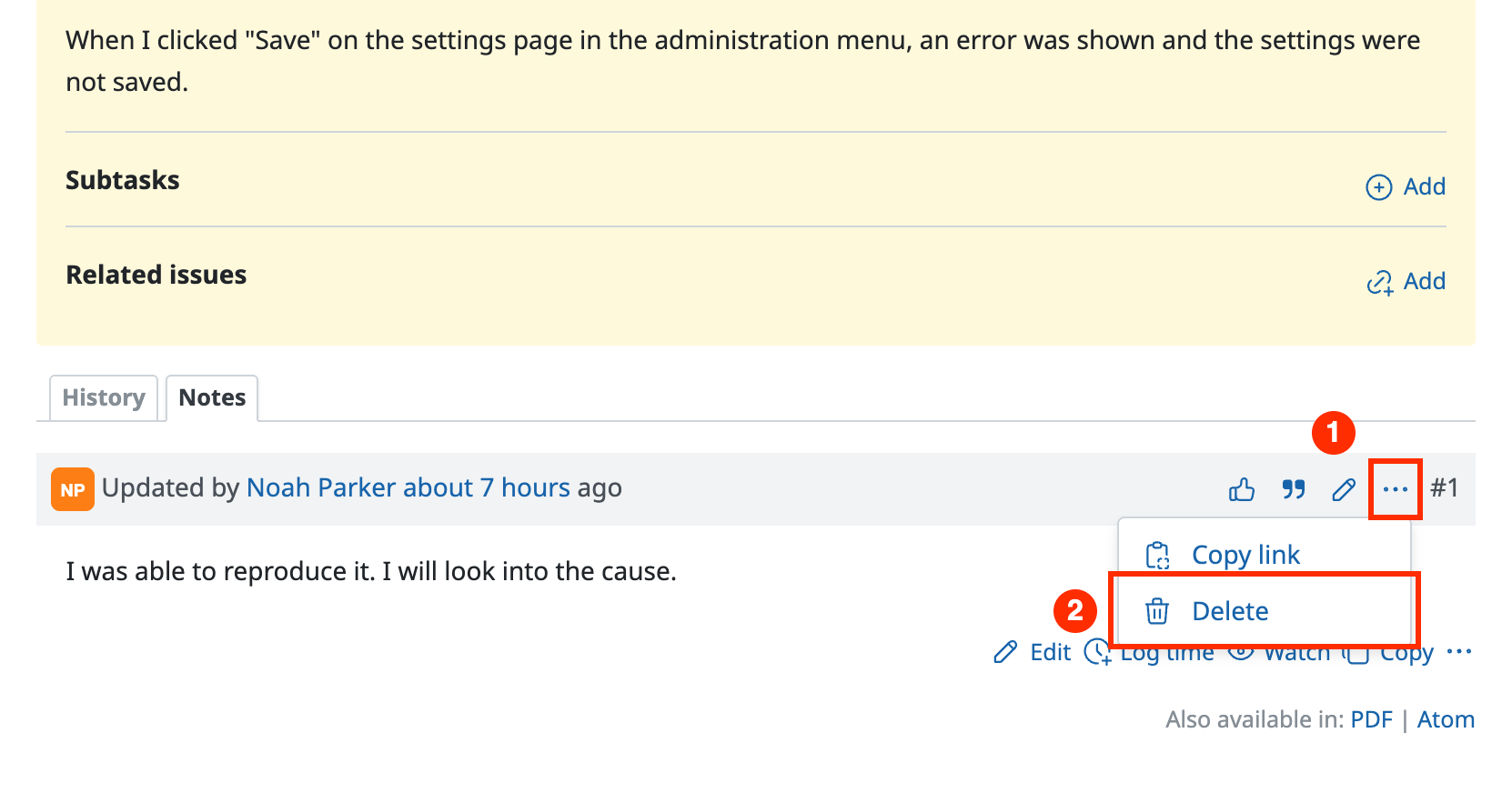
Method 1: Click the delete button
- Click "…" (Actions) displayed on the right of the note that you want to delete
- Click "Delete"
Method 2: Save the note empty on the note edit page
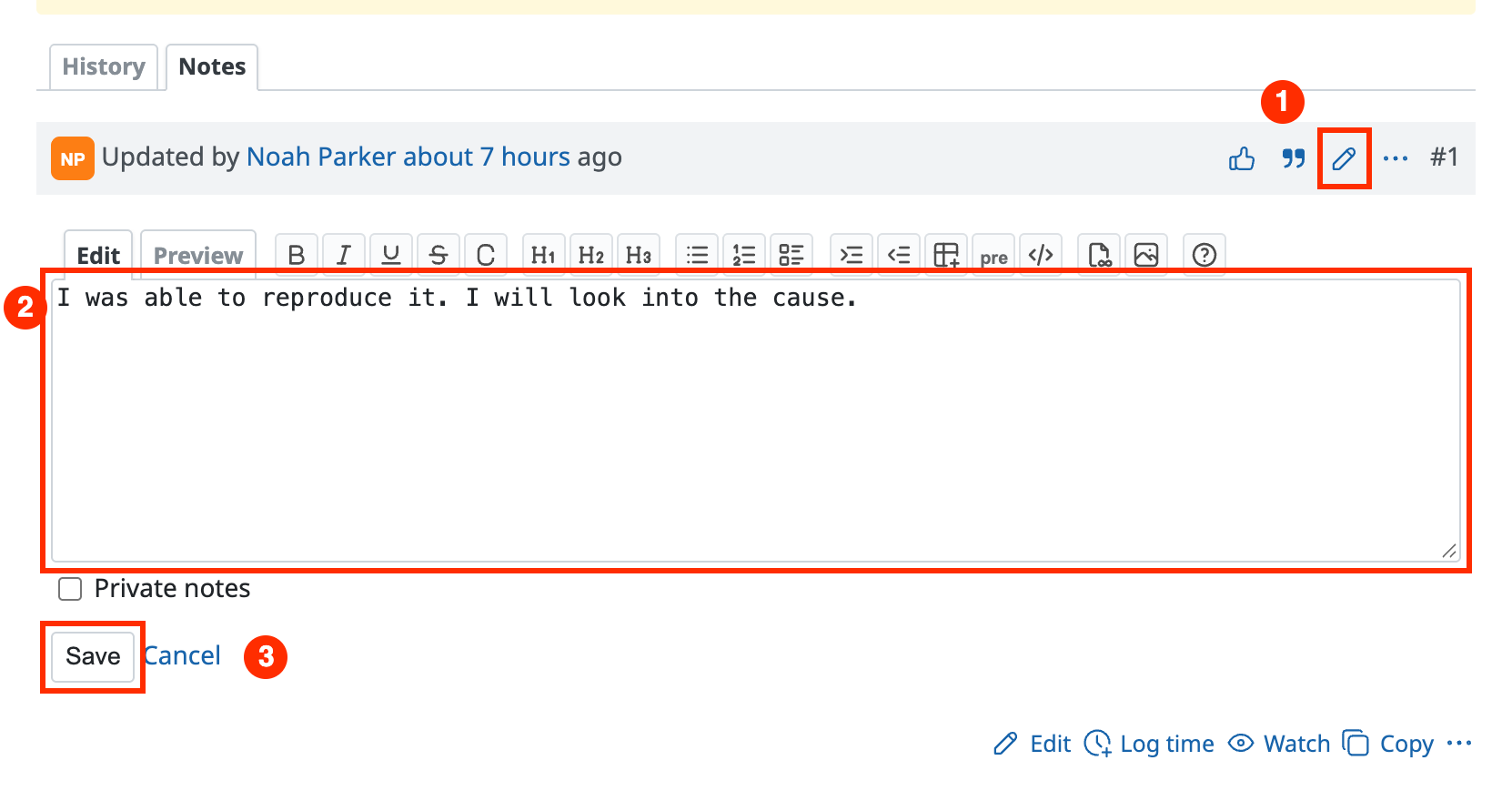
If you delete all the text of the note on the note edit page and click the "Save" button, the note is deleted.
- Click the pencil icon displayed on the right of the note that you want to delete
- Delete all the text of the note on the edit page
- Click "Save"
Related items











