How to display an input example or a hint (placeholder) in a custom field in Redmine
Updated on 2025-12-16
•
Created on 2025-11-13
•

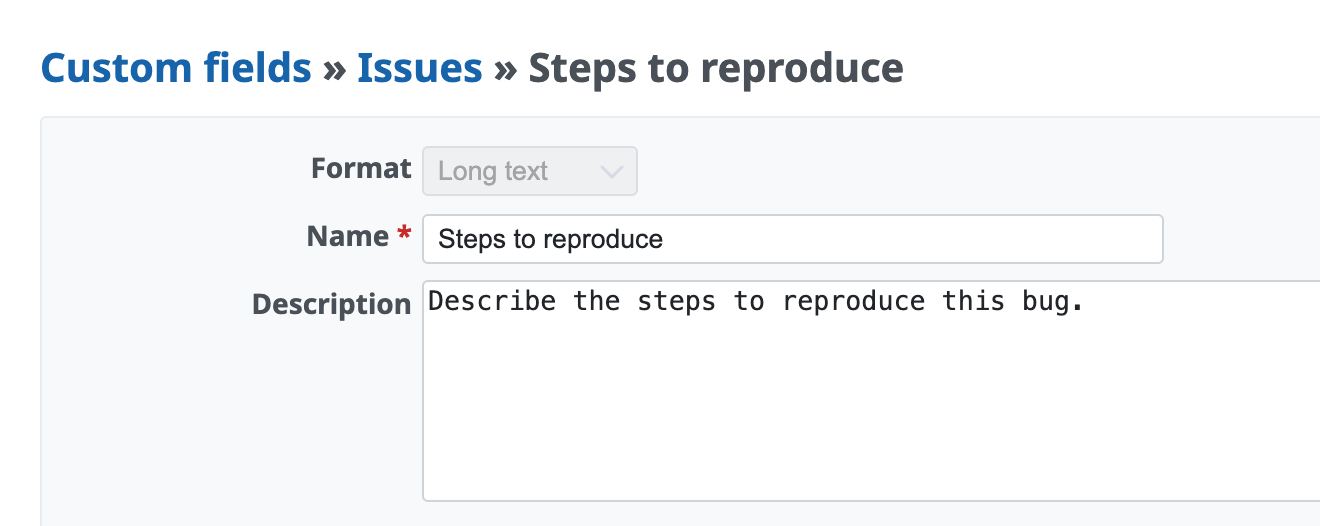
The settings page of a custom field has a field called "Description". When the input field of the custom field is empty, the text that you enter here is displayed in the input field as placeholder text in light gray.
By displaying what to enter in the custom field, or an input example, you can make it clear to users.

Formats that can display a placeholder
- Text
- Integer
- Float
- Long text
- Link
Settings to display a placeholder in a custom field
- On the "Administration" → "Custom fields" page, select a custom field with a format that can display a placeholder
- On the custom field edit page, enter an input example or a hint in the "Description" field
- Click the "Save" button
Related information
- Custom Fields (Redmine Glossary)











