Bulk edit several issues in Redmine
Created on 2025-12-15
•

You can select several issues on the issue list page of Redmine and edit fields such as the status and the assignee at once.
Method 1: Update from the "Bulk edit" page
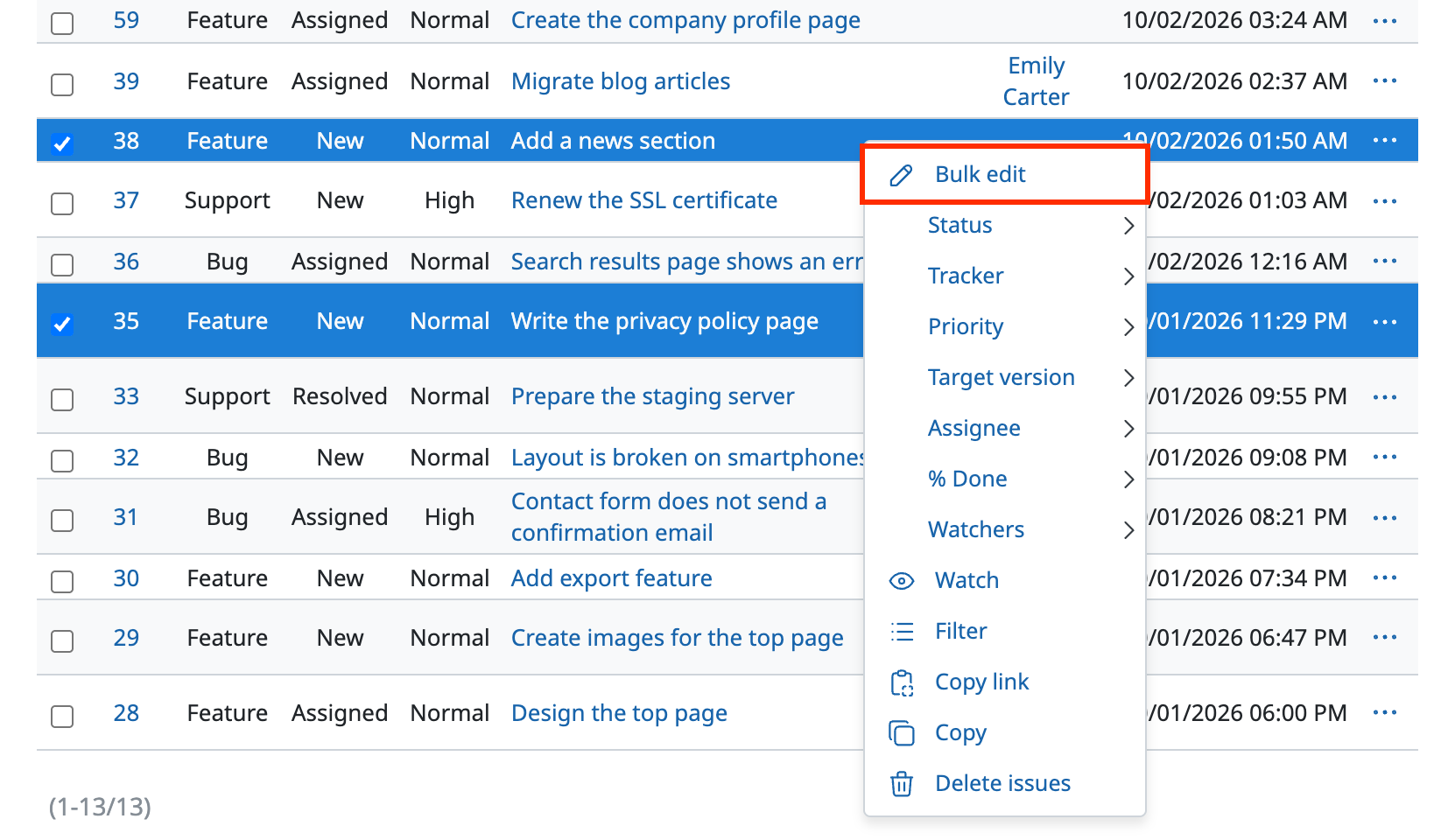
- On the issue list page, select the checkboxes at the left end of the issues that you want to bulk edit
Note: You can also select issues by holding down the Ctrl key (Windows) or the ⌘ key (Mac) and clicking a part of the issue row that is not a link - Right-click a part of the selected issues that is not a link, or click the "…" button at the right end
- Click "Bulk edit" at the top of the context menu that appears
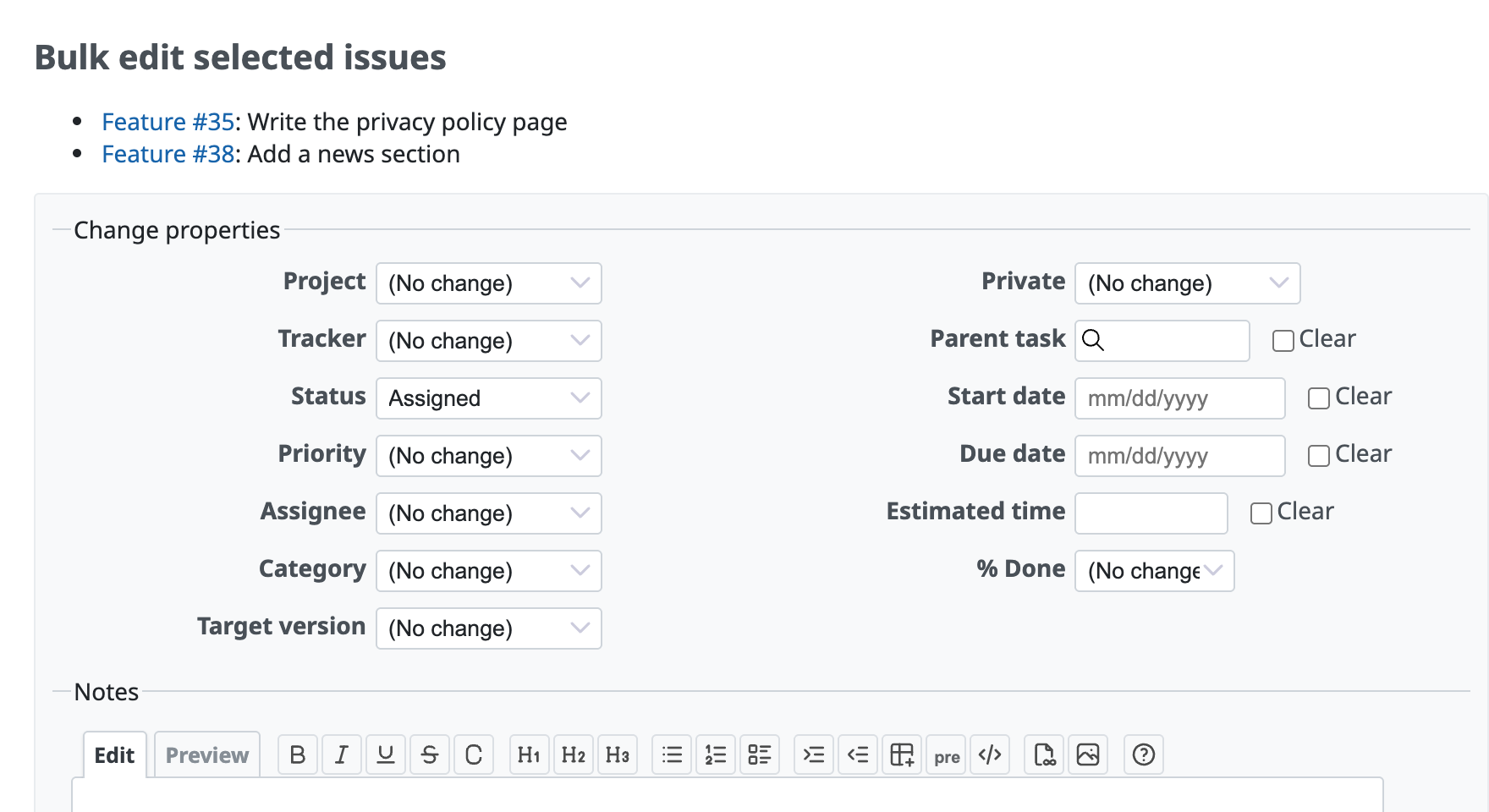
- On the "Bulk edit selected issues" page, enter the values of the fields that you want to edit
- Click "Submit"
Method 2: Update from the context menu
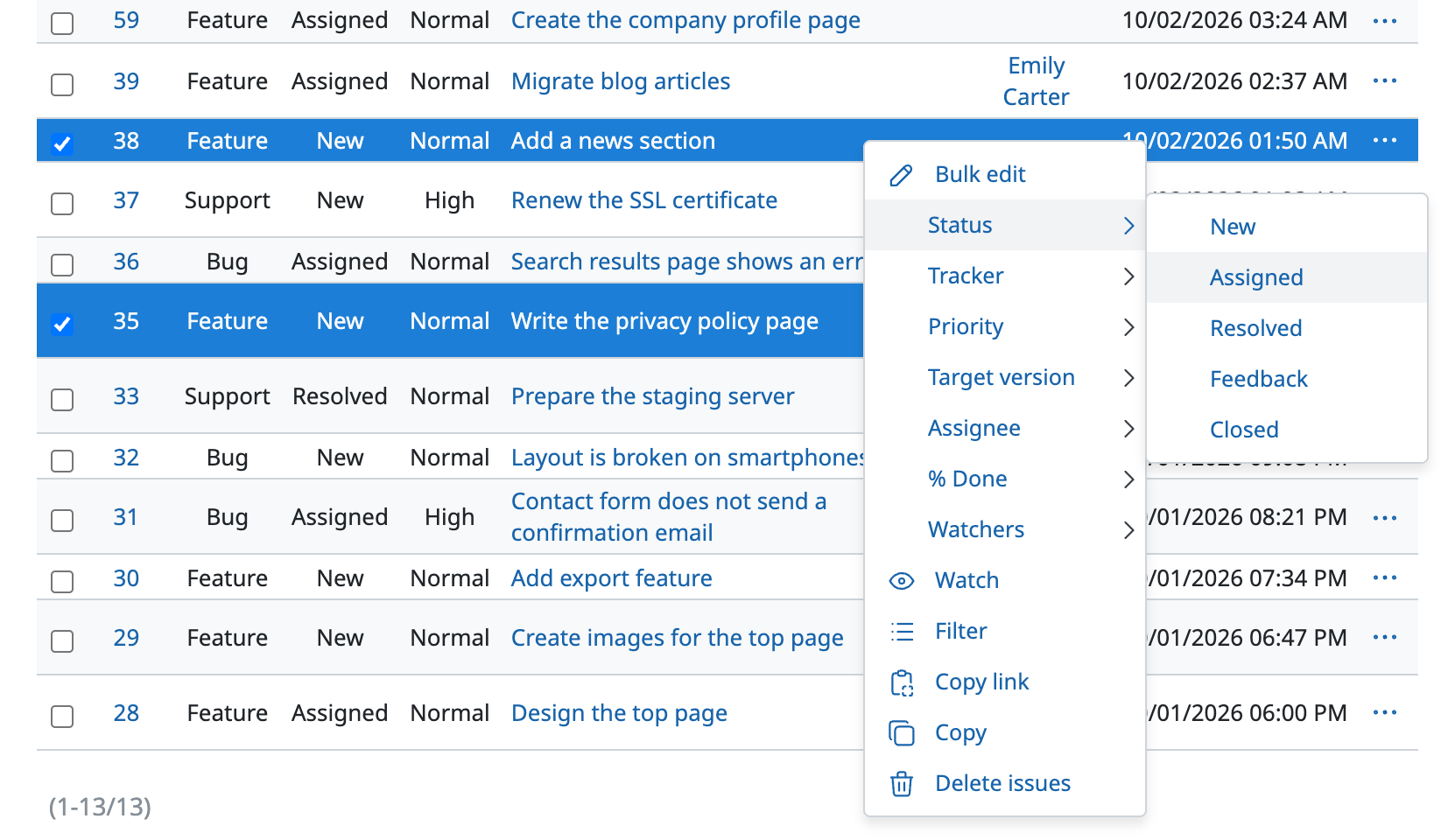
If you want to update only one field, such as the status or the assignee, it is easier to update from the context menu.
- On the issue list page, select the checkboxes at the left end of the issues that you want to bulk edit
Note: You can also select issues by holding down the Ctrl key (Windows) or the ⌘ key (Mac) and clicking a part of the issue row that is not a link - Right-click a part of the selected issues that is not a link, or click the "…" button at the right end
- In the context menu that appears, click the value of the field that you want to update