Add groups to the watchers of an issue in Redmine
Created on 2021-02-16
•

(Supported versions: Redmine 4.2 or later / RedMica 1.1 or later)
From Redmine 4.2 / RedMica 1.1, you can add groups to the watchers of an issue. This is useful, for example, when you want to add all members of a team as watchers at once.
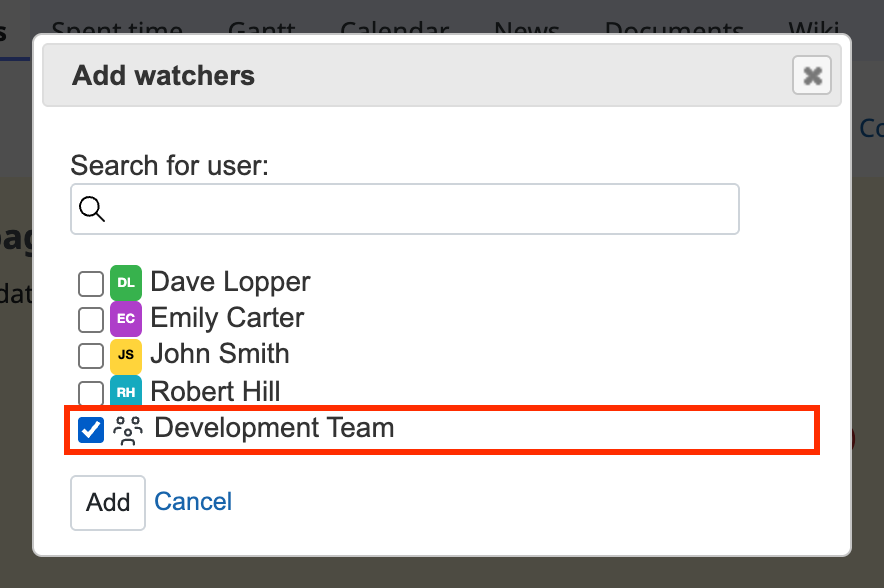
How to add a group
- Click "Add" in the sidebar of the issue page
- Select the group that you want to add
- Click "Add"
How to remove a group
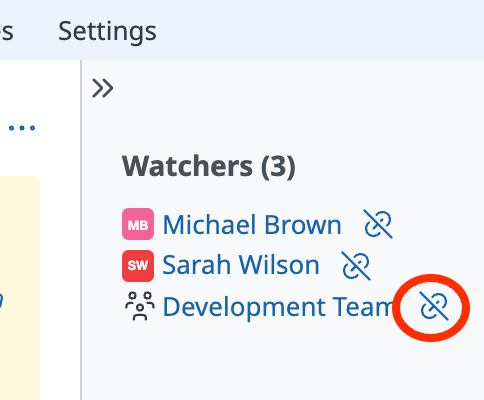
Click the "Remove" icon (a broken link) to the right of the group name in the sidebar of the issue page
Related information











