Display the created and updated dates of Redmine issues as a date and time instead of "X days ago"
Updated on 2022-12-23
•
Created on 2014-03-14
•

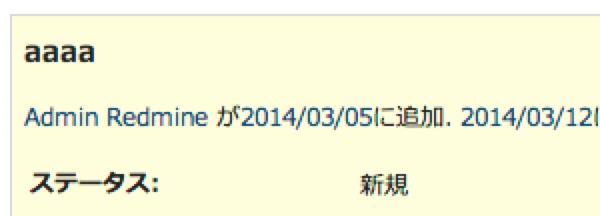
Redmine displays the created and updated dates of issues, and the updated dates of issue notes, as a time relative to the current time, such as "X days ago". This can be inconvenient because you cannot see the exact date and time.
This page shows how to check the exact date and time.
Method 1: Display the tooltip
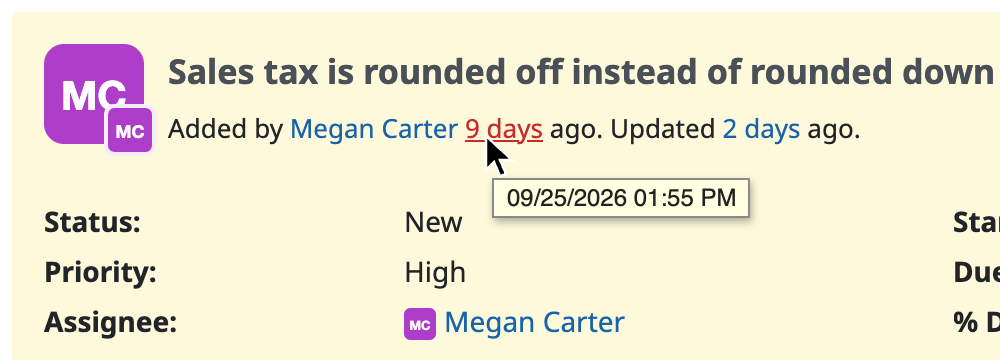
Place the cursor on the text such as "X days ago". A tooltip shows the date and time.
Method 2: Install a theme
If you install the "farend bleuclair", "farend fancy", or "farend basic" theme, the date and time are displayed on the left of the "X days ago" text.
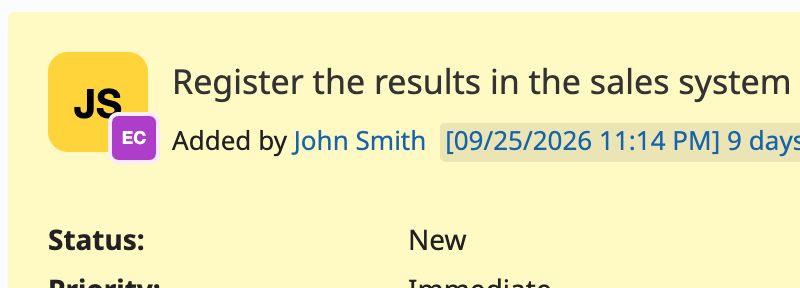
If you use another theme, you can get the same result by adding the following code to application.css of the theme.
/* Display the actual date and time for the created and updated dates */
a[href*="activity"][title*=":"]:before {
    content: ' [' attr(title) '] ';
}
Method 3: Install the absolute_dates plugin
If you install the redmine_absolute_dates plugin, the date is displayed instead of the "X days ago" text.