How to change the heading text of Markdown alerts in Redmine
Created on 2026-01-23
•

(Supported versions: Redmine 6.1.1 or later / RedMica 4.0 or later)
In Redmine 6.1 and later, you can display alerts when the text formatting is set to "CommonMark Markdown".
If you write one of the identifiers [!NOTE], [!TIP], [!WARNING], [!CAUTION], or [!IMPORTANT] in a block quote, that line becomes the heading line, and the block is displayed in the following style.
> [!NOTE]
> Useful information that users should know, even when skimming content.

> [!TIP]
> Helpful advice for doing things better or more easily.

> [!WARNING]
> Urgent info that needs immediate user attention to avoid problems.

> [!CAUTION]
> Advises about risks or negative outcomes of certain actions.

> [!IMPORTANT]
> Key information users need to know to achieve their goal.
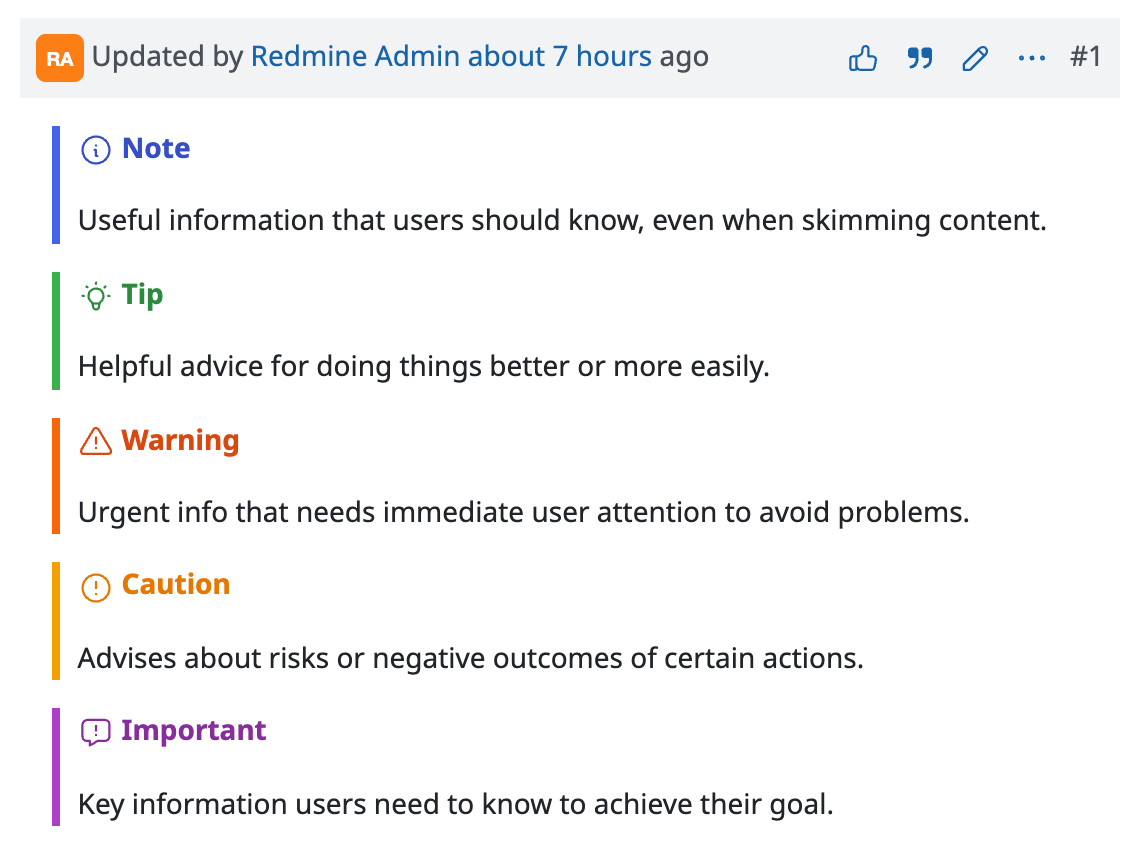
The text "Note", "Tip", "Warning", "Caution", and "Important" displayed as the heading changes automatically according to the display language. You can also customize it to any text that you like.
The heading text changes according to the display language
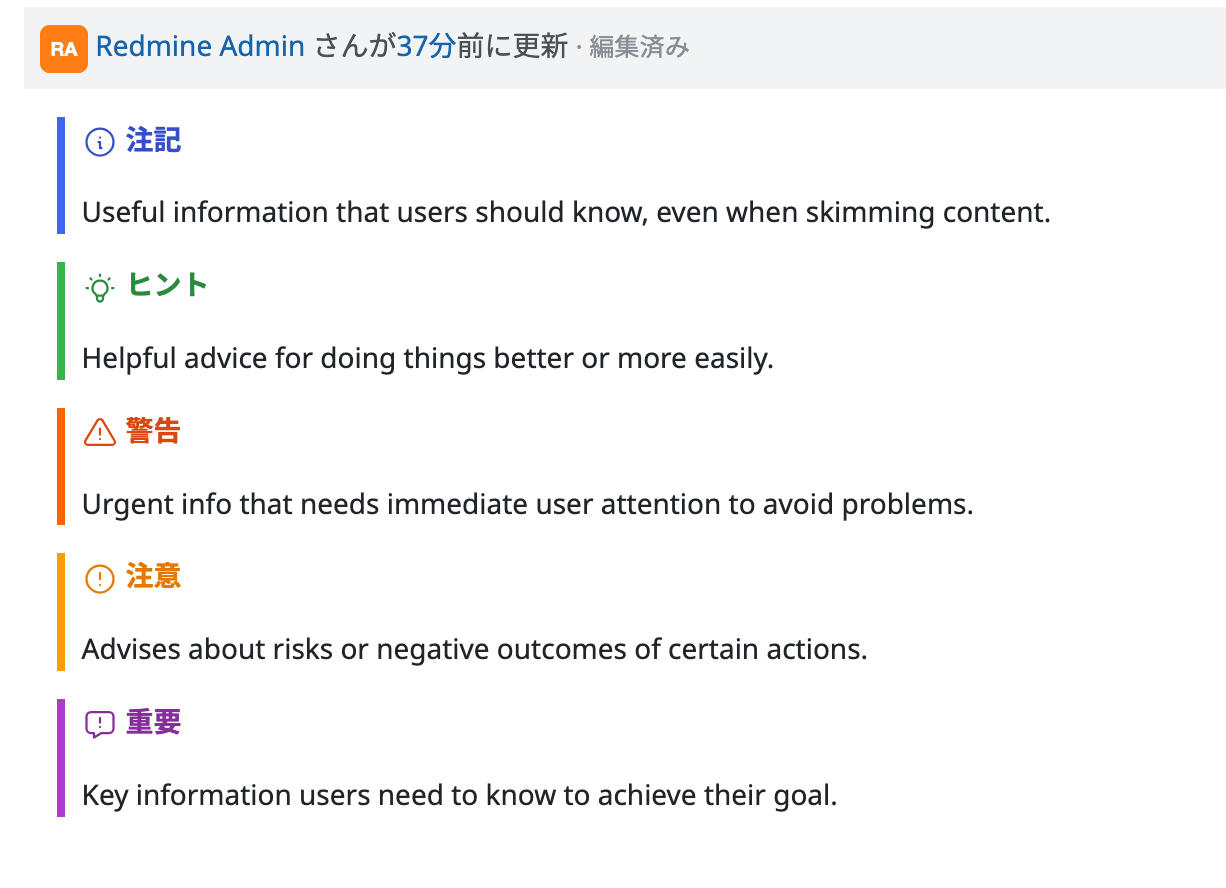
The default heading text is "Note", "Tip", "Warning", "Caution", and "Important" in English. However, translations are registered for the following languages. When you switch the language, the heading is displayed in that language.
- Japanese
- German
- French
- Italian
- Traditional Chinese (zh-TW)
- Bulgarian
- Russian
- Persian
Each user can switch the language in "My account". When you switch to one of the languages above, the heading is replaced automatically. The following screenshot shows the display after switching to Japanese.
Displaying any text as the heading
If you write the heading line in the form [identifier] text (with a space between them), you can display any text as the heading.
> [!WARNING]
> Standard heading

> [!WARNING] Strong warning
> Any heading text is displayed
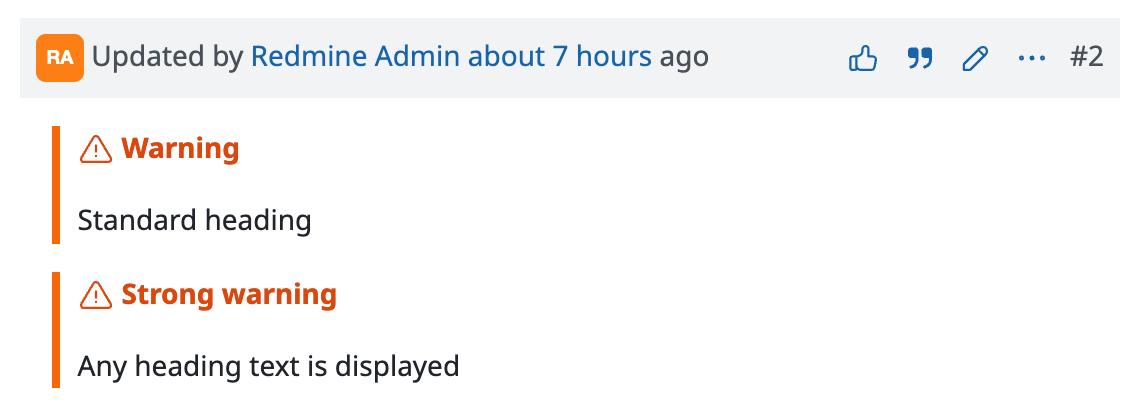
Note that a heading with custom text does not change when the language is switched. For example, if you write the heading in Japanese, the heading is still displayed in Japanese after you switch to English.











