Hiding the sidebar in Redmine
Updated on 2024-11-11
•
Created on 2023-01-17
•

(Supported versions: Redmine 6.0 or later / RedMica 3.1 or later)
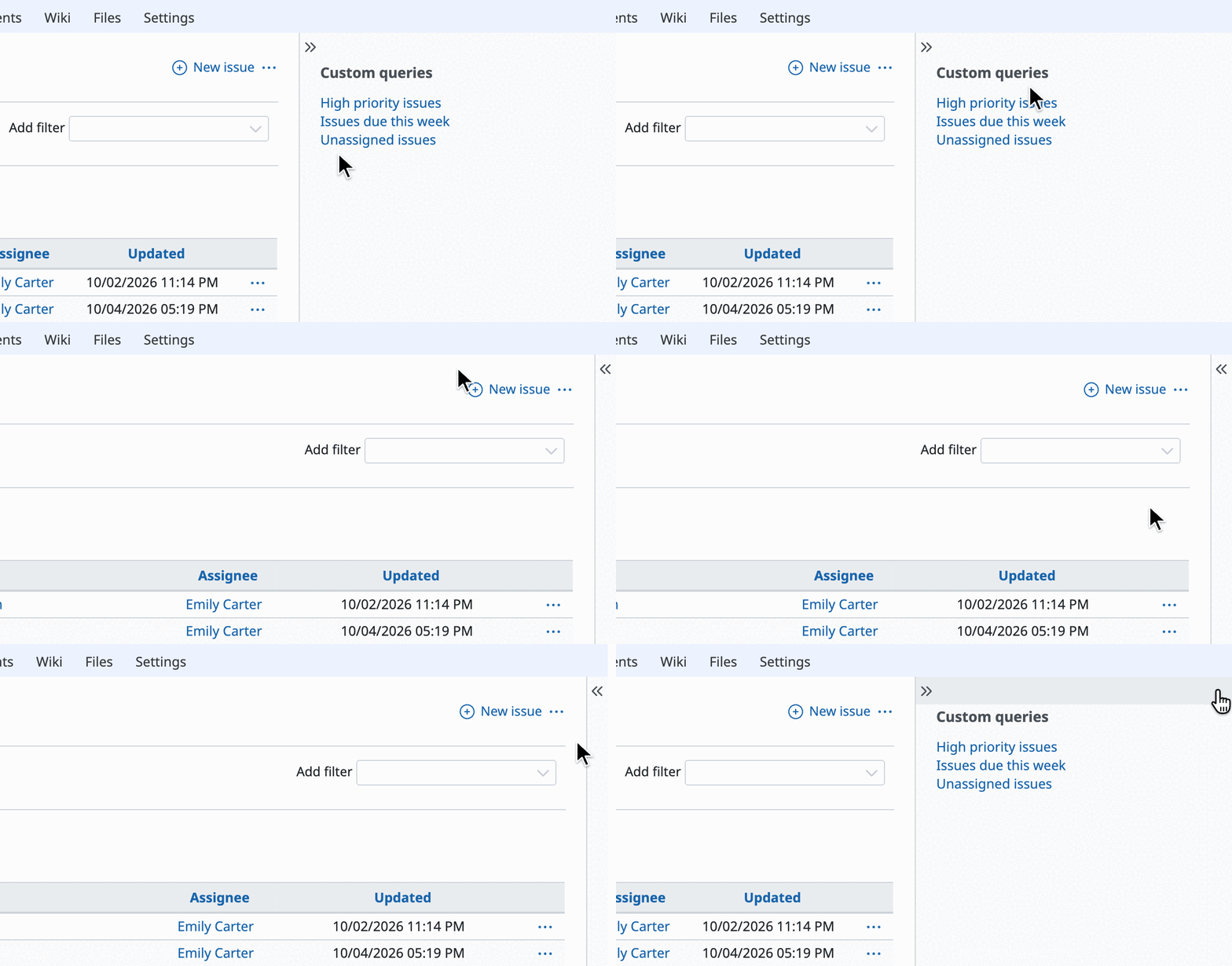
You can show or hide the sidebar on the right side of the Redmine page by clicking ≫ or ≪.
For Redmine 5.1 / RedMica 3.0 and earlier
If you use Redmine 5.1 / RedMica 3.0 or an earlier version, you cannot show or hide the sidebar with the standard features.
However, some third-party themes provide their own feature to open and close the sidebar. If you get and install such a theme, you can hide the sidebar temporarily.

Examples of themes that can open and close the sidebar
- Bleuclair: GitHub / introduction article (in Japanese)
- Farend Basic: GitHub / introduction article (in Japanese)
- Farend Fancy: GitHub / introduction article (in Japanese)











