Restricting the email domains that can be set for Redmine user accounts
Updated on 2024-05-14
•
Created on 2021-01-17
•

(Supported versions: Redmine 4.2 or later / RedMica 1.2 or later)
To restrict the domains of the email addresses that can be used for Redmine user accounts, set "Allowed email domains" and "Disallowed email domains" in the "Users" tab of the "Administration" → "Settings" page.
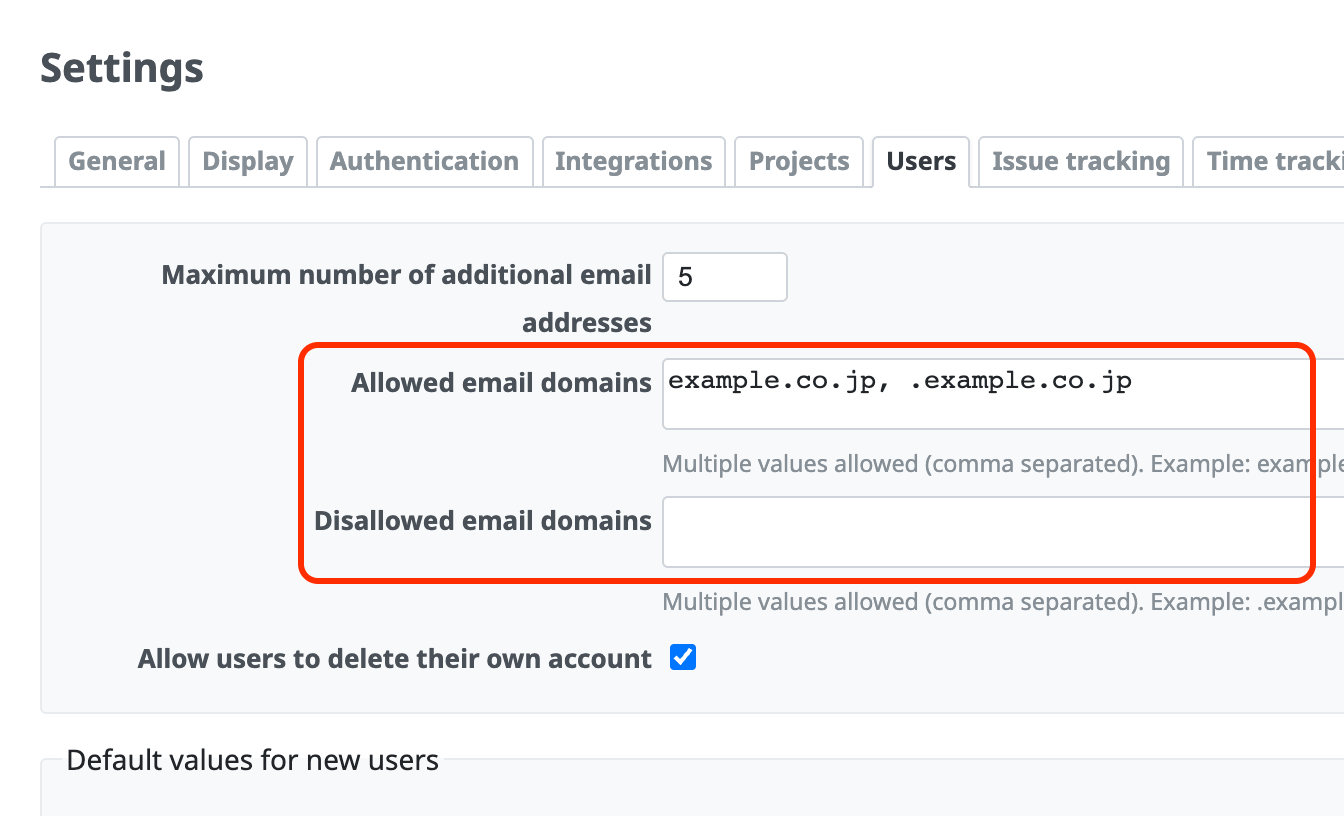
Examples of use
- Prevent information from being sent outside the organization through notification emails (prevent users from setting a personal email address for their user account and receiving notification emails outside the company).
- When users can register freely, for example for public projects ("Self-registration" in "Administration" → "Settings" is not "disabled"), restrict the email addresses that can be registered, or block email addresses of specific domains.
How "Allowed email domains" and "Disallowed email domains" work
- If both "Allowed email domains" and "Disallowed email domains" are empty, users can set any email address.
- If you set "Allowed email domains", users can no longer newly set an email address of a domain other than the specified domains.
- If you set "Disallowed email domains", users can no longer newly set an email address of the specified domains.
- If the same domain is set in both "Allowed email domains" and "Disallowed email domains", users can no longer newly set an email address of that domain.
- You can specify subdomains. If you write a "." (dot) before the domain name, the setting applies to any subdomain.
- Redmine checks the values of "Allowed email domains" and "Disallowed email domains" when a user is created or updated. Therefore, a change to "Allowed email domains" or "Disallowed email domains" is not applied to email addresses that are already set. It is applied the next time an email address is added or changed.
Configuration examples
Allow only email addresses of the example.co.jp domain. Do not allow other domains, including subdomains of example.co.jp.
Settings:
- Allowed email domains: example.co.jp
- Disallowed email domains: (empty)
Behavior:
- Examples of email addresses that can be set: john@example.co.jp
- Examples of email addresses that cannot be set: jane@foo.example.co.jp, george@bar.example.co.jp, paul@example.com
Allow email addresses of the example.co.jp domain and its subdomains. Do not allow other domains.
Settings:
- Allowed email domains: example.co.jp, .example.co.jp
- Disallowed email domains: (empty)
Behavior:
- Examples of email addresses that can be set: john@example.co.jp, jane@foo.example.co.jp, george@bar.example.co.jp
- Examples of email addresses that cannot be set: paul@example.com
Allow only email addresses of subdomains of example.co.jp. Do not allow the example.co.jp domain and other domains.
Settings:
- Allowed email domains: .example.co.jp
- Disallowed email domains: (empty)
Behavior:
- Examples of email addresses that can be set: jane@foo.example.co.jp, george@bar.example.co.jp
- Examples of email addresses that cannot be set: john@example.co.jp, paul@example.com
Disallow email addresses of the example.co.jp domain.
Settings:
- Allowed email domains: (empty)
- Disallowed email domains: example.co.jp
Behavior:
- Examples of email addresses that can be set: jane@foo.example.co.jp, george@bar.example.co.jp, paul@example.com
- Examples of email addresses that cannot be set: john@example.co.jp
Disallow email addresses of the example.co.jp domain and its subdomains.
Settings:
- Allowed email domains: (empty)
- Disallowed email domains: example.co.jp, .example.co.jp
Behavior:
- Examples of email addresses that can be set: paul@example.com
- Examples of email addresses that cannot be set: john@example.co.jp, jane@foo.example.co.jp, george@bar.example.co.jp











