The update date of issues on the Redmine Activity page is off by one day
Updated on 2021-05-07
•
Created on 2021-05-07
•

This article is for versions earlier than Redmine 4.1.0.
The Activity page displays the updates of a project, such as issue updates, in chronological order.
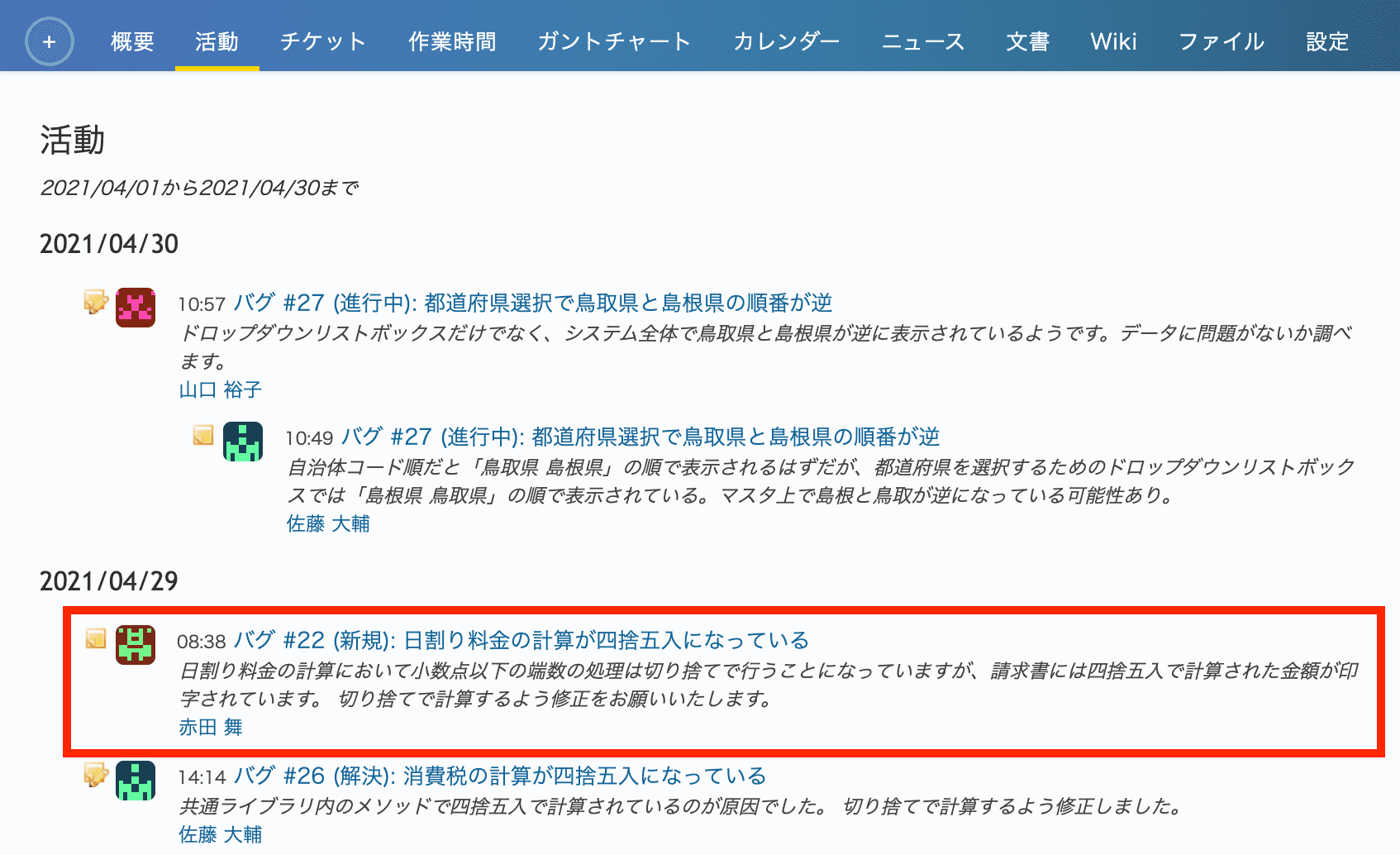
However, if the time zone of the user is not set, updates may be displayed with a wrong date. In this case, Redmine groups the updates by the date in UTC, and not by the date in the local time of the user. For example, in a time zone that is 9 hours ahead of UTC, issues updated before 9:00 a.m. local time are placed under the date of the previous day. Issue #22 in the first image below (a screenshot of the Japanese user interface of an affected version) was updated at 8:38 a.m. on April 30, 2021 in such a time zone, but it is displayed under "2021/04/29".
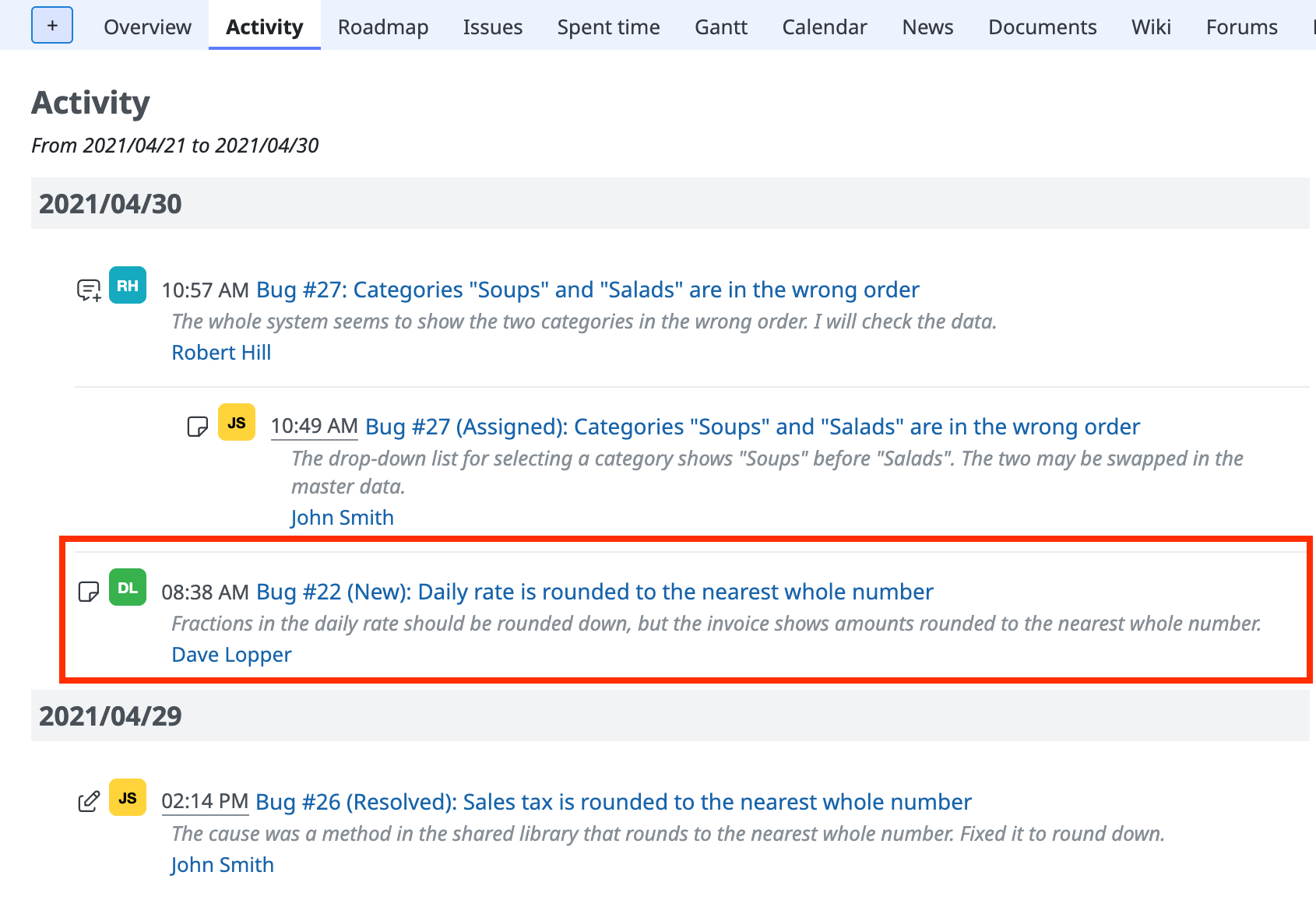
If you set the time zone of the user, the correct date is displayed.
Before the setting (displayed with a wrong date)
After the setting (displayed with the correct date)
How to configure
Time zone of a user
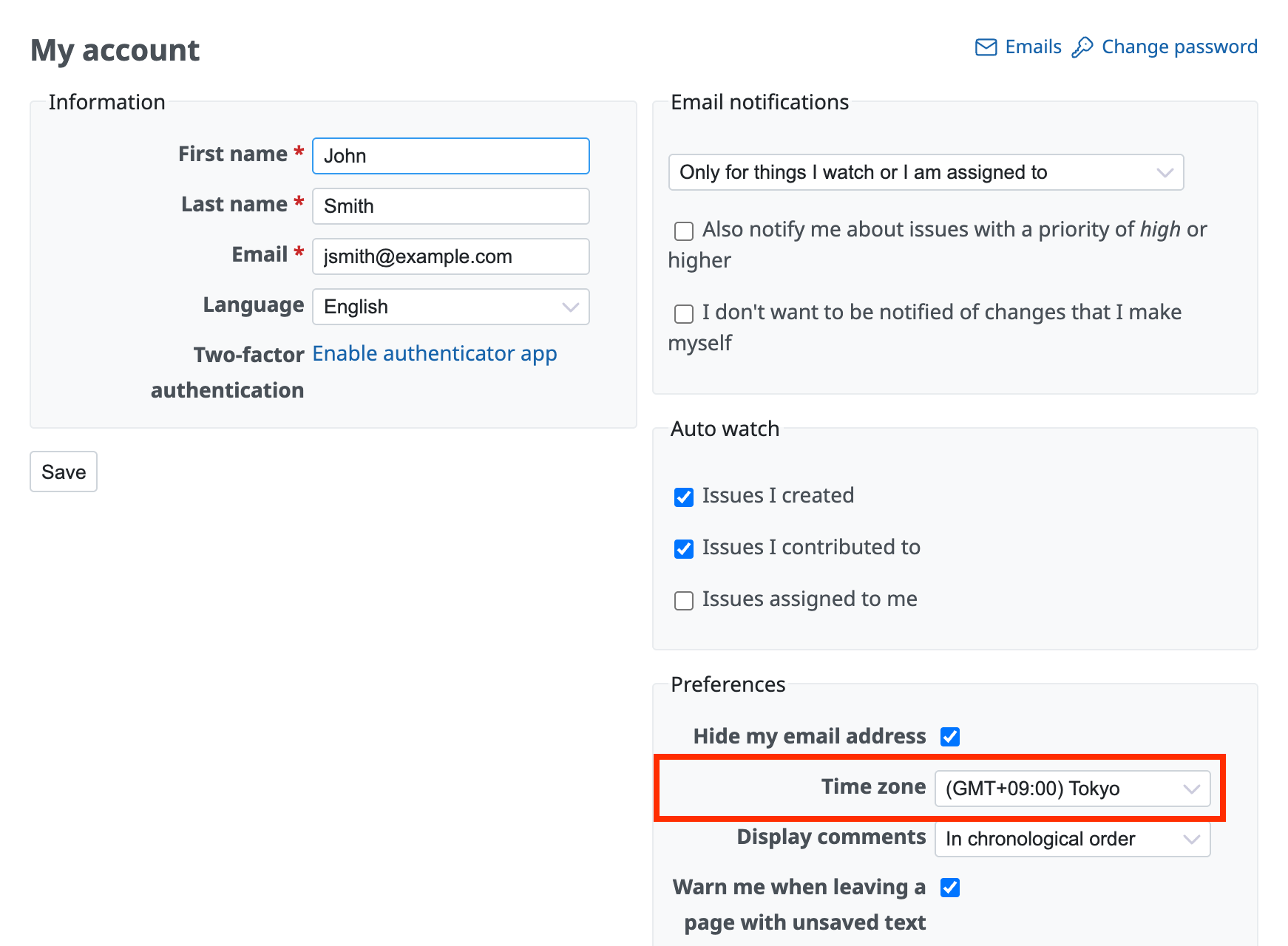
Each user makes the following setting.
- Open the "My account" page from the top right of the page.
- Select your time zone in "Time zone" (for example, "(GMT+09:00) Tokyo").
- Click "Save".
Default time zone for newly created users
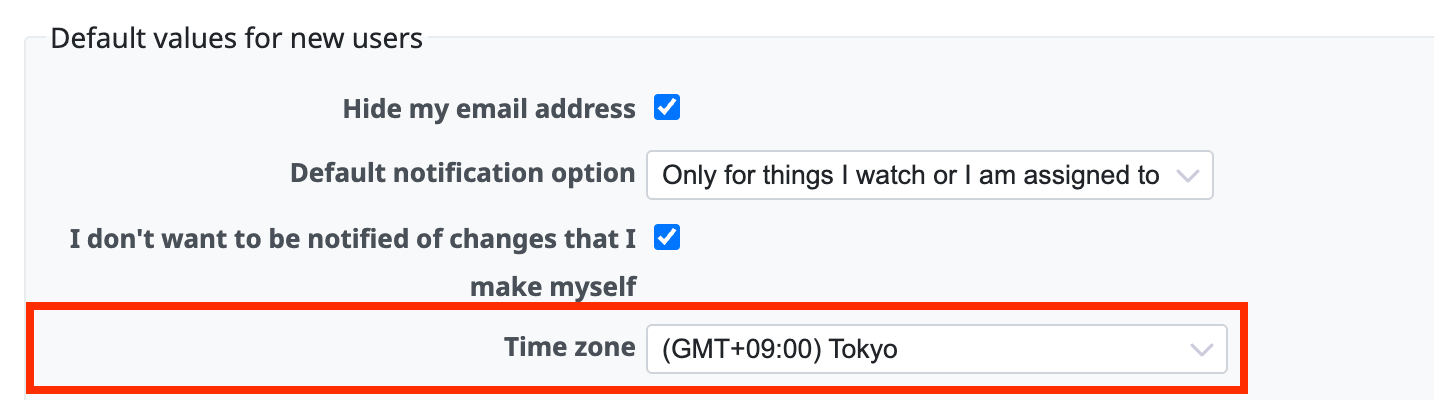
With this setting, you can specify the time zone that is set by default when a new user is registered. Users created after this do not need to specify the time zone themselves.
- Click "Administration" in the top menu → "Settings" → the "Users" tab.
(In Redmine 3.4 and earlier, click "Administration" in the top menu → "Settings" → the "Authentication" tab.) - Select the time zone of your users in "Time zone" (for example, "(GMT+09:00) Tokyo").
- Click "Save".