What is the difference between Documents and Files in Redmine?
Created on 2019-01-24
•

"Documents" is a feature for publishing files that should be shared in a project, such as meeting minutes and specifications. "Files" is a feature for publishing files for download when you distribute them.
You can attach files in both "Documents" and "Files". Please use each feature according to its characteristics.
What you can do, what you cannot do, and uses
| Documents | Files | |
|---|---|---|
| Classifying files | Yes | Yes |
| Searching for files | Yes | No |
| Publishing text related to the files | Yes | No |
| Setting permissions | Yes | Yes |
| Uses | • Share files that are rarely updated, such as meeting minutes • Manage documents by category |
• Share files for download • Manage files that are linked to versions of the project |
Documents
You can classify files by "document category".
You can also register a title and a description for a document. You can find the document that you need by searching for text in the registered title, description, and file names. On the document list screen, you can also sort documents by category, date (creation date), title, and author.
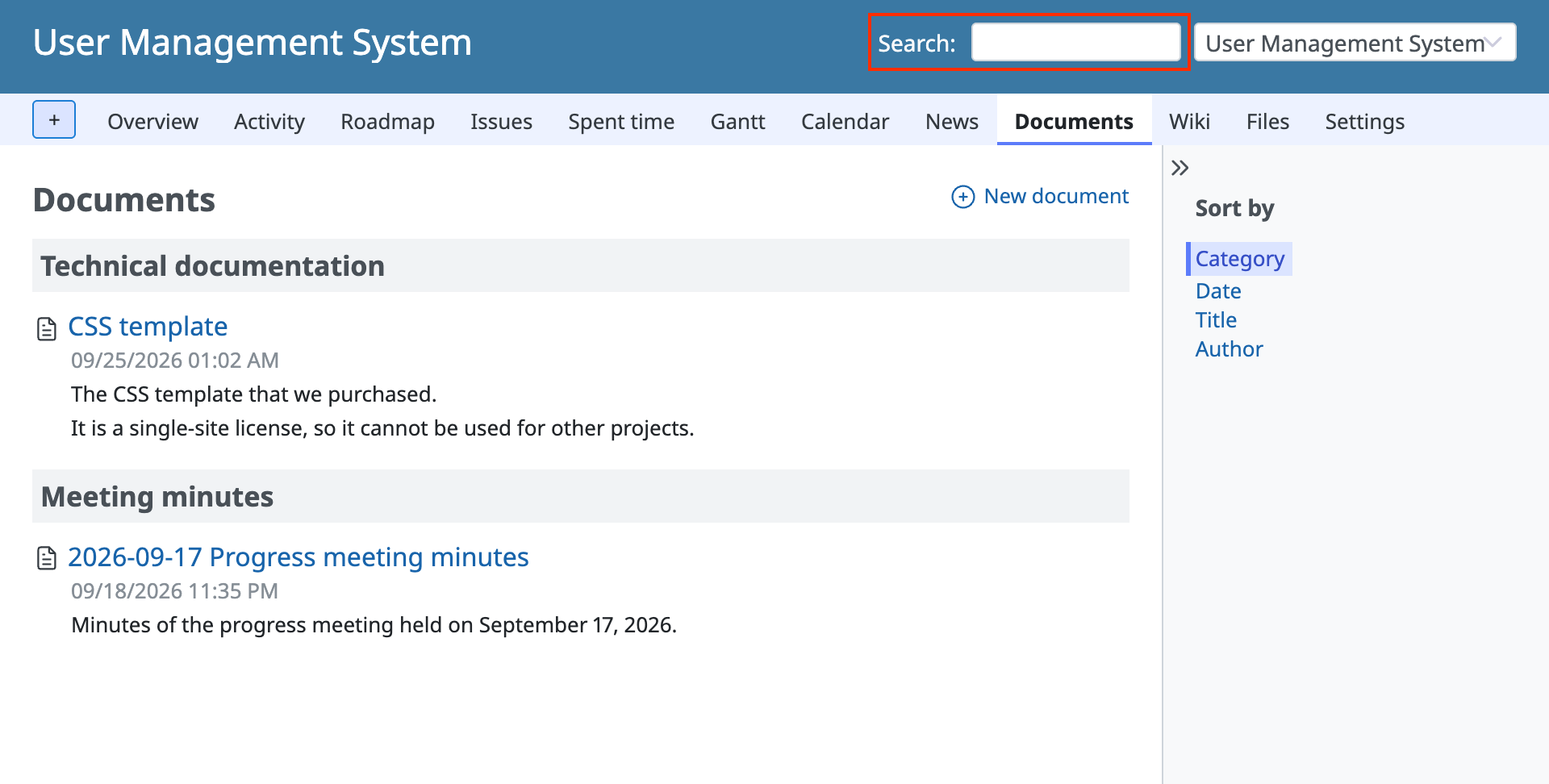
By default, documents are shown by category (document list screen).
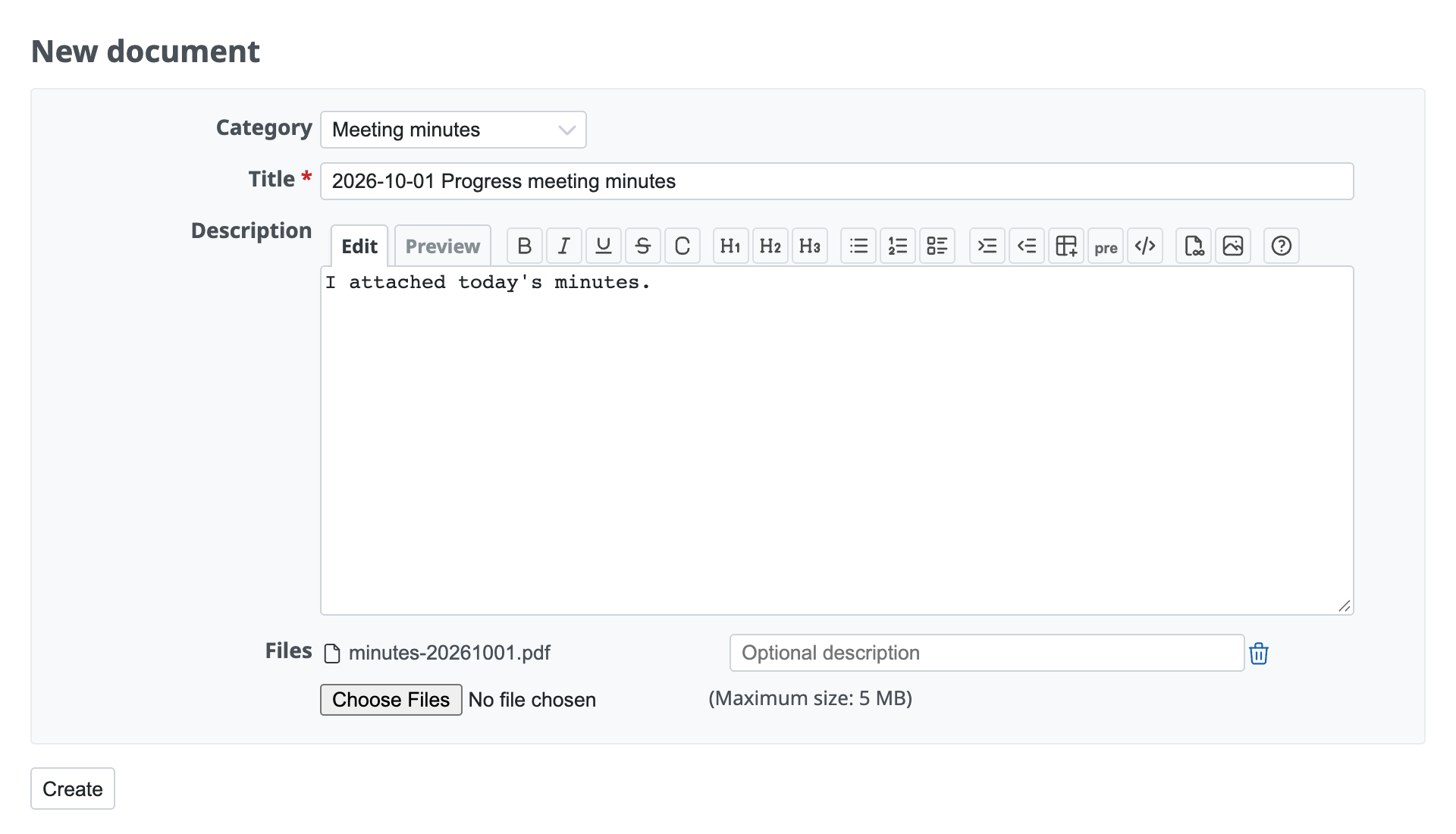
In the description field, you can use Wiki formatting (new document screen).
Files
You can classify files by "version" of the project. The number of downloads, the checksum, and other information are shown. You can also add a new file without specifying a version.
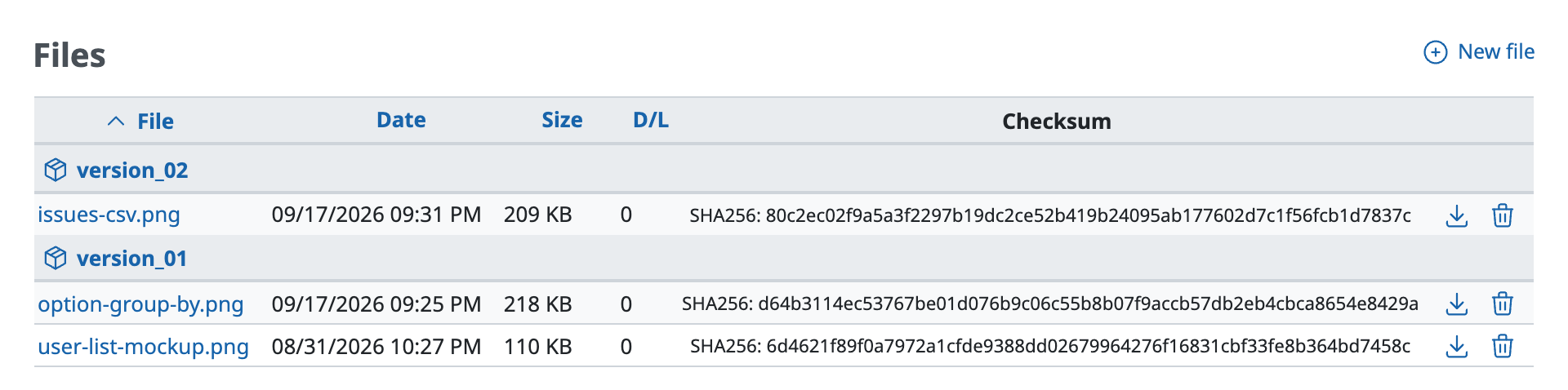
version_01 and version_02 are versions of the project (file list screen).
Related articles











